Digital signage hardware control and remote screen monitoring.
See every screen, every location, right now — what it's playing, whether it's healthy, and fix it remotely if it's not.
Real-time fleet monitoring, remote commands, persistent delivery queue, and self-healing routines that resolve issues before your clients notice.
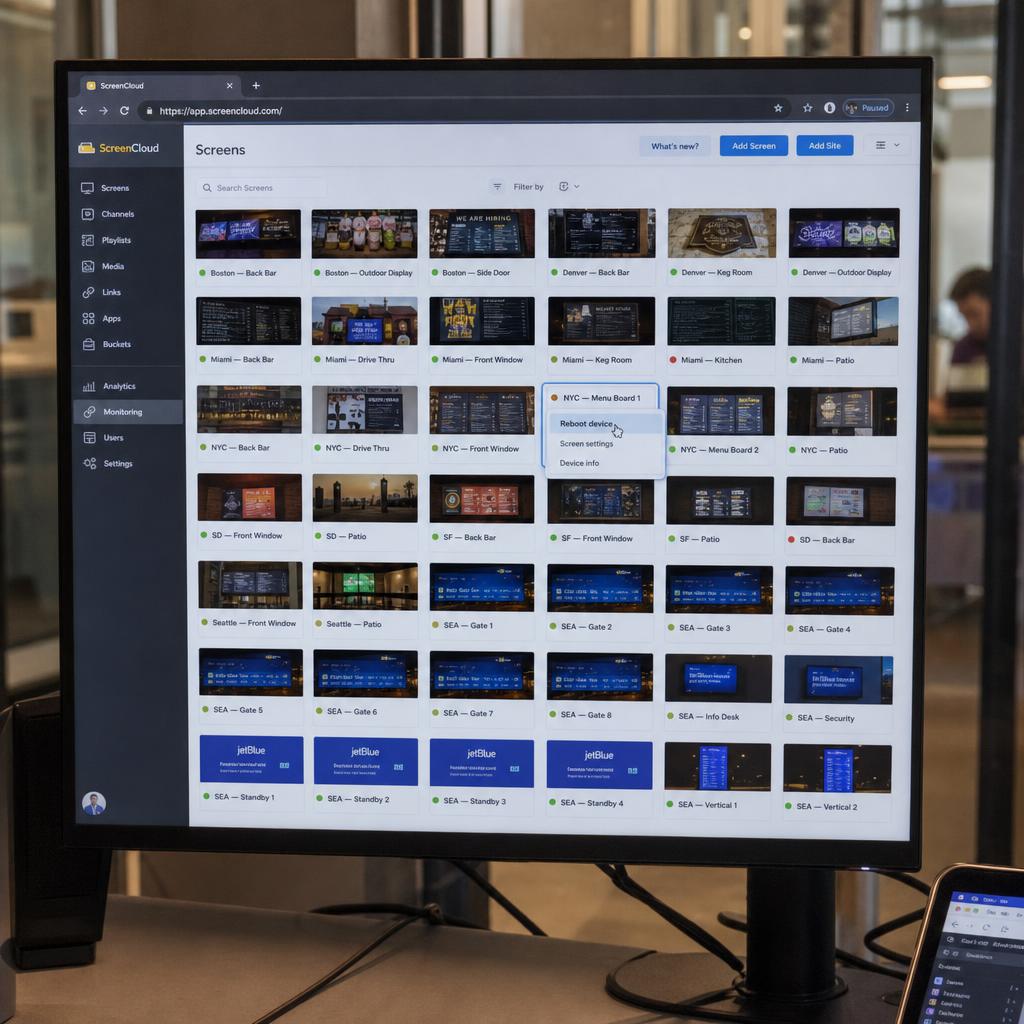
Is Screen 7 Still Showing Last Month's Promo? Is It Even On? You Have No Idea.
Right now, somewhere in your network, a screen is frozen on last month's creative. Another one rebooted and never came back online. A third is overheating in a window display. You won't find out until someone walks past and calls you — or worse, your client notices first.
Blind Spots Across Your Network
You manage screens across multiple locations. You don't know what's playing, what's offline, or what's stuck — unless you physically walk over to check.
- No way to see what's on screen right now without visiting the location
- Offline devices go unnoticed for hours, days, or even weeks
- Status updates come from customer complaints, not your monitoring system
Every Fix Requires a Technician Visit
Screen frozen? Reboot it — but that means dispatching someone. Wrong content showing? Someone needs to drive there. Every hardware issue becomes a logistics problem.
- Truck rolls cost $200–$500 per visit for simple issues like reboots
- Firmware updates require physical access to each device individually
- Network troubleshooting can't happen without on-site diagnostic tools
Vendor-Specific Tools for Each Device Type
Your media players have one management portal. Your LED controllers have another. Your commercial displays have a third. None of them talk to each other.
- Different logins and interfaces for each hardware vendor
- No unified view of your entire fleet's health
- Comparing performance across device types is a manual spreadsheet exercise
Hardware Failures Are Surprises, Not Predictions
A screen overheats in a sunny window display. A player's storage fills up. Memory leaks accumulate until the device crashes. You only find out after the failure.
- No temperature monitoring means overheating is discovered too late
- Storage and memory issues cause crashes without warning
- No proactive alerts to prevent failures before they impact content
See every digital signage screen, every location, right now — And Fix It From Your Desk
SPARC shows you what every screen is playing, whether it's healthy, and lets you fix problems remotely — before anyone notices there was one. Real-time screenshots, live status, remote commands, and a persistent queue that delivers instructions even when devices come back online.
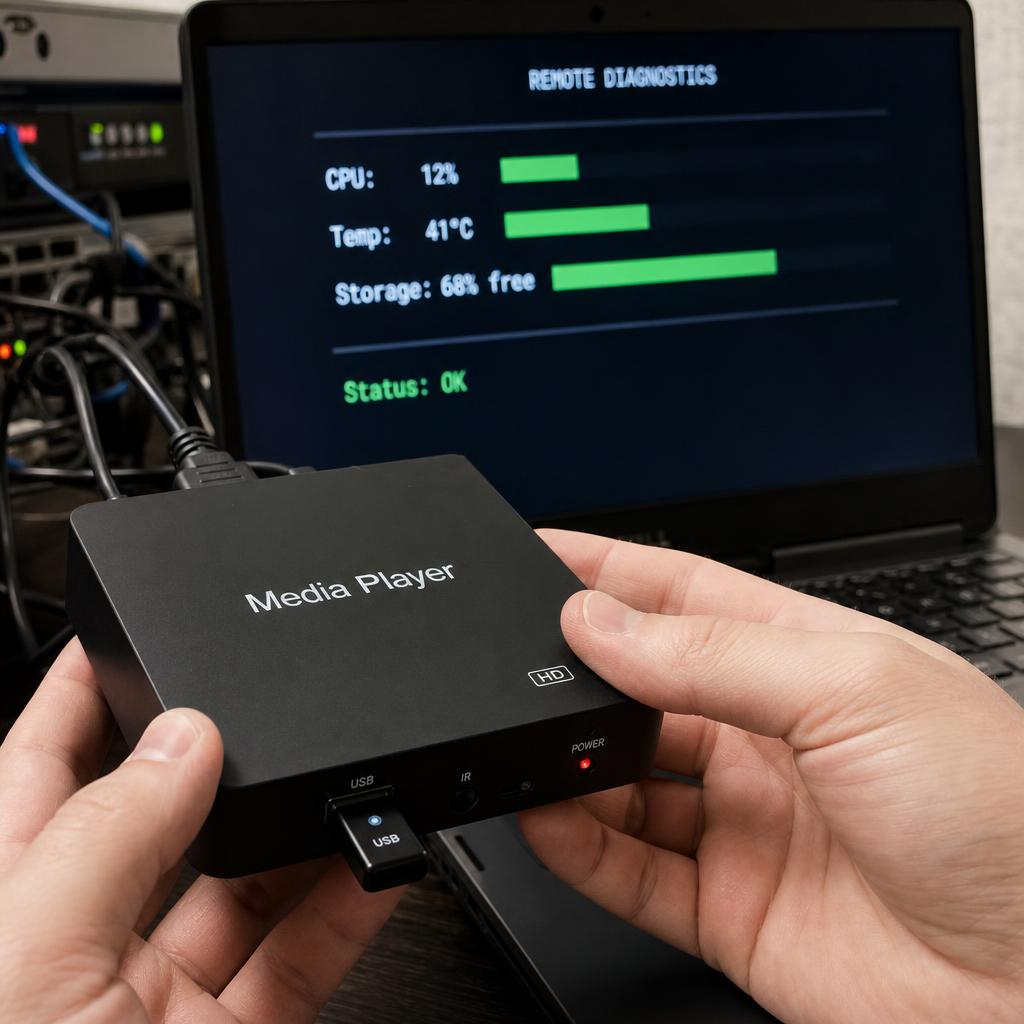
See What's On Screen — Right Now
Live screenshot capture from any screen in your network. See exactly what's displaying without leaving your desk. Scheduled screenshot audits for proof of play.
- On-demand screenshot capture from any connected display
- Side-by-side comparison: what should be playing vs. what is playing
- WebSocket-powered live status updates — no page refreshing needed
Real-Time Health for Every Device
CPU, memory, storage, temperature, network strength, and uptime — all visible at a glance with colour-coded indicators (green, amber, red) across your entire fleet.
- Anomaly detection flags memory spikes, FPS drops, and frequent disconnects
- Per-device telemetry with historical trends for capacity planning
- Fleet-wide health scoring so you know where to focus attention
Remote Commands That Actually Arrive
Reboot a frozen screen. Clear a full cache. Update firmware. Adjust volume and brightness. All from your dashboard. SPARC's persistent command queue means instructions are delivered even if the device is temporarily offline.
- Playback controls: play, pause, stop, restart, seek, next, previous
- Device controls: reboot, identify (flash overlay to locate), firmware update
- Persistent queue — commands sync automatically when offline devices reconnect
Alerts Before Problems Become Complaints
Configurable thresholds for temperature, uptime, and connectivity. Multi-channel escalation via email, SMS, Slack, and webhooks. You know about issues before your clients do.
- Heartbeat monitoring with configurable offline detection thresholds
- Temperature alerts prevent hardware damage from overheating
- SLA compliance tracking with automatic report generation
Automate Screen Reboots, Power and Firmware Updates
Scheduled reboots, staged firmware rollouts, automated power management, and self-healing routines keep your network healthy without manual intervention. Your ops team stops firefighting and starts optimising.
Scheduled Maintenance, Zero Downtime
Automate routine reboots during off-hours. Stagger them across your network so no location goes dark. Pre and post-reboot health checks verify everything recovered properly.
- Configurable reboot schedules per device, group, or network-wide
- Staggered windows prevent simultaneous downtime across locations
- Automatic retry if post-reboot health check detects issues
Firmware Updates Without Site Visits
Roll out firmware updates from your dashboard. Start with a canary group, verify success, then expand. Automatic rollback on failure means you never brick a device.
- Staged rollouts with pilot testing on canary devices first
- Automatic rollback to previous firmware if update fails
- Compatibility validation before deployment is approved
Self-Healing That Reduces Truck Rolls
SPARC detects issues and tries to fix them before alerting you. Automatic service restarts, cache clearing, and content failover to backup players keep content playing.
- Self-healing routines restart services and clear caches automatically
- Content failover to backup players on primary device failure
- Reduces technician visits by resolving common issues without intervention
Power Scheduling That Cuts Energy Costs
Screens turn on when the store opens and off when it closes — automatically. Wake-on-LAN means no site visit needed to power devices back up.
- Automated power schedules aligned with business operating hours
- Energy consumption tracking and cost estimation per device
- Wake-on-LAN support eliminates the need for on-site power cycling
Screen Fleet Visibility at a Glance
When you manage hundreds of screens across a country, knowing where they physically are matters. SPARC's Device Map provides an interactive geographic view with clustering, heat maps, and bulk operations by region. Pair a new device with a 6-character code. Group devices by location or function. See your entire fleet on one map.
Fix Screen Faults From Your Desk Instead of Sending a Technician
Every truck roll that should have been a remote reboot. Every firmware update that required a site visit. Every offline screen that went unnoticed for a week. See what it looks like when you actually control your hardware.
Digital signage hardware control FAQs
Can I see what's playing on any screen remotely?
Yes. SPARC provides on-demand screenshot capture from any connected display, plus WebSocket-powered real-time status updates. You can see exactly what every screen is playing, verify it matches the scheduled campaign, and compare expected vs. actual output — all from your browser.
What happens if a device goes offline?
SPARC detects offline devices via WebSocket heartbeats with configurable timeout thresholds and immediately alerts you via email, SMS, Slack, or webhooks. Self-healing routines attempt automatic recovery, and content can fail over to backup players. Any commands you send are held in a persistent queue and delivered automatically when the device reconnects.
Can I manage different brands and types of hardware from one dashboard?
Yes. SPARC's hardware-agnostic dashboard supports media players, commercial displays, LED controllers, and peripherals from any manufacturer in a single unified view. Filter by location, device type, status, or firmware version, and see everything on an interactive map.
Do I need a technician to update firmware?
No. SPARC supports over-the-air firmware updates deployed from the dashboard with staged rollouts and automatic rollback on failure. Start with a canary group to verify, then expand to your full fleet — no site visits required.