Digital signage software shouldn't mean five tools. None of them talk to each other.
Content on one system. Screens on another. Analytics somewhere else. Video walls need a specialist. And nobody can tell you if screen 7 is even on.
SPARC is the digital signage software that replaces all of them. One platform for every screen, every location, every experience — with the audience intelligence to prove it's working.
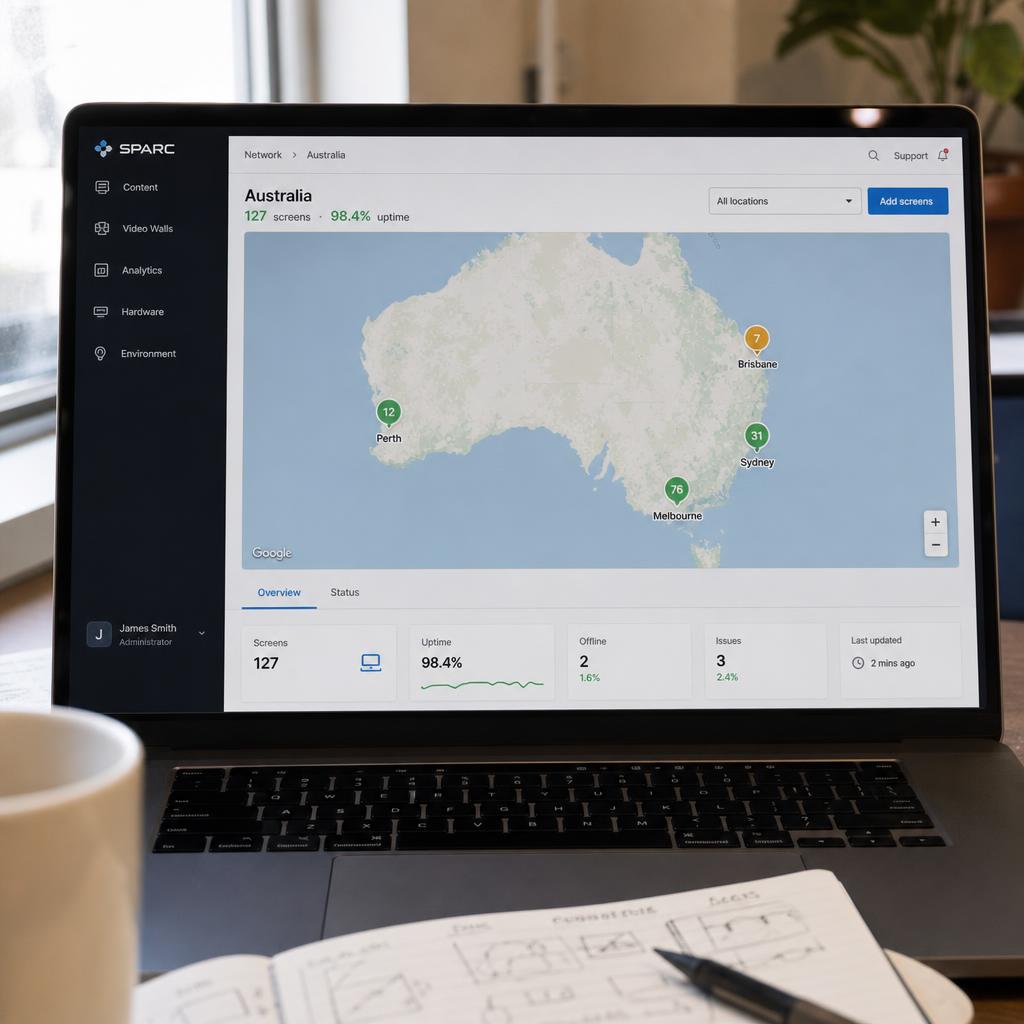
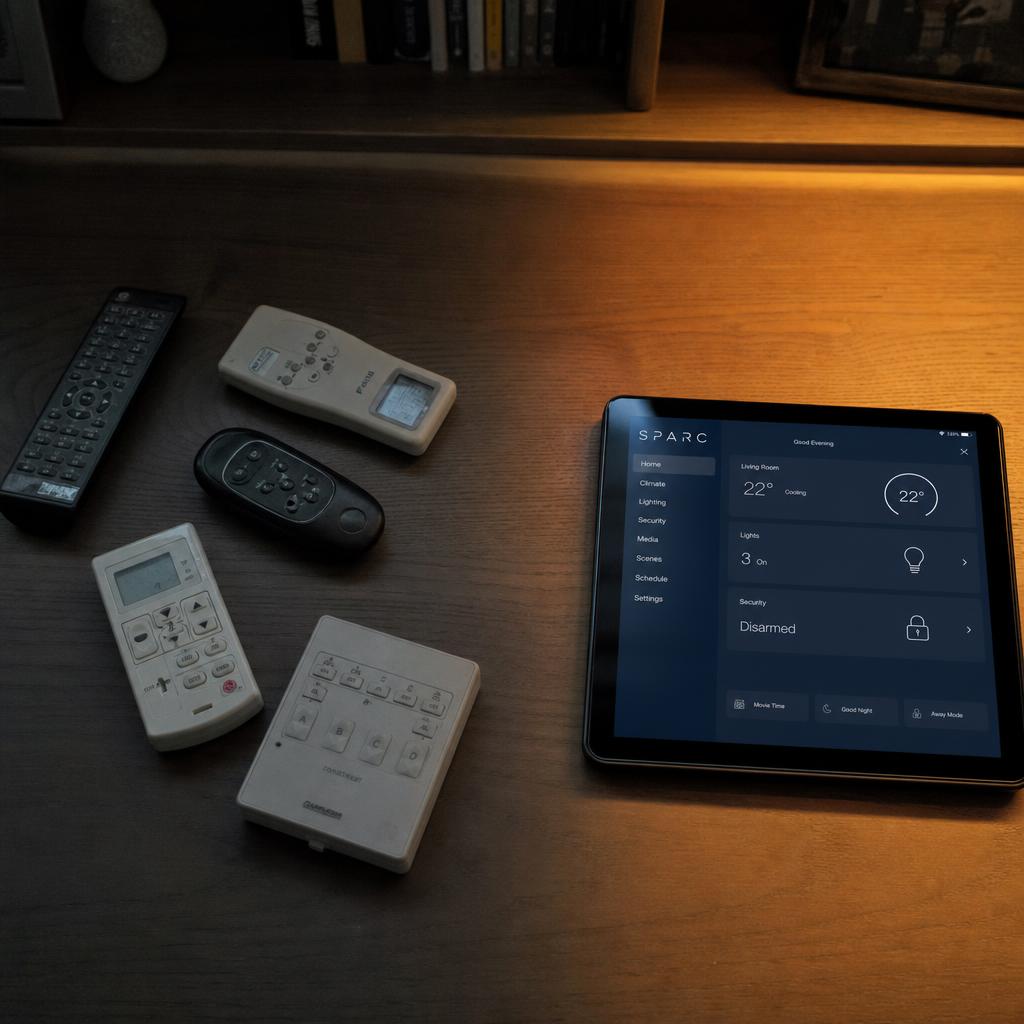
"I'm juggling five tools and still don't know if screen 7 is showing last month's promo."
Every month you spend switching between a content system, a monitoring tool, a scheduling app, a video wall controller, and a spreadsheet tracking what's where. You're paying for five licences, training five interfaces, and still flying blind.
One dashboard shows every screen, every location, in real time — what it's playing, whether it's healthy, and what needs attention. Your entire operation in a single tab.
SPARC's Command Centre gives you live status on every device, real-time screenshots of what's on screen, fleet health monitoring with automated alerts, and a persistent command queue so you can fix problems remotely — no more site visits to update a USB stick.
"You spent $200K on screens. The board asks for ROI. You have nothing."
Your website tells you exactly who visits, where they go, how long they stay, and what makes them convert. Your physical spaces? Silence. You install screens, you schedule content, you hope for the best. Next quarter's signage budget is a guess — because you can't prove the screens are doing anything.
Same audience data you get from your website. Now for your stores.
With optional AI vision modules, SPARC uses standard cameras to understand your space in real time: how many people are there, roughly who they are, what content holds their attention, and where the dead zones are. Then it acts on that intelligence — automatically adapting what every screen shows based on who's actually in the room.
The analytics dashboard generates natural-language insights hourly, so your team doesn't need a data analyst to understand what's happening. And the AI Assistant lets operators manage their network in plain English — ask it a question, get an answer, take action.
Privacy by design. No images stored. No faces remembered. No individual tracking. SPARC analyses anonymised snapshots and returns aggregate data: how many people, approximate demographics, how long they looked. It's audience intelligence, not surveillance.
"Video walls are expensive, complicated, and every change needs a specialist."
A dedicated hardware controller costs $5K–$15K. You need a technician to configure it. Every layout change — a new event, a different aspect ratio, a seasonal update — means another callout. And you're locked into one vendor's hardware forever.
What if the hardware controller was software? What if you could design any layout — L-shapes, staggered clusters, mixed screen sizes — and deploy it from your browser?
SPARC handles video walls entirely in software. No dedicated controller. No proprietary hardware. Design your wall layout on a freeform canvas, assign content to each screen or span it across the whole wall, and deploy — all from the same dashboard you use for everything else. Frame-accurate sync keeps every screen in perfect lockstep.
"Empty store at 7am sees the same loop as packed store at 2pm."
Static content ignores reality. Your premium flagship plays the same campaign whether the room is empty or packed with families. Your hotel lobby greets Monday business travellers with Friday night event promos. Every day those screens show the wrong content, you're wasting the budget that put them there.
Screens notice when the room fills up. They see the crowd shift. They change what they're showing — automatically, in real time, without anyone touching a button.
SPARC's Automation Engine connects what the cameras see to what the screens show. Set rules based on occupancy, demographics, time of day, day of week, weather, and campaign calendar. When conditions change, content changes — instantly. Your Saturday afternoon crowd looks different from Tuesday morning. Now your screens know that too.
"Screens on one system. Lighting on another. Audio on a third. A technician manually coordinates scene changes."
Your escape room has three separate interfaces for three separate systems. Your flagship store wants ambient lighting to shift with on-screen campaigns but can't bridge the gap. Every immersive experience requires a technical operator standing by, because nothing works together.
The lights dim. The screens shift. The fog rolls in. The audio drops. Your audience doesn't know it's all controlled from one tablet. They just know the experience is flawless.
SPARC's Scene System saves and recalls complete environment states — screens, lighting, audio, effects — in a single preset. Trigger a scene and everything changes together. Control LED strips, fog machines, servos, door locks, audio, motors, and projectors from the same interface you use for your screens. Zone-based spatial grouping lets you control different areas independently. This is what makes SPARC experience-native — it was built for this, not adapted from a CMS.
"Every content update needs a designer, an export, a file transfer, and a prayer that it looks right on the screen."
Your marketing team has an idea for a campaign. They brief a designer. Wait two days. Get a file. Upload it to the CMS. Deploy it to screens. Discover it's the wrong resolution. Start again. Meanwhile, the promo should have been live yesterday.
Your team builds a campaign in 15 minutes. Deploys it before lunch. Knows by end of day which creative worked and which didn't.
SPARC includes a built-in WYSIWYG Designer with layers, templates, and AI-assisted content generation. Your team creates professional signage content without leaving the platform — no Photoshop, no external design tools. The AI Assistant generates headlines, taglines, colour palettes, and even entire layouts. Add dynamic data with 20+ widget types (clocks, weather, news, stocks, social feeds, QR codes). Save directly to the Content Library and deploy immediately through the Campaign System.
"We need 40 people across 12 locations to use this system. How do we keep control without slowing everyone down?"
Without proper access control, someone in a regional office changes the wrong campaign and it goes national. Without audit trails, you can't trace who did what. Without workspace isolation, one team's mistake affects everyone. Enterprise buyers don't just need features — they need governance.
Governance that doesn't slow anyone down. Each team manages their own screens, their own content, their own campaigns — within boundaries you define. Every action is logged. Every role is enforced.
SPARC's enterprise architecture includes 12 distinct role levels — from read-only viewers to full platform administrators — with permissions that cascade logically. Workspace isolation means each location operates independently while you maintain centralised oversight. SSO integration, complete audit trails, and per-site governance policies keep compliance effortless. Deploy a campaign to every location with one click, or let regional teams customise within guardrails you set.
Stop juggling five digital signage tools — run one platform
Replace your fragmented AV stack with one platform that manages every screen, understands your audience, and proves your spaces are working.
Digital signage platform FAQs
What does the SPARC platform replace?
SPARC replaces the collection of separate tools most teams use for content scheduling, device monitoring, video wall controllers, audience analytics, and environment control. One dashboard replaces five vendors — content, screens, video walls, lighting, audio, and sensors are all managed from one place.
How does SPARC measure audience engagement?
SPARC uses optional AI vision modules with standard cameras to count foot traffic, estimate demographics, measure dwell time, and score content attention — giving you the same audience data for your physical spaces that your website gives you online. No images are stored. No faces are remembered. No individual tracking.
Do I need a hardware controller for video walls?
No. SPARC handles video walls entirely in software — no dedicated hardware controller needed. You can design any layout including L-shapes, staggered clusters, and mixed screen sizes, with bezel compensation and frame-accurate sync, all from your browser.
Can my team manage SPARC without an integrator?
Yes. SPARC is built for self-service operation. Your marketing team can build campaigns in the WYSIWYG Designer, deploy content to hundreds of screens, and manage video wall layouts — without calling an integrator or filing a ticket. Training time is typically one afternoon.
Does SPARC work with LCD and LED digital signage displays?
Yes. SPARC is hardware-agnostic digital signage software — it runs on the commercial LCD and LED digital signage displays you already own or choose to buy, through supported media players and smart-display platforms, and drives LED video walls through their processors. You're not locked into buying screens from us.
Does SPARC support multi-site enterprise deployments?
Yes. SPARC supports centralised management across unlimited locations with 12-level role-based access control, workspace isolation, SSO integration, audit trails, and per-site governance policies. Deploy once and manage everywhere.
What's the difference between a digital signage system and digital signage software?
A digital signage system is the full setup — the screens, media players, and network — while digital signage software is the platform that controls what runs on it. Most digital signage software solutions stop there. SPARC is the software layer: it works with the displays and players you already own, or hardware we recommend, so you're not locked into a single vendor's system.
Is SPARC's digital signage interactive?
SPARC's screens are interactive in the sense that matters most at scale: content adapts automatically to sensor input — foot traffic, dwell time, time of day, and weather — without anyone touching a button. SPARC does not currently ship a touchscreen kiosk interface; if your project needs guests physically tapping a screen to navigate a menu, talk to us about hardware options before assuming it's covered out of the box.