Digital Signage Solutions for the Problem You Actually Have
Every solution starts with the problem you're actually facing — fragmented tools, integrator dependency, no ROI data, static content, or disconnected environments. Here's how SPARC solves each one.
"I'm running five tools and still don't know if screen 7 is showing last month's promo."
Every Screen on One Dashboard
Content, screens, video walls, lighting, audio, sensors — managed from one place. SPARC's Command Centre shows real-time status on every device across every location. Live screenshots. Online/offline alerts. Fleet health scoring. No more spreadsheets. No more toggling between a lighting desk, a media server, and a signage CMS.
Real-time fleet overview with live screenshots of every connected screen — refreshed automatically
Unified content, hardware, and IoT management from a single command centre
Remote device control — reboot, screenshot, volume, firmware update — without a site visit
Fleet health dashboard with anomaly detection: memory spikes, FPS drops, connectivity issues flagged automatically
"Every time I need to change something, I have to call someone. Our integrator charges $2,000 for a seasonal content swap."
Change Screen Content Without Calling an Integrator
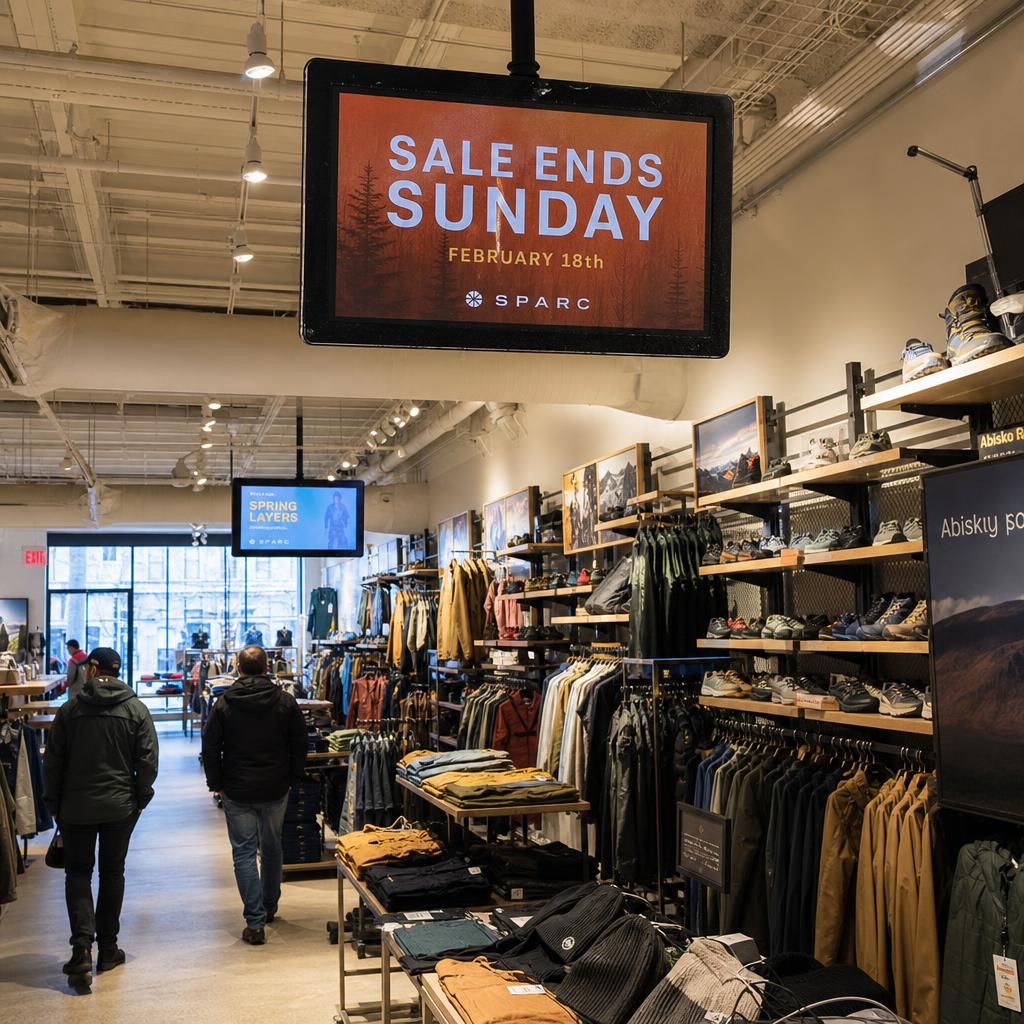
Your marketing team launched a new campaign this morning. By lunch, it was on every screen in every store. Nobody called anyone. Nobody filed a ticket. SPARC's WYSIWYG Designer lets your team build professional content without external designers. The Campaign System deploys it to 500 screens with one click. Training time: one afternoon.
Built-in WYSIWYG Designer with AI-assisted content generation — no external design software needed
Campaign deployment to every screen across every location with one click — live in minutes, not days
Industry-specific templates: restaurant menus, retail promos, corporate dashboards, healthcare wait times
Content snapshots freeze your campaign at deployment — no surprises if someone edits library items later
"You spent $200K on screens. The board asks for ROI. You have nothing."
Digital Signage Analytics That Answer the ROI Question
Same audience data you get from your website. Now for your stores. SPARC's AI vision uses standard cameras to count foot traffic, read demographics, measure attention, and track dwell time. You get engagement analytics, content performance rankings, and proof-of-play reports that connect screen content to business outcomes. The AI Assistant speaks plain English — ask it anything about your network.
No images stored. No faces remembered. No individual tracking. SPARC analyses anonymised snapshots and returns aggregate data — audience intelligence, not surveillance.
AI vision counts who's looking, how long they stay, and which content actually holds their attention
Approximate demographic analysis — age and gender distributions — so you understand your audience
Content performance analytics with engagement rankings, playback completion rates, and daily trend charts
Executive-ready reports that tie digital signage spend to foot traffic and attention metrics
Intelligence in action — industry by industry
It's Saturday afternoon. Your flagship is packed. SPARC knows — the cameras have counted 340 people in the last hour, skewing younger than your weekday average. The screens in the shoe department automatically shift from your premium heritage campaign to the new-season sneaker launch. Nobody in head office pressed a button.
The Egyptian gallery is at capacity. The Impressionist wing is half-empty. SPARC sees the imbalance and updates the wayfinding screens throughout the building, gently steering visitors toward the quieter spaces. The operations team didn't intervene — the system did it in real time.
Monday morning. The lobby is quiet — mostly business travellers checking out. The screens show flight status boards and taxi information. By Friday evening, the same screens are showing restaurant specials and live music schedules. SPARC read the room and adapted.
"Empty store at 7am sees the same loop as packed store at 2pm. Our screens don't know — or care — who's in the room."
Screens That Change With the Room
Your screens notice when the room fills up. They see the crowd shift. And they change what they're showing — automatically, in real time, without anyone touching a button. SPARC's Automation Engine connects AI vision to content decisions: occupancy triggers, time-of-day rules, weather conditions, campaign calendars, and audience demographics all drive what appears on screen.
Occupancy-triggered content — screens react to how many people are in the room and adjust automatically
Weather and time-of-day rules that shift content without manual scheduling
Audience-aware scene changes — different demographics see different content, automatically
Continuous learning loops that compound engagement gains over time as the system understands your space
"Screens on one system. Lighting on another. Audio on a third. A technician manually coordinates scene changes."
Screens, Lighting and Audio on One Control System
The lights dim. The screens shift. The fog rolls in. The audio drops. Your audience doesn't know it's all controlled from one tablet. They just know the experience is flawless. SPARC's Scene System saves and recalls complete environment states — screens, lighting, fog machines, audio, servos, door locks — all triggered from a single interface.
Scene presets that coordinate screens, LED strips, fog machines, servos, and audio — activated with one tap
Zone-based spatial grouping — different areas of your venue run different experiences simultaneously
Automation triggers that fire scenes based on occupancy, time, or manual cues from a Controller tablet
Emergency alert integration — override everything instantly with safety messaging, lighting changes, and door control
"Our screens are passive. Visitors look but can't interact. We're missing opportunities for self-service, wayfinding, and data capture."
Interactive Screens for Self-Service and Wayfinding
Turn any screen into a touch-enabled kiosk — for check-in, wayfinding, directories, queue management, surveys, and product catalogues. SPARC's Kiosk Builder gives you six professional templates with live preview, touch event logging for analytics, and kiosk mode lockdown so visitors can't exit the experience. No code required.
Six kiosk templates: check-in, wayfinding, directory, queue management, surveys, and product catalogue
Touch event logging captures every interaction — understand what visitors tap, browse, and ignore
Kiosk mode lockdown prevents users from exiting — perfect for public-facing installations
Idle timeout configuration automatically resets the kiosk after inactivity
Digital Signage Use Cases
Purpose-built capabilities for specific screen deployments — from menu boards to ad-supported networks.
Digital Menu Boards
POS-synced menu boards with dayparting, QR codes, and drive-thru support.
Learn moreDOOH & Programmatic Ads
Turn screen inventory into a DOOH ad network with programmatic sales and proof-of-play.
Learn moreOutdoor Digital Signage
Weatherproof, high-brightness outdoor displays with remote monitoring.
Learn moreLED Digital Signage
Native Novastar and Colorlight control for indoor and outdoor LED signage.
Learn moreDigital Wayfinding
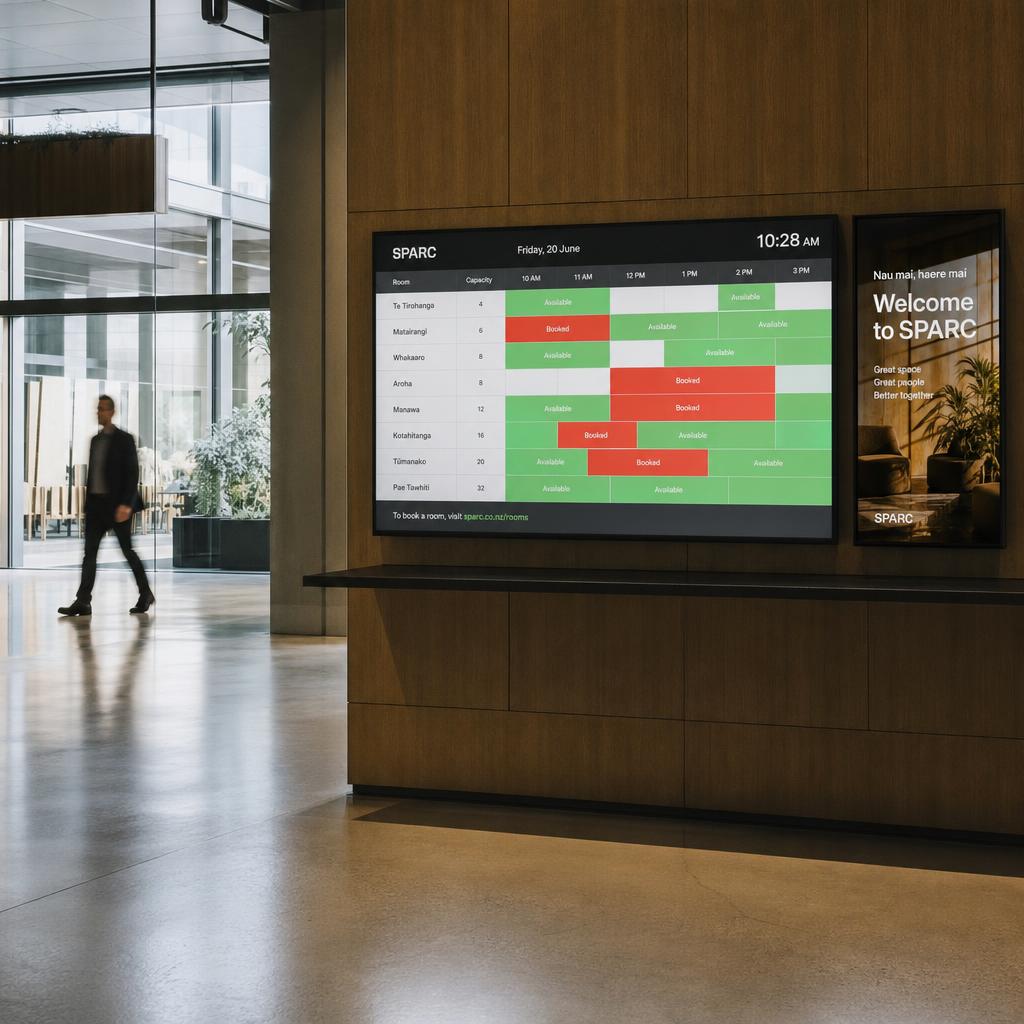
Digital directory boards and directional displays that update the moment a room or route changes.
Learn moreDigital Signage CMS
Cloud-based content management with multi-user permissions, dayparting, and API integrations.
Learn moreWhich digital signage problem are you solving first?
Start with a 14-day free trial — the same platform scales from a single cafe menu board to a national showroom network with video walls across 40 sites.
Digital signage solutions FAQs
How does SPARC replace multiple digital signage tools?
SPARC's Command Centre unifies content management, device control, video wall configuration, IoT environment control, and analytics into one dashboard. Real-time fleet monitoring shows what every screen is playing across every location — replacing the need for separate scheduling, monitoring, and hardware control tools.
What are the most common digital signage use cases?
The most common digital signage use cases are digital menu boards for restaurants and cafes, in-store retail promotions and window displays, corporate and workplace communications, wayfinding and directory boards, DOOH advertising screens, outdoor and drive-thru displays, and LED video walls. SPARC runs all of them — indoor and outdoor — from one digital signage platform, so a business can start with one use case and add others without switching software.
Can my marketing team update signage without an integrator?
Yes. SPARC includes a built-in WYSIWYG Designer with AI-assisted content generation, industry-specific templates, and one-click campaign deployment. Your team can design, schedule, and deploy content to hundreds of screens without calling anyone. Typical training time is one afternoon.
How does SPARC prove digital signage ROI?
SPARC uses AI vision with standard cameras to count foot traffic, measure dwell time, analyse demographics, and score content engagement. You get the same audience data for your physical spaces that your website gives you online — with proof-of-play reports and executive-ready analytics dashboards.
Can SPARC control lighting, audio, and screens together?
Yes. SPARC's Scene System coordinates screens, LED strips, fog machines, audio, servos, and door locks from one interface. Save complete environment states as scene presets and trigger them from a tablet — perfect for escape rooms, showrooms, museums, and immersive retail.
Does SPARC's AI vision store images or track individuals?
No. SPARC analyses anonymised snapshots and returns aggregate data only: headcounts, approximate demographics, dwell times, and attention scores. No images are stored. No faces are remembered. No individual tracking occurs. It's audience intelligence, not surveillance.
Can SPARC turn screens into interactive kiosks?
Yes. SPARC's Kiosk Builder offers six professional templates for check-in, wayfinding, directories, queue management, surveys, and product catalogues — with kiosk mode lockdown, touch event logging, and idle timeout. No code required.