
What "Digital Signage API Integrations" Actually Means
Digital signage API integrations are the connections that let a display network pull data from, or push data to, outside systems — so screen content updates automatically instead of being edited by hand.
That covers four distinct patterns:
- REST API — a developer calls it to read or write content programmatically
- Webhooks — push events to the CMS the moment something happens elsewhere
- Data feed ingestion — reads a structured file on a schedule
- Middleware or iPaaS — sits between systems with no native connector
The pattern you choose matters more than whether a platform "has an API" — most enterprise platforms do. A retail chain pushing live stock levels to shelf-edge screens needs a different pattern to a corporate lobby pulling a weather widget once an hour. This guide works through each pattern with concrete examples, then maps them to reader types.
The Four Integration Patterns, Explained
REST API (pull, on demand). The platform exposes HTTP endpoints your system calls directly, authenticated with an API key or OAuth2. Right for triggering something programmatically: a nightly batch job rebuilding a playlist from a product catalogue.
Webhooks (push, event-driven). The CMS calls a URL on your server the instant a defined event occurs — a screen goes offline, content is approved. Lower-latency than polling, but needs a publicly reachable endpoint and retry handling on your side.
Data feed ingestion (scheduled pull of structured data). The CMS is pointed at a URL and pulls it on an interval. This is the pattern behind weather widgets, transit boards and most menu-pricing feeds — no custom code usually required.
Middleware / iPaaS (no native connector exists). When the source system has no API the platform speaks natively — an ageing POS terminal, a spreadsheet someone updates manually — a middleware layer (Zapier, Make, a custom script) translates between the two.
REST API vs Webhook vs Data Feed vs Middleware — a Direct Comparison
| Pattern | Latency | Who builds it | Typical use case | Main risk |
|---|---|---|---|---|
| REST API (pull) | Seconds to hours, by poll interval | Developer | Programmatic playlist or content updates | Rate limits if polled too aggressively |
| Webhook (push) | Near real-time | Developer, receiving endpoint required | Screen status alerts, deployment confirmations | Missed events if endpoint is down |
| Data feed ingestion | Matches feed refresh interval | Non-developer, CMS config only | Weather, transit, menu pricing | Feed schema changes silently break the mapping |
| Middleware / iPaaS | Adds a hop, typically minutes | No-code builder or scripter | Legacy POS, manual spreadsheets | Extra failure point outside either platform's support |
Real-World Examples: POS, Weather, Calendars and Social Feeds
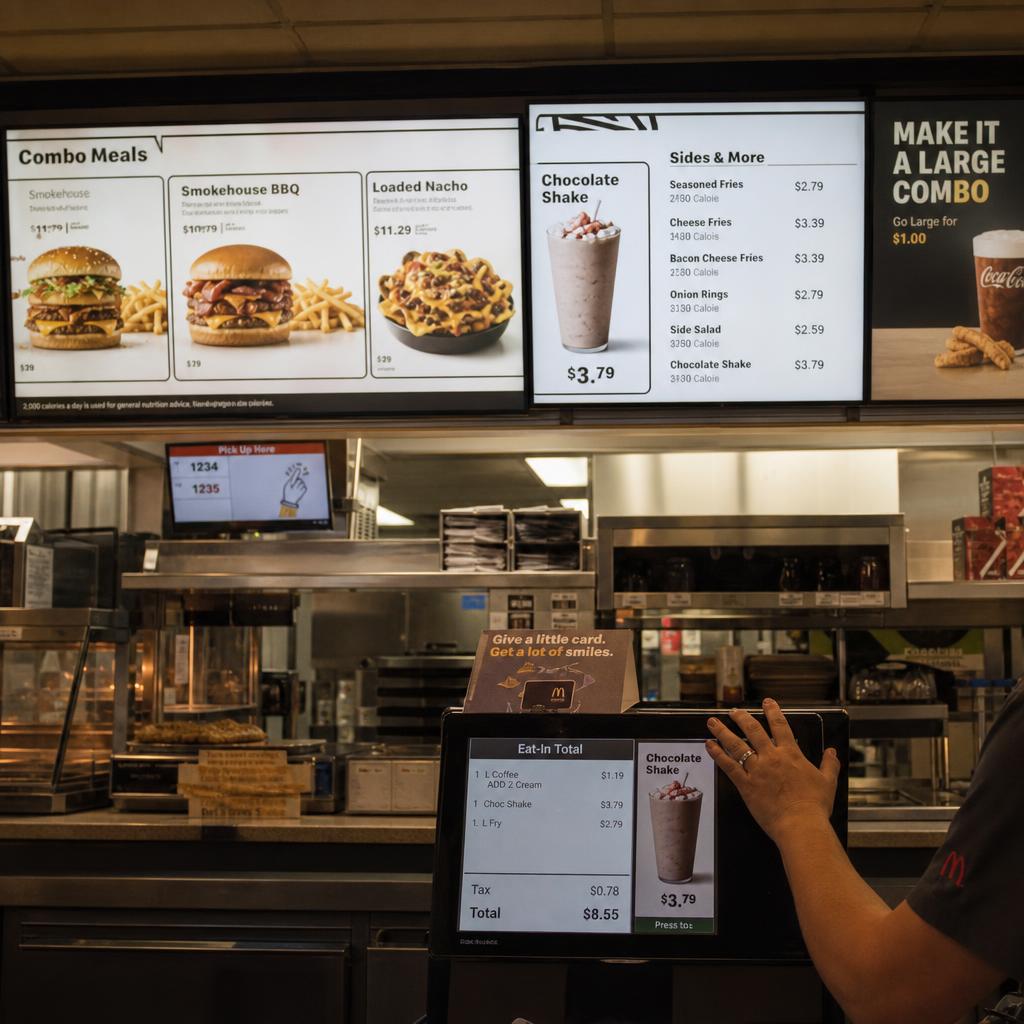
Point-of-sale to shelf-edge or QSR menu boards. Most modern POS systems expose a REST API or a scheduled export of live pricing and stock. The realistic pattern is data feed ingestion, mapped onto a menu board template. See our guide to restaurant menu board analytics and optimisation for the analytics side.
Weather and transit widgets. Almost always data feed ingestion against a third-party API, polled every 15-60 minutes for weather, 1-5 minutes for live transit.
Calendar and room booking. Corporate meeting-room signage typically integrates with Microsoft 365 or Google Workspace calendars via REST APIs authenticated with OAuth2.
Social media walls. Usually mediated through a licensed aggregation service rather than calling platform APIs directly, since most social platforms restrict direct third-party polling.
Inventory and warehouse dashboards. Live stock counts typically come from an ERP via REST API, or pushed via webhook when a threshold is crossed.
Which Approach Fits Which Reader
Single-site or small multi-site business with no in-house developer: stick to data feed ingestion wherever the source system offers a standard export, configured inside the CMS.
IT manager at a mid-size organisation with occasional developer access: REST API for anything on a schedule you control, data feeds for anything continuously published by a third party.
Enterprise IT or AV integration team with dedicated developer resource: webhooks and REST together give the most control — worth evaluating a platform's developer documentation directly.
Legacy estate with older POS or booking hardware: expect middleware to be part of the architecture, budgeted as an ongoing dependency.
Authentication, Rate Limits and Reliability
Authentication. API-key authentication is simplest but weakest without rotation. OAuth2 supports token expiry and scoped permissions — worth insisting on for anything touching a corporate calendar or POS system.
Rate limits. Every REST API enforces a ceiling on calls per minute or hour. Poll no more frequently than the data genuinely changes.
Reliability and retries. Ask specifically whether a missed webhook delivery gets retried with backoff, or silently dropped — the latter means your screens can drift out of sync without anyone noticing.
Planning an Integration Before You Brief a Developer
Before committing to a pattern, document three things:
- How often the source data actually changes — hourly, daily, or on an event
- Whether the source system already publishes an API, webhook or feed, or whether one has to be built
- How much latency is tolerable before stale content becomes a real problem
Most integration projects that run over budget skipped this scoping step, then discovered mid-build that the source system had no API and the real requirement was near-real-time.
For the broader question of how a signage CMS is architected around content and scheduling, see our guide to what a digital signage CMS actually does.
If you can answer those three questions, we can usually tell you on a call whether the integration is a configuration job or a development job — and roughly what it takes. Book a demo and bring the system you want to connect.
Digital signage API FAQs
Does SPARC's platform support webhooks, or only REST API polling?
Both. REST endpoints are available for programmatic content and playlist management, and webhook delivery is available for operational events such as screen status changes.
Can I connect a POS system directly to digital signage without middleware?
If your POS publishes a structured feed of current prices and stock, yes — that's data feed ingestion, configured inside the CMS. If not, you'll need a middleware layer to bridge the two.
What's the difference between a data feed integration and a full API integration?
A data feed integration is a scheduled, read-only pull of structured data that the CMS maps onto a template — no code required. A REST API integration is a two-way, developer-built connection used to trigger actions.
How often should an integration poll for updates?
Match the poll interval to how often the source data genuinely changes — hourly for weather, minutes for live pricing, seconds only for genuinely time-critical events, which are usually better served by a webhook.
Do I need a developer to set up a weather or calendar widget?
Usually not for a standard weather feed — that's typically a configuration task. Calendar integrations usually need OAuth2 set up once by IT.
What happens if a webhook delivery fails — do I lose that update?
It depends on the platform's retry behaviour. Ask whether failed deliveries are retried with backoff or dropped after the first attempt.
Ready to Experience SPARC?
Join forward-thinking organizations already using SPARC for their digital signage needs.