What Does a Digital Signage CMS Actually Do?
A digital signage CMS is the software layer that lets you create, schedule, distribute and monitor content across a network of screens from one interface — without visiting each display physically.
It sits between your content library and your fleet of media players, handling three core jobs:
- Turning design assets into scheduled playlists
- Pushing those playlists to the correct players at the correct time
- Reporting back on what each screen is actually showing
That is the short answer. For a more condensed version, see what is a digital signage CMS?
The rest of this guide covers how each of those three jobs actually gets done:
- The deployment architecture
- The integration patterns that connect a CMS to live data
- The practical differences between cloud, on-premise and hybrid setups
Because the mechanics matter more than the marketing copy once you are the one running the network.
If you have already covered the mechanics and are choosing between platforms, start with the best digital signage CMS in Australia buyer's comparison instead. For the commercial side — plans, pricing and what's included — see SPARC's digital signage CMS page.
The Three Layers of a Digital Signage CMS
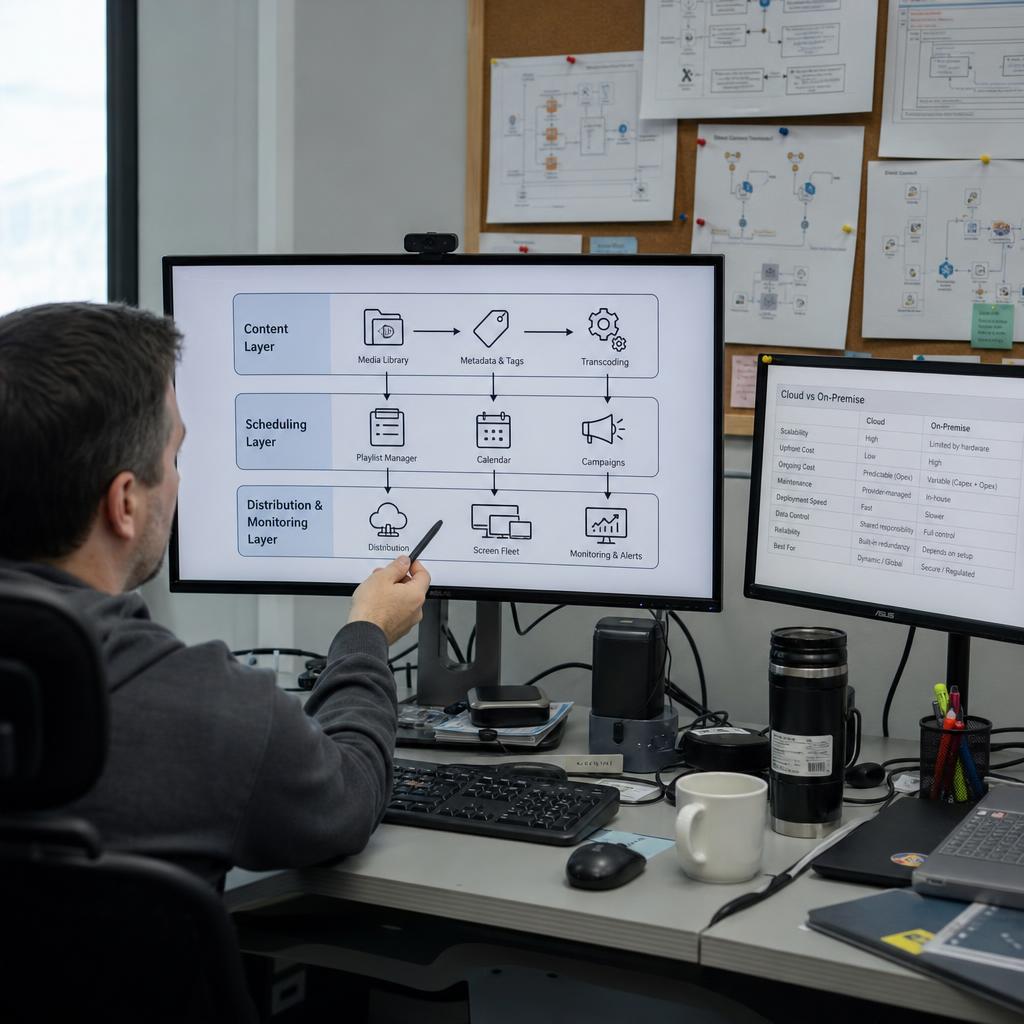
Every digital signage CMS, regardless of vendor, is built from three functional layers that work together:
- The content layer — where design assets, templates and media get created, stored and versioned. This is the part users interact with most: a drag-and-drop editor, a media library, and template tools.
- The scheduling layer — where content gets assembled into playlists and assigned to specific screens, screen groups, or time windows. Dayparting (different content at different times), date-based campaigns, and priority rules for emergency content all live here.
- The distribution and monitoring layer — the part that actually gets content onto physical screens, and reports back on device health, playback confirmation, and errors. This layer is largely invisible to content teams but is where most operational problems actually surface.
Understanding the three layers separately matters because platforms vary enormously in how well they handle each one.
A CMS can have an excellent content editor and a weak distribution layer, or the reverse — and that gap only becomes visible once you are running a real network rather than a demo.
Cloud, On-Premise or Hybrid: Which Do You Need?
The most consequential technical decision in a digital signage CMS is where the software itself runs, because it determines who maintains it, how updates happen, and how remote management works.
| Factor | Cloud-hosted CMS | On-premise CMS |
|---|---|---|
| Where the server runs | Vendor's cloud infrastructure | Your own servers/data centre |
| Who maintains uptime | Vendor | Your IT team |
| Remote access | Built-in by default | Requires VPN or exposed endpoint |
| Software updates | Automatic, vendor-managed | Manual, scheduled by your team |
| Data residency control | Depends on vendor's hosting region | Full control |
| Typical fit | Most retail, corporate, hospitality networks | Regulated industries, air-gapped networks, government facilities |
Most new deployments default to cloud-hosted, because it removes the server-maintenance burden entirely — no patching an operating system, no planning hardware refreshes.
On-premise still makes sense where a specific compliance requirement demands it:
- Data sovereignty for regulated data
- Networks that cannot have any external connectivity
It is not a general-purpose default.
How Does Content Actually Reach a Screen?
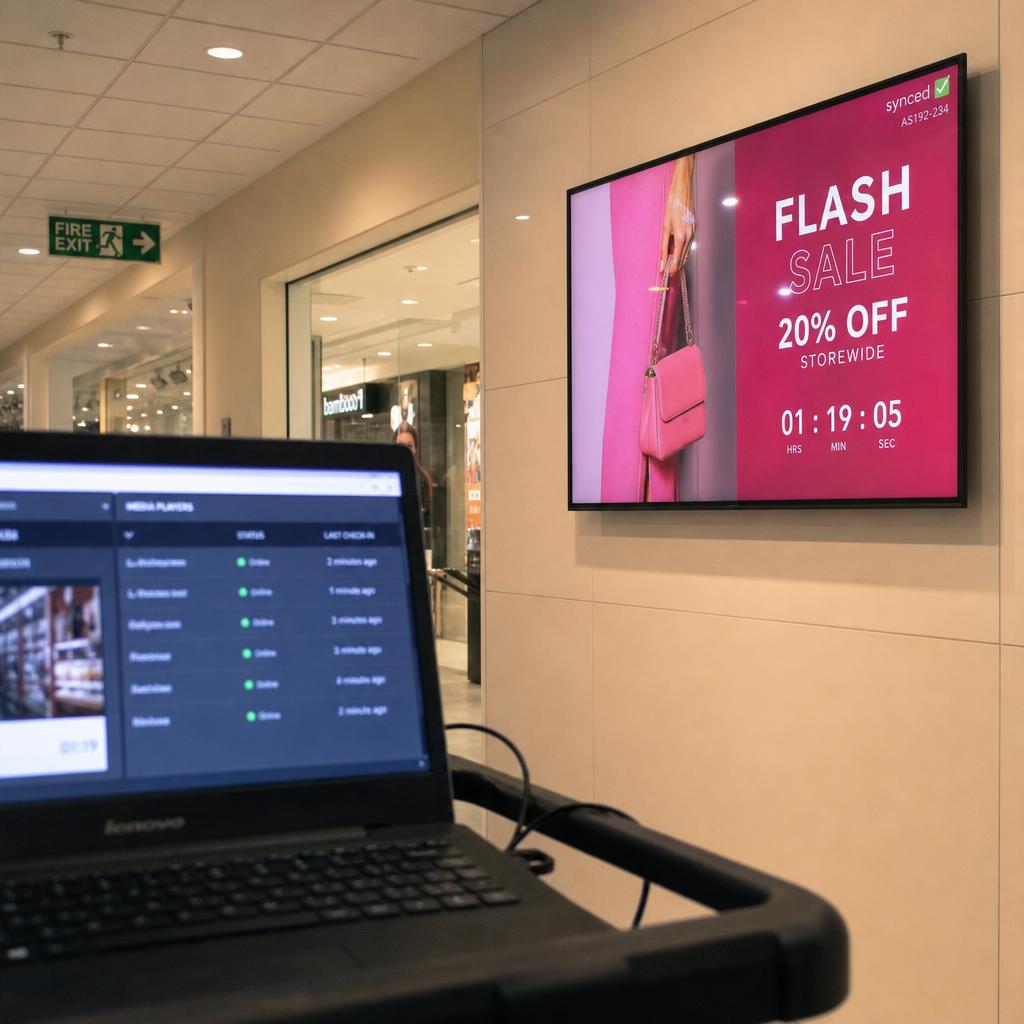
Getting scheduled content onto a physical display involves a media player — a small device connected to the screen running a lightweight client application. Usually one of:
- An Android box
- A Windows or Linux mini-PC
- A system built into the display itself
That player does three things on a loop: checks in with the CMS, downloads new or changed content ahead of when it is due to play, and caches it locally.
The caching step is deliberate. Live-streaming content from the CMS server would make every screen dependent on a constant network connection, and any network hiccup would show as a blank or frozen screen.
Instead, well-built players:
- Download content in advance and play it from local storage
- Check in periodically for updates
- Report playback status back to the CMS
This is also why a screen keeps playing its last-scheduled content correctly through a short internet outage.
How a CMS Integrates With Other Systems
A CMS becomes significantly more useful once it can pull live data rather than only playing static, manually-uploaded content. The common integration patterns are:
- REST API polling — the CMS calls an external system's API on a schedule (e.g. every few minutes) and updates a data widget with the response — used for weather, stock prices, or simple POS integrations.
- Webhooks — the external system pushes a notification to the CMS the moment something changes, rather than the CMS having to ask — used where near-real-time matters, like inventory-triggered messaging.
- Data feed ingestion — structured feeds (RSS, JSON, CSV exports) get ingested on a schedule and mapped to a content template automatically, common for menu boards pulling from a POS export.
- Direct database or middleware connections — larger enterprise deployments sometimes connect a CMS directly to an internal system via a middleware layer rather than a public API, common in franchise networks syncing pricing across many sites.
The practical question when evaluating a CMS isn't just "does it have an API" — it's whether it supports the specific integration pattern your data source actually needs. Learn more about SPARC's integration options.
Which CMS Architecture Fits Your Situation
There is no universally correct setup. The right architecture depends on your network's constraints.
- Multi-site retail or hospitality, no special data residency requirements — cloud-hosted is almost always the right default: automatic updates, built-in remote management, no server to maintain
- Government, defence, or strict data sovereignty rules — on-premise or hybrid is often mandated by policy rather than technical preference. Check your compliance requirements before choosing
- Single venue with in-house IT and no need for remote management — on-premise can work, though most teams eventually want remote access, at which point cloud removes a maintenance burden with no real downside
- Integrating live POS or inventory data — prioritise the integration layer over the hosting model. Confirm the CMS supports webhooks or your specific API pattern before evaluating anything else
The mistake worth avoiding is choosing a hosting model first and discovering the integration constraint second.
If you already know which row you are, book a demo and we will set the CMS up that way — including the integration, if you bring the system it needs to talk to.
Digital signage CMS FAQs
How does a digital signage CMS actually update content on a screen?
A small media player device connected to each screen checks in with the CMS on a schedule, downloads any new or changed content ahead of time, and caches it locally. The screen then plays from that local cache rather than streaming live, which is why brief network interruptions don't blank the screen.
What's the difference between cloud-hosted and on-premise digital signage CMS?
A cloud-hosted CMS runs on the vendor's infrastructure — updates, uptime and remote access are handled by the vendor. An on-premise CMS runs on your own servers, giving you full control over data residency at the cost of your team maintaining the server and update schedule.
Can a digital signage CMS pull in live data like POS or inventory feeds?
Yes, most modern platforms support this through REST API polling, webhooks, or structured data feed ingestion, depending on how the source system exposes its data. Confirm which integration pattern your specific data source needs before assuming a CMS supports it.
Do screens stop working if the internet connection drops?
Not usually. Because content is cached locally on the media player ahead of time, a screen typically continues playing its last-scheduled content through a short outage. Extended outages will eventually prevent new content from syncing, but existing cached playlists keep running.
How many layers does a typical digital signage CMS have?
Three functional layers: a content layer for creating and storing assets, a scheduling layer for assembling playlists and assigning them to screens, and a distribution/monitoring layer that pushes content to players and reports device health back.
Is on-premise digital signage CMS still common?
It's declining in favour of cloud-hosted deployments for most commercial use cases, but it remains standard in regulated industries and environments with strict data sovereignty or air-gapped network requirements.
Ready to Experience SPARC?
Join forward-thinking organizations already using SPARC for their digital signage needs.