What "Synchronising Multiple LED Video Walls" Actually Means
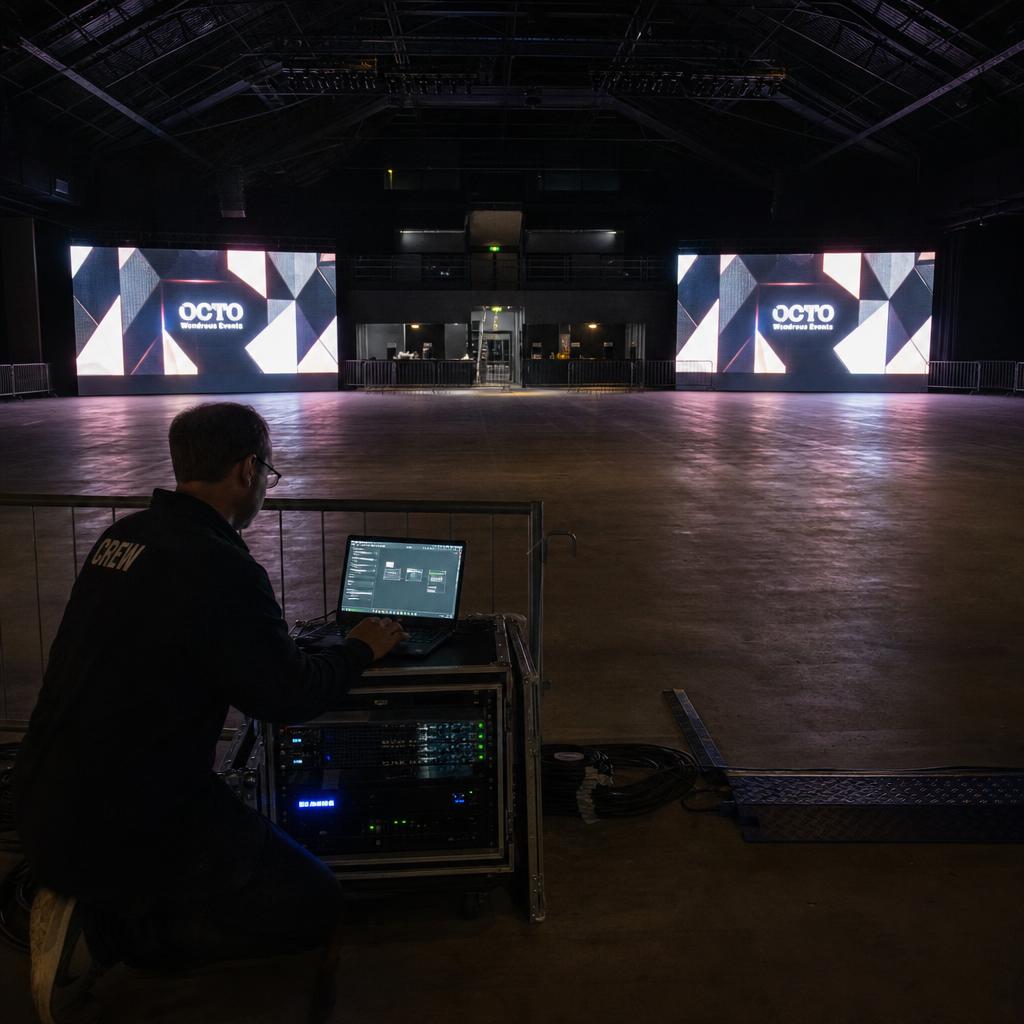
Synchronising multiple LED video walls means getting two or more physically separate LED displays — not just the panels within a single wall — to change frames at the same instant, so a venue with a wall at the entrance and a wall on the main stage shows genuinely matched content.
This is a different problem to intra-wall sync. Inside one wall, cabinets share a sending card and a single video source, so frame alignment is largely a wiring and refresh-rate exercise. Across separate walls, each wall typically has its own processor and its own network drop, which means the clock, the content file and the trigger all have to be aligned independently.
Most Australian venues that get this wrong aren't dealing with exotic hardware faults — they're mixing processor generations, running content off local storage instead of a shared source, or relying on approximate scheduling instead of an actual timing protocol. The sections below work through cabinet prerequisites, processor configuration, network timing, and the software layer, in the order you'd actually commission a job.
Cabinet and Panel-Level Prerequisites Before You Attempt Sync
Sync problems that look like a software fault are frequently a cabinet-level mismatch that was never going to sync cleanly in the first place. Check these before touching processor configuration.
- Matched refresh rate across every cabinet on every wall. Mixing cabinets rated differently produces visible tearing and inconsistent frame timing. Confirm on the spec sheet, not the panel model number.
- Consistent pixel pitch and cabinet resolution per wall. A wall built from mixed pitches complicates pixel mapping once you're treating multiple walls as a synchronised set.
- Cabinet flatness and module seams. Installers troubleshooting sync drift at seams are often looking at a physical alignment problem, not a timing one.
- Receiving card firmware parity. Cabinets from different batches can ship with different firmware. Standardise firmware across every cabinet in the sync group before commissioning.
- Cable run length and topology per wall. Two walls with different cable topologies can each display correctly on their own while carrying different internal latency, which matters once aligning them frame-for-frame.
Get these right per wall first. Solving multi-wall sync in software while one wall has a cabinet-level mismatch just moves the symptom around.
LED Processor and Controller Configuration for Multi-Wall Sync
The processor converts a video signal into the data stream each cabinet's receiving card understands, and it's the layer where most genuine multi-wall sync configuration happens.
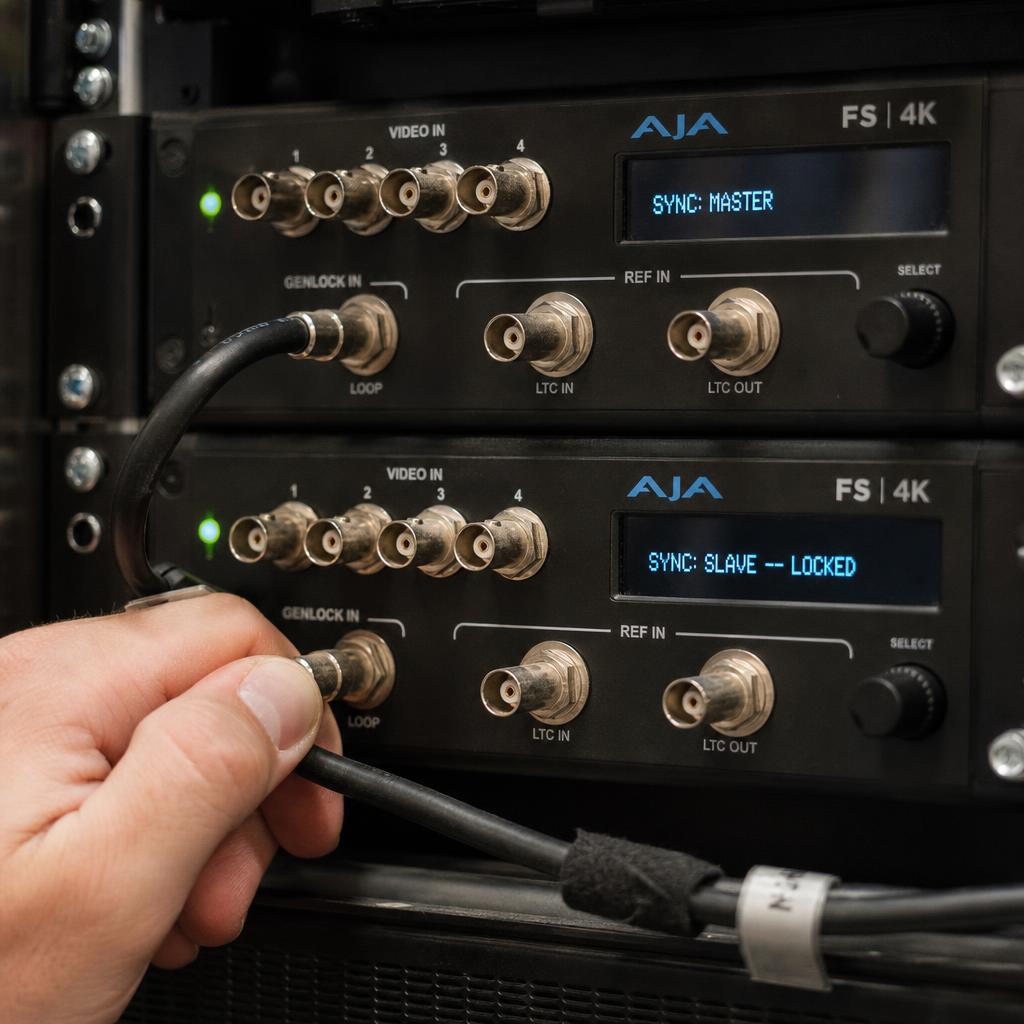
Genlock and sync-in/sync-out on paired processors. Higher-end processors support genlock — a shared reference signal that locks the internal clocks of multiple processors. For two walls close enough to run a cable between them, a genlock loop is the most reliable way to get frame-accurate sync, because it removes network jitter entirely.
Master/slave processor configuration. Where genlock isn't practical, most processor-management software supports a master/slave relationship: the master's timing governs the slave's output. Simpler to commission, adequate where walls need to be visibly synchronised rather than frame-identical.
Sending card redundancy and dual-loop configuration. For walls where a sync failure is operationally costly, configure sending cards in a dual-loop redundant topology so a single cable fault doesn't drop that wall out of sync.
Bit depth and colour calibration consistency. Processors handling bit depth or gamma differently will make synchronised content look mismatched even when frame timing is perfect.
| Approach | Best for | Precision | Setup complexity |
|---|---|---|---|
| Hardware genlock | Walls in the same building, same processor vendor | Frame-exact | High |
| Master/slave processor timing | Walls metres apart, compatible vendor family | Sub-frame to 1-frame | Moderate |
| Network time sync (PTP/NTP) | Walls on separate network segments, same site | Frame to few-frame | Moderate |
| Independent players with scheduled trigger | Multi-site, different buildings | Second-level | Low |
| Cloud CMS-driven synchronised playback | Multi-site or mixed-vendor walls | Sub-second, content-aligned | Low to moderate |
Where processors are genuinely different vendors across walls, hardware genlock across brands is unreliable — plan on network-based sync instead. See our guide to synchronized playback software for the mechanics of PTP, NTP and content-trigger approaches in more general terms.
Network Architecture and Timing for Walls That Can't Be Genlocked
Once walls are far enough apart that a genlock cable isn't realistic, synchronisation moves from the processor layer to the network layer.
PTP (IEEE 1588) where the hardware supports it. Synchronises clocks to sub-millisecond accuracy, but needs PTP-aware switches between the walls.
NTP as the practical default. For most Australian multi-wall installs, NTP-synchronised players triggering playback off a shared timestamp is accurate enough that drift isn't perceptible. Point every player at the same internal NTP source and keep the sync interval short.
Dedicated VLAN for wall traffic. Put LED processor and player traffic on its own VLAN, separate from venue Wi-Fi and POS traffic — contention from unrelated network load is a common cause of intermittent drift.
Multi-site sync needs a different tolerance. Where separate buildings on separate internet connections are involved, frame-accurate sync isn't realistic. The realistic target is content-level synchronisation, covered in our guide to LED wall content management.
Where the Software Layer Takes Over
Hardware genlock and network timing get separate walls' clocks aligned; the software layer is what actually tells each wall what to play and when.
A CMS or player fleet built for multi-display sync (the layer SPARC's video wall software operates at) handles three things hardware alone can't:
- Grouped playback triggers, so a scheduled change fires across every wall in the group from one instruction.
- Content package consistency, ensuring every wall in the sync group plays the same version of a media asset — the most common real-world cause of walls drifting apart weeks after clean commissioning.
- Drift correction and health reporting, flagging a player or processor that's fallen out of tolerance before a site visitor notices.
Treat hardware and software sync as complementary: hardware gets the walls' clocks aligned, and the CMS layer keeps them playing the same content on the same schedule over months of operation.
Which Multi-Wall Sync Approach Fits Your Situation
Walls across a large venue — different concourses, different floors. Network-based sync on a dedicated VLAN, paired with a CMS handling grouped scheduling, is the realistic target.
Walls across separate stores or sites. Treat this as a content and scheduling problem: every site on NTP-synchronised players pulling from the same source.
Mixing processor vendors or generations across walls. Standardise on network-based timing and let the software layer own content consistency.
Inheriting an existing multi-wall install with unexplained drift. Work back through the cabinet prerequisites first. Mismatched firmware is a more common root cause than a network fault.
The pattern across all four: genlock solves sync within a wall, and the software layer solves it between walls. Deployments go wrong when someone expects one to do the other's job.
If you are specifying or inheriting multiple walls, book a demo and we will run grouped scheduling across separate walls so you can see where the software layer takes over from the processors.
Testing, Calibration and Diagnosing Drift
Run a visible test pattern before content. A moving timecode across all walls in the sync group, viewed live, makes frame misalignment obvious in a way real content often masks.
Let the install run for at least a week before signing off on network-timed sync. Genlocked walls either sync or they don't. Network-timed sync across sites can look perfect on day one and drift measurably after a week.
When drift appears after weeks of correct operation, check content version first. This is the single most common cause of apparent late-stage drift — a scheduled update didn't push to every player.
Isolate which layer has actually failed. If a test pattern still syncs correctly but real content doesn't, the fault is in content delivery, not the processor or network.
Document the sync architecture at handover. Which processors are genlocked to which, and which CMS group each wall belongs to — a one-page architecture doc prevents most later faults caused by a second contractor changing network settings unaware.
LED video wall synchronisation FAQs
What's the difference between synchronising panels within one LED wall and synchronising multiple separate walls?
Panels within one wall share a sending card and a single video source, so alignment is mostly a cabling exercise. Multiple separate walls each have their own processor and network connection, so synchronising them means aligning independent clocks and content versions.
Do I need identical LED processors on every wall to synchronise them?
Not always, but it makes hardware genlock and master/slave timing far more reliable. Mixed vendors generally can't be genlocked reliably at the hardware level — network-based timing paired with a CMS is more realistic there.
How close do two walls need to be for hardware genlock to be practical?
Genlock is worth the cabling when walls are in the same building or rack room. Beyond that, network-based timing is the more practical approach.
Why do my LED walls drift out of sync weeks after a clean install?
The most common cause is a content or firmware update that didn't reach every player in the group, not a timing fault. Check content package versions before investigating network or processor settings.
Can I synchronise LED walls across different retail stores over the internet?
Yes, but target second-level content-trigger sync rather than frame accuracy — internet-path latency makes frame-perfect sync impractical without dedicated point-to-point links.
What causes walls to look out of sync even when the timing signal is technically correct?
Content version mismatches and colour/bit-depth calibration differences between processors are the two most common causes, both mistaken for timing problems.
Ready to Experience SPARC?
Join forward-thinking organizations already using SPARC for their digital signage needs.