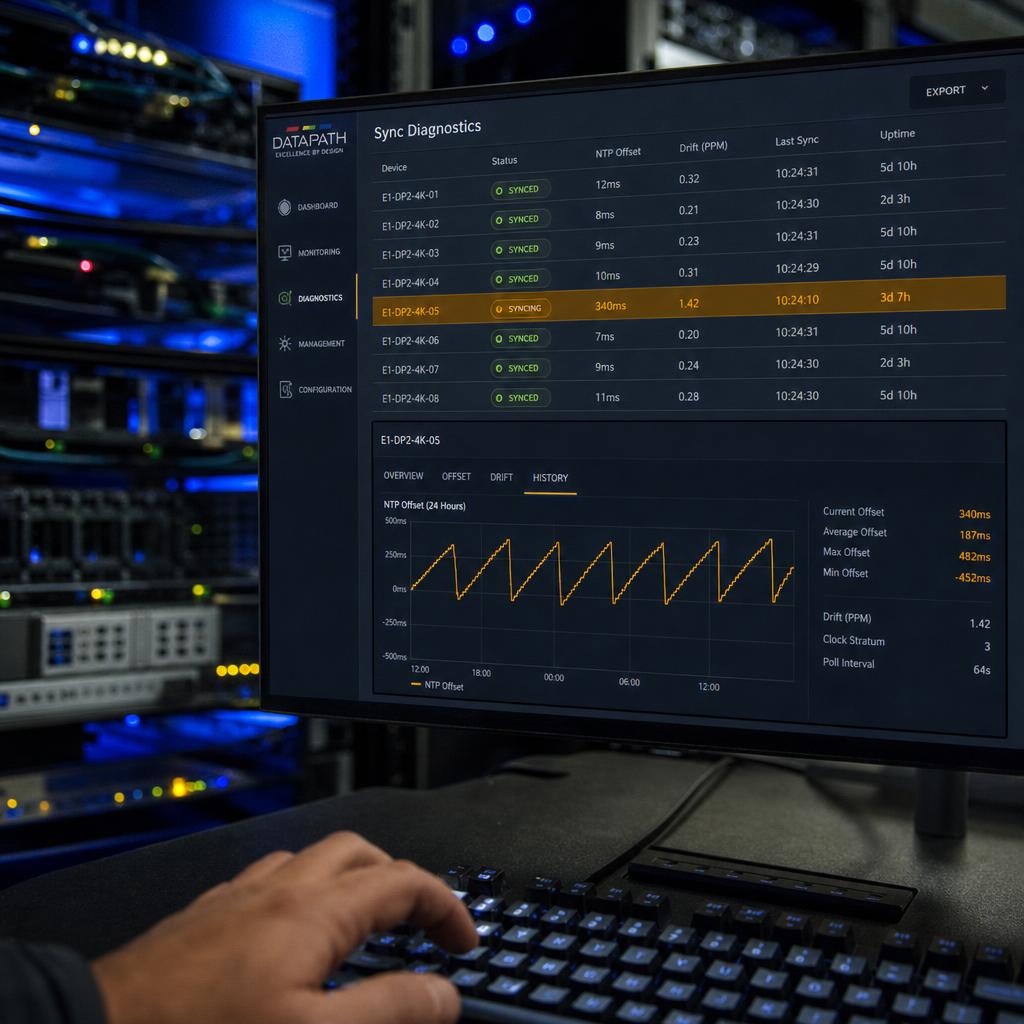
What "Synchronised Playback" Actually Means
"Synchronised playback" gets used loosely in digital signage marketing. It covers at least three different problems:
- Video wall tiling — driving one image across multiple LED cabinets so seams disappear. Solved with genlock at the display-processor level, not the media player.
- Multi-screen content sync — getting content to start, loop and transition together across screens metres or kilometres apart, each running its own player and clock.
- Cross-site sync — holding that discipline across a network with real-world latency and outages.
This article covers the second and third: how independent players agree on "now" closely enough that a customer standing between two screens does not see one frame ahead of the other.
For LED cabinet tiling, see synchronising multiple LED video walls. For practical setup steps, see synchronise video across multiple displays.
Software sync is delivered by three things working together:
- A disciplined clock on every player
- A scheduling model that plays against timestamps rather than "on power-up"
- A correction loop that fixes drift before a human eye notices it
Why Screens Drift Apart Without Correction
Every media player has a local hardware clock driven by a quartz oscillator, typically running at plus or minus 20 to 100 parts per million. At 50 ppm, a player's clock can drift roughly 4.3 seconds over 24 hours if uncorrected. Two players drifting in opposite directions can be nearly 9 seconds apart after a day.
On a single screen playing a standalone loop, nobody notices. On a bank of screens meant to play the same video frame-for-frame, a few hundred milliseconds of drift is visible to a walking customer.
Drift does not come only from the oscillator. Three other sources:
- Decode latency, which varies by codec and content complexity
- HDMI input lag, which varies between display models
- Content delivery, which introduces variable delay of its own
A sync architecture has to account for all of these, not just the clock.
This is also why "synchronised playback" and "identical content" aren't the same claim. Two screens can run byte-identical files and still fall out of sync within hours if nothing disciplines their clocks.
Network Time Protocols: NTP, PTP and Where Genlock Fits
NTP (Network Time Protocol) is the default. Every player runs an NTP client that periodically queries a time server and adjusts its local clock. Over a typical network, NTP commonly holds accuracy within a few to a few tens of milliseconds — enough to stop multi-second oscillator drift from accumulating, since the client resyncs every few minutes.
PTP (Precision Time Protocol) exists because NTP's accuracy isn't tight enough for broadcast or audio-over-IP needing sub-microsecond alignment. It uses hardware timestamping and typically needs PTP-aware switches. Very few signage deployments need PTP-grade precision, but it's worth knowing if signage integrates into an AV system already running PTP for audio.
Genlock solves a different layer. It's a hardware sync signal that locks the pixel clock and frame refresh of multiple display processors so they scan out each frame at the identical instant — what makes a seamless LED video wall possible. It operates below the media player, at the display driver level. Genlock keeps panels within one wall pixel-locked; software sync keeps independent players across a room or building agreeing on when to start and loop content.
Frame-Accurate Playback vs Best-Effort Sync
| Method | How it works | Typical accuracy | Best suited to |
|---|---|---|---|
| Best-effort scheduling | Players start at the same wall-clock second, no ongoing correction | Plus or minus 1-3 seconds | Independent screens where a second of offset is invisible |
| NTP-disciplined playback | Clocks sync via NTP, position calculated against elapsed time | Tens of ms to about 1 second | Retail fleets, QSR boards, storefronts |
| Frame-accurate playback | Players decode against a shared timeline with frame-by-frame correction | Within one frame (about 16.7ms at 60fps) | Adjacent screens playing one continuous visual |
| Hardware genlock | Processors share a physical sync signal | Sub-frame, effectively zero seam | LED video walls from multiple cabinets |
The practical takeaway: "synchronised playback software" almost always means the second or third row. If a vendor's claim doesn't specify which, ask directly whether they mean best-effort scheduling or frame-accurate correction.

Inside a Synchronised Playback Architecture
1. Clock discipline. Every player runs an NTP client against a defined time source and re-syncs every few minutes rather than trusting the local oscillator over hours.
2. Local content caching. Frame-accurate sync can't sit on top of live streaming, since network jitter becomes indistinguishable from playback drift. Content is cached ahead of the scheduled play time, so the only variable left at playback is timing.
3. Timestamp-based scheduling. Each player calculates playback position from a shared start timestamp and its own disciplined clock, independently — no single point of failure coordinating playback in real time.
4. Drift correction loop. Frame-accurate implementations continuously compare actual decode position against the timestamp-calculated target and correct by dropping or repeating a frame when the gap exceeds a threshold.
SPARC's content synchronisation feature set implements clock discipline and timestamp-based scheduling as standard, with frame-accurate correction available where sub-second offset is visible — see how that sits inside the broader signage platform.
Which Sync Approach Fits Which Deployment
Screens viewed one at a time: best-effort or NTP-disciplined scheduling is sufficient — there's no reference point for a customer to notice a neighbouring screen is slightly ahead.
Screens viewed together but not as one image: NTP-disciplined playback is the right tier — transitions need to feel simultaneous, but sub-frame precision isn't required.
Screens forming one continuous visual: frame-accurate playback is the minimum bar. For LED cabinet walls, hardware genlock does the heaviest lifting — see synchronising multiple LED video walls.
Multi-site networks where sync means brand consistency: NTP-disciplined scheduling with reliable local caching covers this comfortably — the bigger engineering problem is remote monitoring at scale, covered in remote control for video walls.
What Breaks Sync in the Field
Sync rarely fails on day one. It fails three months in, for reasons that have nothing to do with the software.
- Blocked or firewalled NTP traffic — corporate firewalls often block outbound UDP port 123 by default, so players silently fall back to their own drifting hardware clocks
- Players on different time sources — one pointed at a local domain controller, another at a public pool, and the two disagree by more than the tolerance allows
- Content streamed rather than cached — network jitter becomes playback jitter the moment a frame arrives late
- Power cycling on a timer switch — players that restart at slightly different moments begin their loops at different points
- A mixed player fleet — different hardware decoding the same file at marginally different speeds, which accumulates
- No drift monitoring — nobody finds out sync has broken until a customer standing between two screens notices
Most of these are diagnosable remotely if the platform reports actual playback position per player rather than just "online". That is the question worth asking a vendor: not "do you support sync", but "how would I know it had stopped working?"
If you are specifying screens that have to play as one, book a demo and we will show drift correction running — and what the dashboard reports when a player falls out of tolerance.
Synchronised playback software FAQs
What's the difference between synchronised playback software and genlock?
Genlock is a hardware signal that locks the pixel scan-out of multiple display processors, operating below the media player. Synchronised playback software disciplines the clocks and scheduling of independent players via NTP or PTP. Different layers of the same problem, often used together.
How accurate does synchronised playback need to be for digital signage?
It depends on sightlines, not screen count. Screens seen one at a time can tolerate a second or more of offset. Screens forming one continuous visual need frame-accurate correction, typically within a single frame.
Does synchronised playback require a constant internet connection?
No, provided content is cached locally ahead of the scheduled play time. Clock discipline needs periodic reachability to an NTP server, but a well-designed player holds disciplined time through a brief outage.
Why do two screens playing the identical video file fall out of sync over time?
Each player has its own hardware clock drifting independently unless disciplined by NTP or PTP, each display may have different HDMI input lag, and decode latency varies by hardware. Without active correction these differences compound.
Is NTP accurate enough, or do I need PTP for digital signage?
For most signage deployments, NTP is sufficient — it commonly holds accuracy within tens of milliseconds. PTP's sub-microsecond accuracy matters for broadcast and audio-over-IP, not screen playback.
What should I ask a vendor to verify their synchronised playback claim?
Ask which tier they mean (best-effort, NTP-disciplined, or frame-accurate), what happens to sync during a network outage, and whether a player rejoins the shared timeline correctly after a reboot.
Ready to Experience SPARC?
Join forward-thinking organizations already using SPARC for their digital signage needs.