Why LED Wall Content Goes Wrong When the Hardware Doesn't
The most common LED wall content mistakes are not hardware failures. They are content built for the wrong canvas, the wrong viewing distance, or the wrong power budget.
A wall can be specified, installed and calibrated correctly and still look stretched, blurry, unreadable or uncomfortably bright — because the content was never built to match it.
That mismatch is the biggest cause of complaints in the first weeks after go-live. Stakeholders assume the screen is faulty when the problem sits in the design file.
This matters more for LED than any other display type:
- A projector or commercial TV panel is always 16:9
- An LED wall is built from tiles, so its real pixel dimensions depend on tile pitch and module count
- A canvas that looks fine in a laptop preview can be wrong the moment it hits real hardware
If you are setting up a new wall, our guide to building an LED wall content workflow covers the proactive process. This post is the other half: diagnosing what has already gone wrong, or pressure-testing a plan before it does.
The five mistakes below account for most of them:
- Designing for 16:9 and stretching it to fit
- Authoring at the wrong resolution for the panel's true pixel count
- Ignoring pixel pitch and viewing distance
- Full-white content overloading power and comfort
- No fallback content when playback or sync fails
Mistake 1: Designing for 16:9 and Stretching It to Fit
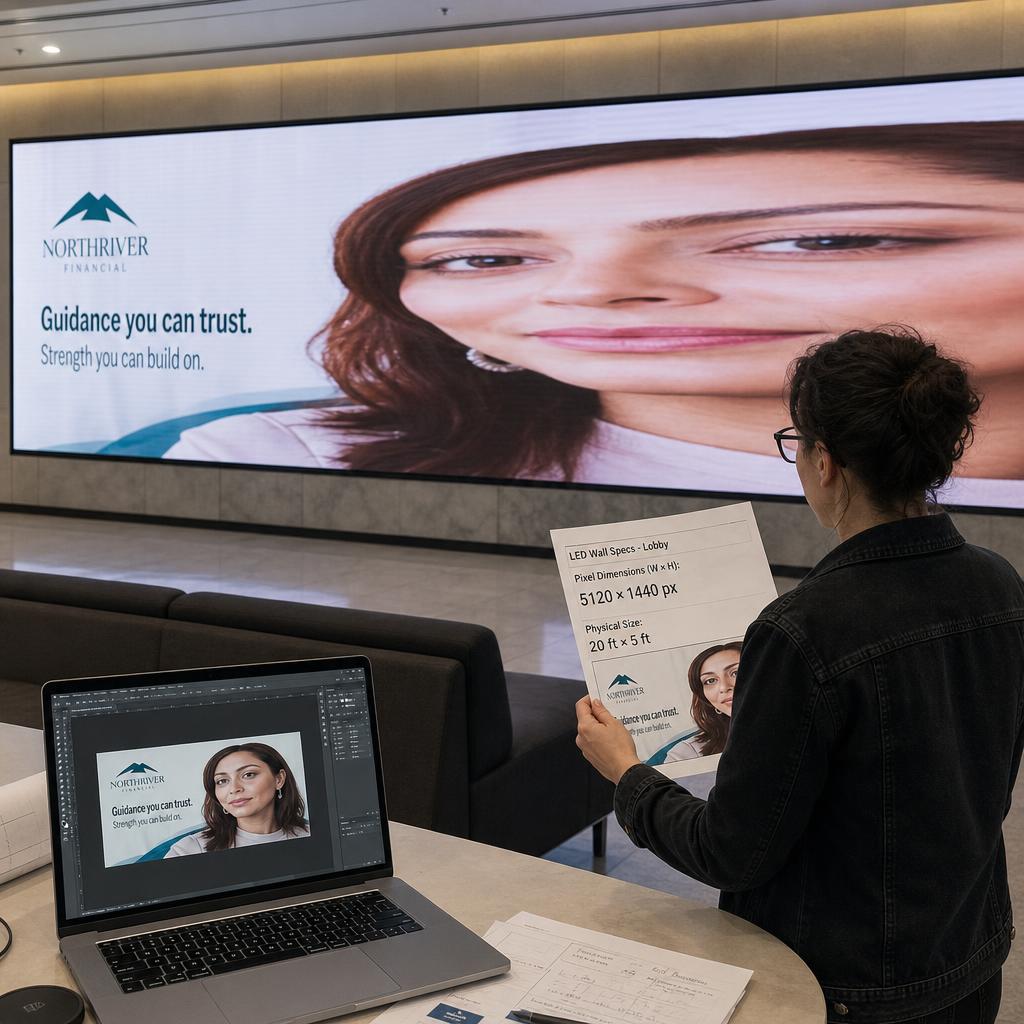
This is the single most common LED wall content mistake. A designer builds a deck or video in a standard 1920x1080 template — because that is what every design tool defaults to — without checking the wall's true pixel array.
LED walls are frequently not 16:9:
- A 6x2 array of P2.5 tiles produces a canvas roughly 2.67:1 wide
- A vertical lobby wall might be a tall strip with no aspect ratio near any broadcast standard
Push 16:9 content onto a non-16:9 canvas and you get one of two outcomes:
- Letterboxing — dead black bars wasting a large portion of the wall
- Stretching — every face, logo and line of text distorted
Both are content-side errors, not hardware faults, and stretching is the fastest way to make an expensive LED installation look cheap.
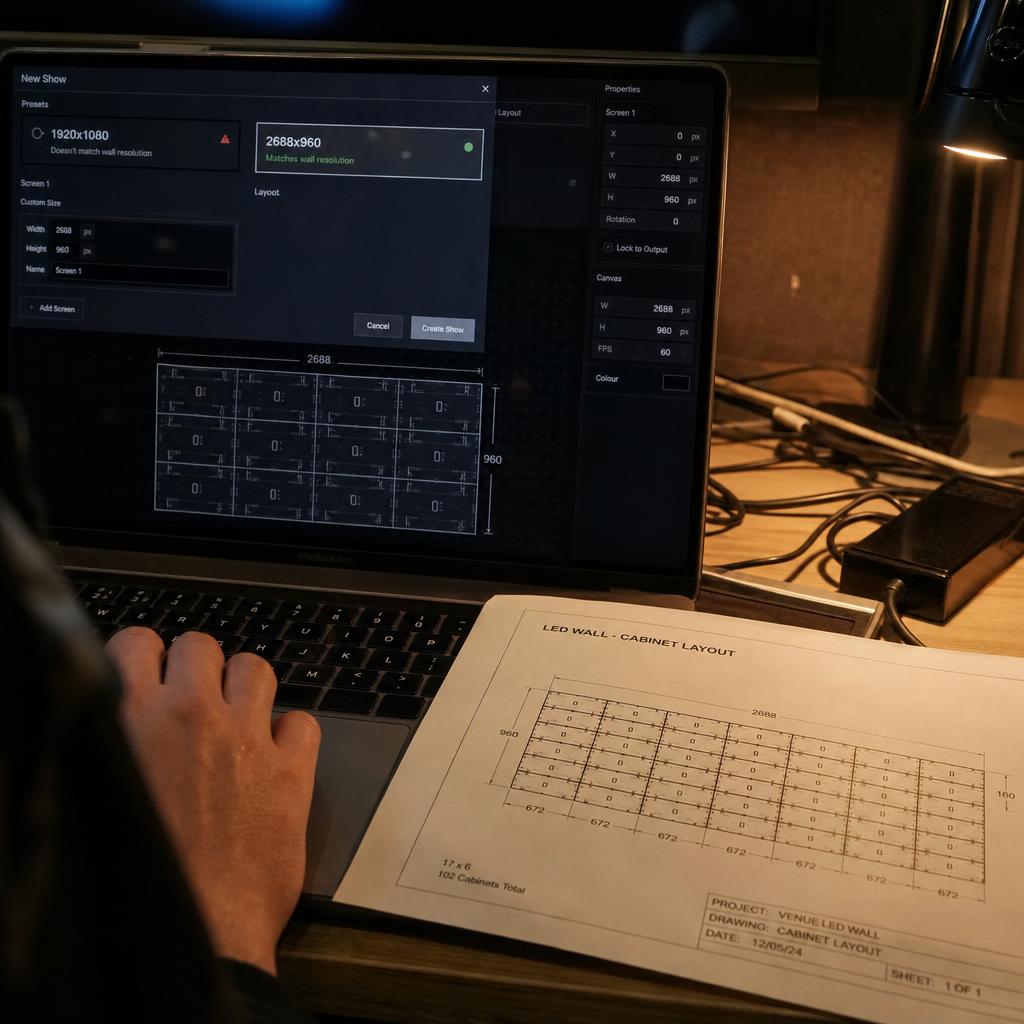
The fix is confirming the wall's true pixel dimensions before a single design file is opened, and building the canvas to match exactly. Get the confirmed pixel width and height from whoever installed it, or from the LED video wall hardware specification sheet, before briefing your designer.
Mistake 2: Authoring at the Wrong Resolution for the Panel's True Pixel Count
Related but distinct: content can be the right shape and still the wrong resolution. This shows up as text that looks crisp in the preview file but soft, blurry or pixelated on the actual wall.
The cause is almost always a mismatch between the resolution content was authored at and the wall's native pixel count.
A wide-format wall built from coarser-pitch tiles — P6 or P10, common outdoors — often has a lower real pixel resolution than people expect for its physical size.
It fails in both directions:
- Authored too high and downscaled — loses contrast in ways that are not obvious until it is on site
- Authored too small and stretched up — introduces pixelation and banding
The fix is to treat the wall's native pixel canvas as a fixed constraint, the same way a print designer treats a page size — author to it directly rather than defaulting to a generic broadcast resolution and hoping the scaling handles the rest.
Mistake 3: Ignoring Pixel Pitch and Viewing Distance
Pixel pitch is the distance between the centres of adjacent LEDs, in millimetres. It determines two things: how close a viewer can stand before individual pixels become visible, and how much detail the content can usefully carry.
- A fine-pitch indoor wall sits close to viewers and can carry detailed graphics
- A coarse-pitch outdoor wall is viewed from metres away, and fine detail disappears into visual noise
The mistake is designing as if pitch and distance do not exist. It runs both ways:
- Small text or dense infographics ported straight from a website onto a coarse-pitch wall only ever viewed from a distance
- Big, blocky type deployed on a fine-pitch wall people stand close to, where it reads as oversized
The fix is designing content in proportion to the wall's pitch and typical viewing distance. Our LED digital signage solutions overview explains how pitch and content strategy are meant to be decided together.
Mistake 4: Full-White, High-Brightness Content Overloading Power and Comfort
LED walls do not draw constant power regardless of what is on screen. Draw scales with how many diodes are firing, and how hard.
Mostly-full-white content at maximum brightness draws meaningfully more power than the same wall showing darker, balanced content.
Why that matters: power supplies are usually sized around expected average content — so a brand campaign built on bright white backgrounds can push draw past what was planned for.
There's a related problem: outdoor walls are typically calibrated for very high peak brightness to stay legible in sunlight. Content authored assuming daytime brightness and left unscheduled will still run at that output after dark, when it becomes glaring.
The fix has two parts: avoid large full-white fields where they're not doing real communication work, and pair content with automatic brightness scheduling tied to ambient light or time of day.
Mistake 5: No Fallback Content When Playback or Sync Fails
This mistake is invisible right up until it is not. Three things that trigger it:
- A media player crashes
- A network drops
- A sync signal fails mid-playlist
Because no one built a contingency into the content plan, the wall goes black, freezes, or shows a desktop error in front of a live audience.
This is a content-planning gap, not just a technical one. Most CMS platforms support a failover slate or backup playlist — but only if someone builds and assigns one before launch.
Running content across more than one wall compounds the risk, because a sync failure can leave walls showing mismatched content.
Our guide to synchronising content across multiple LED video walls covers how sync is meant to work when configured correctly. The mistake here is treating that configuration as optional.
The fix is simple and frequently skipped: every content schedule should include a static, brand-safe fallback slate the player defaults to on failure, tested by deliberately killing the primary feed before go-live.
Quick Diagnosis: Match the Symptom to the Fix
If content is already live and something looks off, start with the symptom and work backwards.
| Symptom on the wall | Likely cause | Fix |
|---|---|---|
| Faces, logos or text look stretched or squashed | 16:9 content forced onto a non-16:9 canvas | Rebuild at the wall's true pixel dimensions |
| Content looks soft or blurry up close | Authored below the wall's native pixel count and upscaled | Re-author at native resolution from the as-built drawing |
| Text unreadable from where people actually stand | Pitch and viewing distance ignored at design stage | Increase type size in proportion to pitch |
| Wall uncomfortably bright, or power tripping | Large full-white fields at peak brightness | Reduce white fields, schedule brightness by daypart |
| Blank or frozen screen after a fault | No failover content in the schedule | Add a static brand-safe fallback slate |
Then match your situation to where the risk actually sits:
- Single in-house wall — your exposure is mostly aspect ratio and resolution. Fix the source files once and the problem stays fixed.
- AV integrator handing a wall to a client — the highest-value fix is building brightness scheduling and a failover slate into handover, because you will be the one called when either bites.
- Content across multiple sites or walls — the priority is a tested failover plan and a canvas profile per wall, rather than one master file stretched across different pitches.
If you are managing more than one wall, or handing walls to clients, book a demo and we will set up canvas profiles and a failover slate against your actual builds — the two fixes that stop the calls after go-live.
LED wall content FAQs
What's the single most common LED wall content mistake?
Designing in a standard 16:9 template without checking the wall's actual pixel dimensions. LED walls are built from tiles and frequently aren't 16:9, so content gets stretched or letterboxed once deployed.
Can I just reuse content made for a TV or projector on an LED wall?
Not without adjustment. TVs and projectors are standardised at 16:9; LED walls vary by tile array and pitch, so those aspect ratio and resolution assumptions usually don't transfer directly.
How do I find out what resolution to design content for?
Get the confirmed pixel width and height from whoever installed or supplied the wall — this is set by tile pitch and module count, not the wall's physical size in metres.
Does full-white content actually affect running costs, or is that overstated?
LED power draw scales with how many diodes are lit and how brightly, so sustained full-white content does draw more power than darker, balanced content — worth checking circuit sizing with the installer.
What is pixel pitch, and why does it change how content should be designed?
Pixel pitch is the distance between LED centres, and it sets the wall's resolution and the minimum distance before pixels become visible. Fine-pitch walls viewed up close can carry detail; coarse-pitch walls need simpler, bolder content.
How do I stop a wall going blank if playback or sync fails?
Build a static, brand-safe fallback slate into the schedule as the player's default on failure, then test it by deliberately interrupting the primary feed before go-live.
Ready to Experience SPARC?
Join forward-thinking organizations already using SPARC for their digital signage needs.