Manufacturing Digital Signage for the Factory Floor
Factories, warehouses, and distribution centres use SPARC to display real-time OEE and production data, surface safety metrics prominently, and reach every worker on every shift — without requiring anyone to leave the floor or open a browser.
The Manufacturing & Industrial Digital Signage Challenge
Common pain points that hold manufacturing & industrial back from delivering their full potential.
Floor workers don't have desks, inboxes, or company intranets — and communications miss them entirely
Your maintenance coordinator emails a schedule change at 9am. Your safety manager posts a PPE update on the intranet. Your HR team sends a policy reminder. The 80% of your workforce that operates on the floor never sees any of it. They don't have a desk, they don't check email during a shift, and the intranet is something they visit once a month if at all. Screens in breakrooms, at line entry points, and throughout the facility are the only communications channel that actually reaches the people you need to reach.
Production targets and OEE data are visible to managers but invisible to the workers driving the numbers
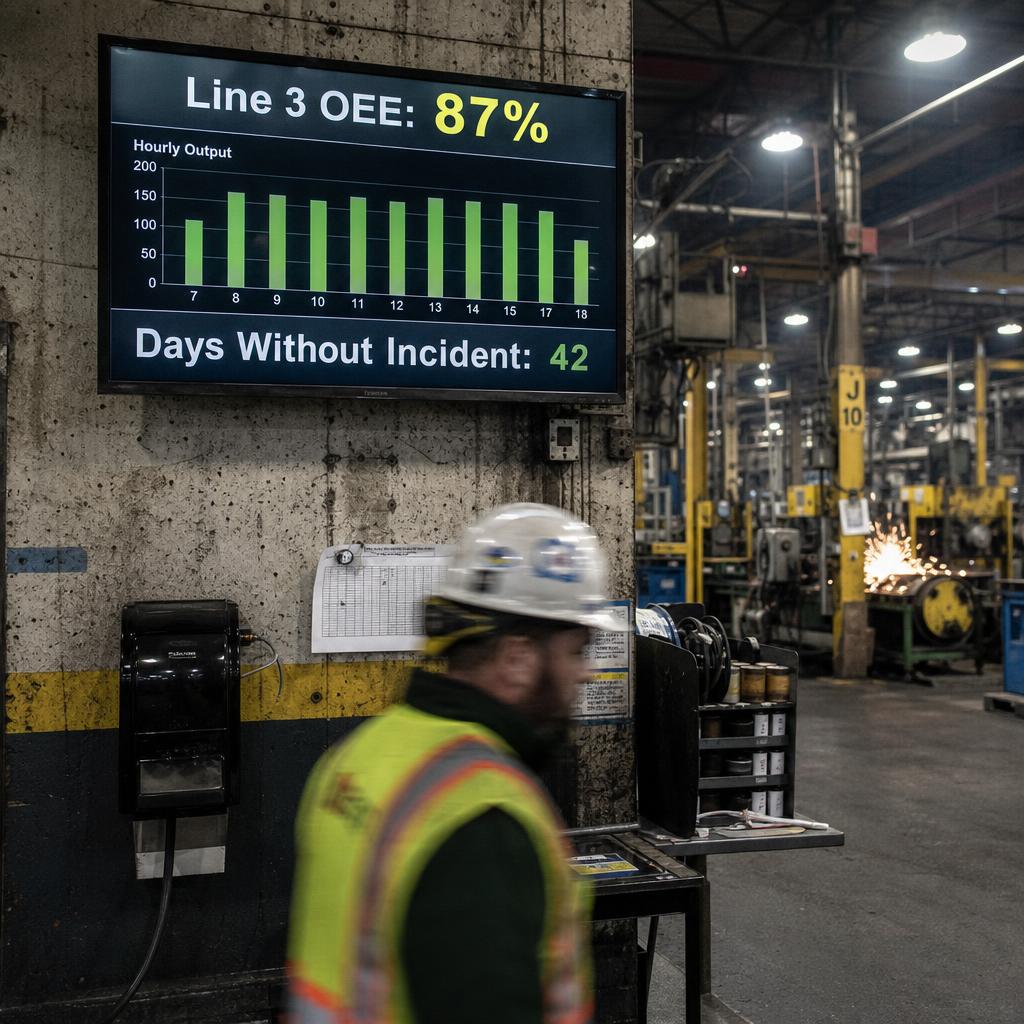
Your MES and SCADA systems have all the data. Your supervisors can pull it up on a workstation. But the people running the line — the ones who can actually do something about a target shortfall or a quality metric trending the wrong way — don't have line of sight to the numbers in real time. A team that can see their production count, their OEE, and their quality rate live on a screen at their workstation behaves differently to a team that finds out at end-of-shift debrief.
Safety information is static, easy to tune out, and impossible to update quickly
The same safety poster has been on the wall for three years. The PPE requirement sign near the grinder was printed in 2019 and references a procedure that changed twice since then. When a near-miss happens or a new hazard is identified, getting updated safety content to every relevant location requires printing, laminating, and physically visiting each area. A facility where safety content is dynamic, current, and contextually relevant is a fundamentally safer facility.
Critical information gets lost in shift handover — and the next shift pays for it
The afternoon shift supervisor does a five-minute verbal handover to the night shift lead. Three things get communicated well. Two things get partially communicated. One thing — the machine that's been running warm for two hours — doesn't get mentioned at all. Two hours into the night shift, it fails. Digital shift handover boards that surface outstanding issues, line status, machine alerts, and priority tasks ensure every incoming shift starts with full situational awareness, not a five-minute verbal.
Equipment downtime alerts don't reach the right people fast enough to minimise impact
A line stops. The operator knows. The supervisor gets notified by the operator — when they can find them. Maintenance is paged five minutes after the line went down. The delay between an event occurring and the right people knowing about it is where unplanned downtime turns from a disruption into a cost. Alert screens visible from anywhere on the floor, integrated with your MES or SCADA system, close that window.
Warehouse operations depend on paper pick lists, whiteboards, and word-of-mouth
Dock assignments change and someone walks across the warehouse to tell the team. Picking priorities shift and a supervisor updates the whiteboard that half the warehouse can't see. A shipment is urgent and the instruction travels by radio and hope. Dynamic screens at dock doors, picking zones, and team areas — displaying live assignments from your WMS — replace a communication process that relies entirely on people being in the right place at the right time.
How SPARC Runs Manufacturing & Industrial Digital Signage
Purpose-built capabilities for manufacturing & industrial.
Live Production Dashboards at Every Workstation
Connect SPARC to your MES, SCADA, ERP, or any data source with an API or data feed. Display real-time production counts, OEE scores, quality rates, cycle times, and shift targets on screens at every line, every workstation, and every team area. Workers see the number they're chasing and can respond in the moment — not at end-of-shift debrief. Supervisors see the same data on corridor screens without returning to a workstation.
Safety and Compliance Displays That Actually Get Updated
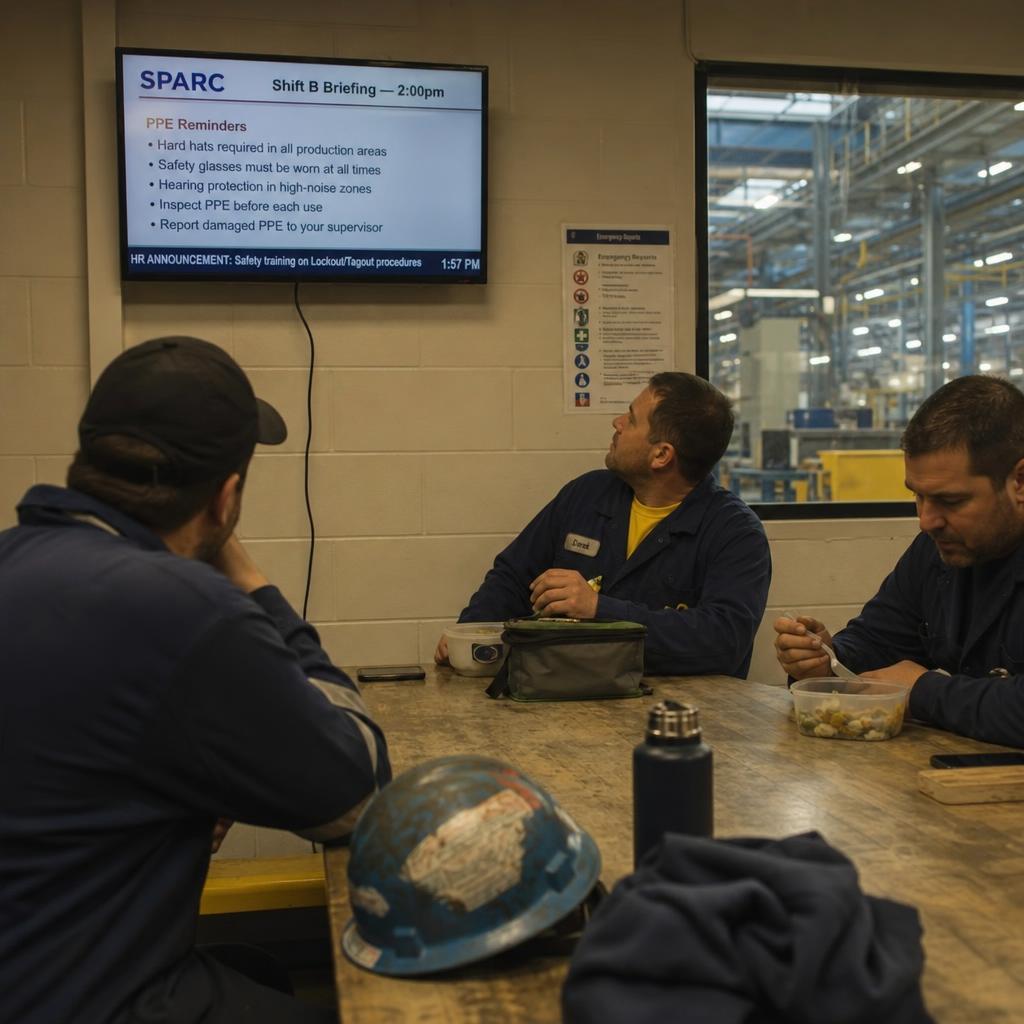
Manage safety content — PPE requirements, incident counters, procedure summaries, hazard alerts, and compliance reminders — from a central dashboard and push updates to every relevant screen in seconds. When a procedure changes, the displays change immediately. When a near-miss occurs, a contextual reminder can be pushed to the affected area within minutes. Days-without-incident counters update automatically from your safety management system.
Shift Handover and Operational Communication Boards
Display outstanding issues, line status summaries, maintenance alerts, priority tasks, and shift-specific announcements on screens at shift entry points and team areas. Incoming shifts arrive with situational awareness before the verbal handover even begins. Supervisors update the shift board from a tablet or desktop — content is on every relevant screen instantly, with no physical walk required.
MES and Andon System Integration
Integrate with your manufacturing execution system, Andon system, or maintenance platform to display line stop events, machine alerts, and maintenance notifications automatically. When a line stops, screens at the affected area and the maintenance station display the alert immediately — no manual escalation required. Resolve, acknowledge, or escalate directly from your existing system while SPARC handles the visual communication layer.
Warehouse Operations — Live Dock and Picking Displays
Display live picking instructions, dock assignments, inbound shipment schedules, and outbound priorities on screens throughout the warehouse — pulling from your WMS in real time. Dock door screens show the current and next assignment. Picking zone screens show priority runs and location changes. The information workers need to do their job is on the screen in front of them — not in a radio call or a walk to the supervisor.
Breakroom and Common Area Communications
Reach every worker at the moment they're stationary and receptive — the breakroom, the locker room entry, the cafeteria. HR announcements, payroll reminders, training schedules, company news, recognition content, and safety reminders play on screens in shared spaces where workers gather between shifts and during breaks. The only moment many floor workers are available for communications is their 20-minute break.
Multi-Language Workforce Communications
Display safety instructions, operational content, and facility announcements in every language spoken by your workforce. Configure language zones by area, rotate languages on shared screens, or target specific content by language group. A diverse manufacturing workforce where safety procedures are communicated only in English is an avoidable risk. Language-appropriate communications is both an equity obligation and a safety requirement.
Maintenance and Downtime Tracking Displays
Show maintenance schedules, planned downtime windows, equipment status, and work order queues on screens in maintenance bays, near equipment panels, and at supervisor stations. When an asset is flagged, the relevant screen reflects its status immediately. When planned maintenance is completed, the system updates automatically. Maintenance teams with clear visual task queues and asset status spend less time coordinating and more time fixing.
Manufacturing & Industrial Digital Signage Outcomes
Line stop and downtime alert delivery time to maintenance screens and supervisor displays from MES or Andon system integration
OEE, production counts, and quality rates displayed at the workstation, not just the supervisor's screen
Safety content updates pushed to every relevant screen as soon as a procedure changes or a hazard is identified
Manufacturing & Industrial Digital Signage Use Cases
Manufacturing digital signage FAQs
Can we install screens on the factory floor ourselves?
Plant environments need industrial-rated mounting, appropriate ingress protection for dust and washdown, and electrical work to site standards - so installation goes through our partners or your maintenance contractors. Content is then run by production and safety teams.
Who updates production and safety display boards?
Mostly the line data does it automatically - output, takt time and OEE come straight from your systems. Safety messaging and shift notices are published by supervisors from a browser in seconds.
How long does a plant rollout take?
Platform configuration is days. Installation is scheduled around planned shutdowns, because running cabling and mounting screens on a live line usually is not practical, so the physical work follows your maintenance calendar.
Do we need technical staff to run factory floor displays?
Connecting production data is a one-off technical task. After that, supervisors publish shift notices and safety messages without any technical knowledge.
Is factory floor signage the same as digital signage?
Yes, with different priorities. Legibility at distance in poor light matters more than visual polish, screens must survive dust and vibration, and the content is largely driven by live production data rather than scheduled campaigns.
Can screens show live production data automatically?
Yes. Output, downtime, OEE and safety-days counters pull from your existing systems and update themselves, so the board on the floor matches the number in the system without anyone retyping it.
More on Manufacturing & Industrial Digital Signage
Digital Signage for Other Industries
SPARC powers digital signage across dozens of environments. See how it applies elsewhere.

Ready to run manufacturing & industrial digital signage?
See how SPARC delivers measurable results for manufacturing & industrial.