Manufacturing digital signage is the network of screens on a factory floor showing real-time production data, safety-relevant information and shift communications, pulled from systems the plant already runs.
Done properly it is not a decorative TV bolted above the breakroom. It is a purpose-built communication layer that shows operators, supervisors and visitors what is happening on the line right now — without anyone logging into a terminal or chasing down a supervisor.
The best implementations connect to what a plant already has:
- MES
- SCADA historians
- ERP
- WHS platforms
— and simply make that information visible where the work happens.
This guide covers what genuinely changes when you move digital signage from an office corridor onto a factory floor: the content that matters, the systems it needs to talk to, and the physical environment it has to survive.
How Is Factory Floor Signage Different From Office Signage?
A reception screen cycling company news and a floor display showing takt time against target solve completely different problems.
Office signage is ambient. Nice to have, low stakes if it lags or goes blank for an hour.
Factory floor signage sits inside an operational workflow. A supervisor glancing at a line status board is making a real-time decision:
- Pull in extra hands
- Flag a bottleneck
- Escalate a quality issue
That changes the requirements in three concrete ways:
- Legibility at 15–20 metres, not 2 metres
- Hardware that survives dust, temperature swings and ambient noise that would never trouble a corporate lobby
- Information that means something at 6am, 2pm or 10pm, because the floor runs in shifts
The third is a large part of why shift handover deserves its own design thinking, covered further down.
Perhaps the most important distinction: on an office screen, being wrong for a few minutes is a non-event. On a factory floor, a production dashboard showing stale numbers can quietly erode trust in the whole system — operators stop looking at it, and you're back to word-of-mouth. Getting the data pipeline right matters as much as the hardware.
Do Production Dashboards Control the Line, or Just Show It?
Worth being precise about the boundary.
What it does: displays data pulled from your existing production systems — MES, SCADA historians, ERP, quality management platforms — on screens around the floor. It visualises what those systems already know.
What it does not do:
- Control machinery
- Write back to your SCADA layer
- Replace the control systems your engineering team relies on to run the line
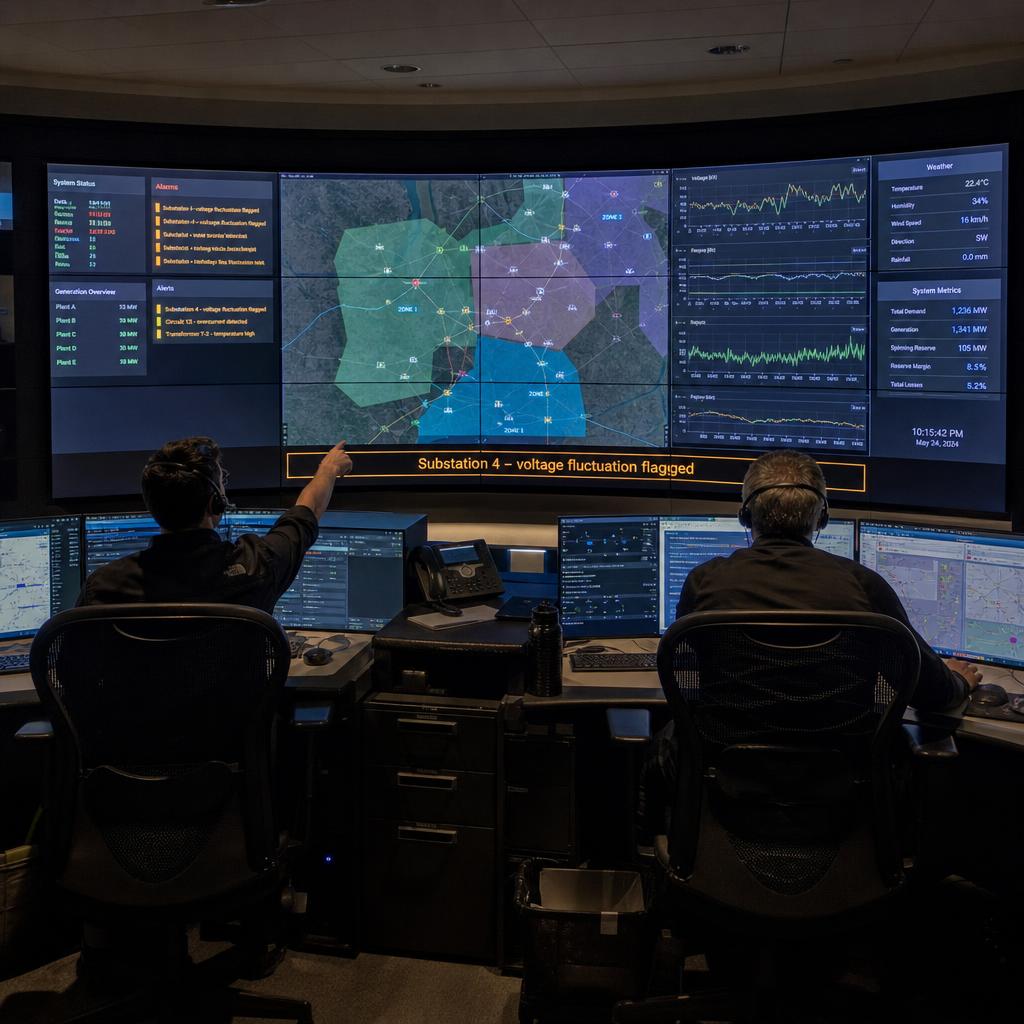
It is the same relationship a control room video wall has to the SCADA system behind it — covered in more depth in our utility control room dashboard displays piece, where the display-only principle applies to critical infrastructure operators.
What that display layer typically shows on a manufacturing floor:
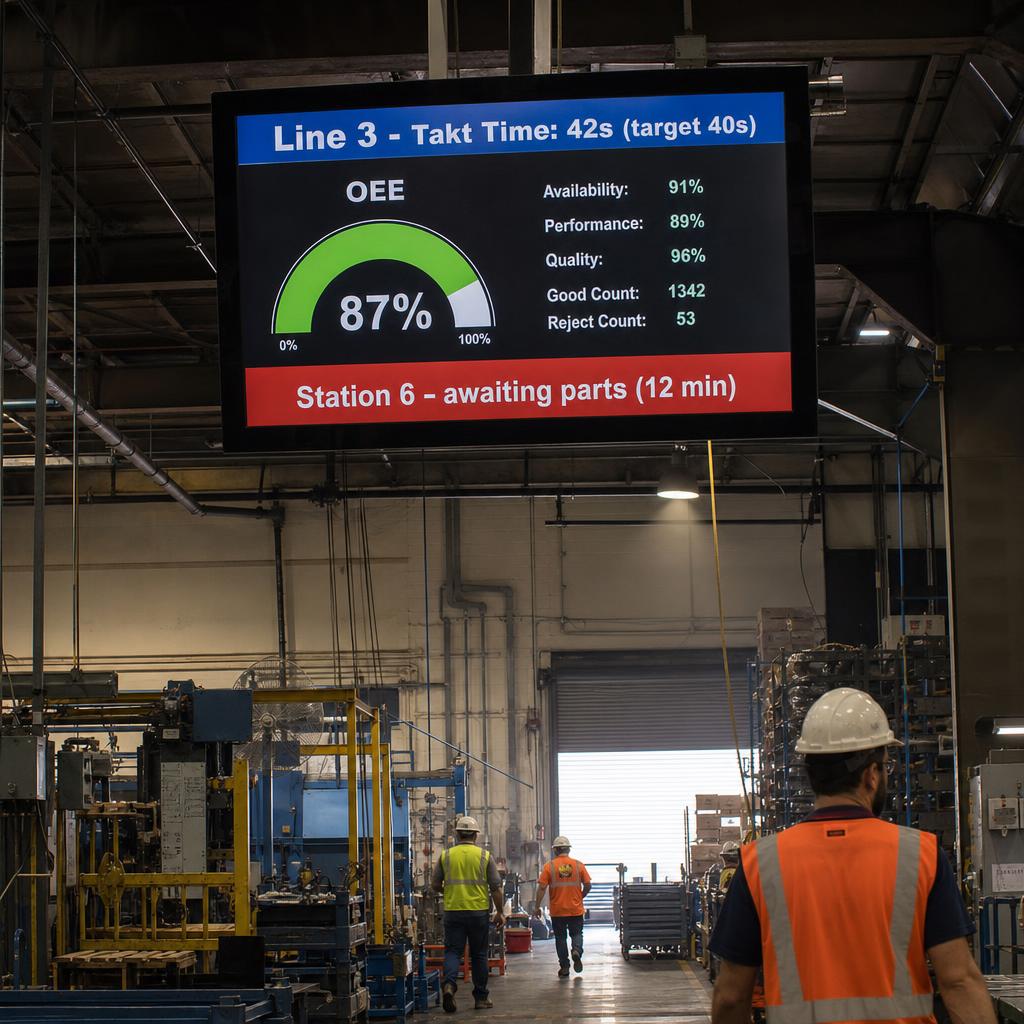
- Line status and takt time — actual cycle time against target, so a lagging station is visible before it becomes a bottleneck
- OEE components — availability, performance, and quality, broken down by line or cell if your MES already calculates them
- Units produced vs. target — running totals against the shift or daily plan
- Downtime and reason codes — pulled from existing stoppage logging, so causes are visible rather than buried in a report someone reads tomorrow
- Quality metrics — defect rates, first-pass yield, or scrap counts where your quality system tracks them
None of this requires SPARC to talk to your PLCs or line controllers directly. It requires a feed from whatever system already aggregates the data, commonly one of:
- An API
- A database connection
- A scheduled export
Our digital signage API integrations post covers how that connection works in practice, including the difference between a live API pull and a simpler scheduled refresh for plants that do not need second-by-second updates.
How Do You Stop Information Getting Lost Between Shifts?
Shift handover is one of the most consistent failure points in manufacturing communication, and it is a display problem rather than a training problem.
The outgoing shift knows what happened:
- Which machine was running rough
- Which batch needs a re-check
- What the maintenance contractor said they would be back for
Where that knowledge currently lives: someone's head, a whiteboard that gets wiped, or a handover sheet the next shift may or may not read before the line starts moving.
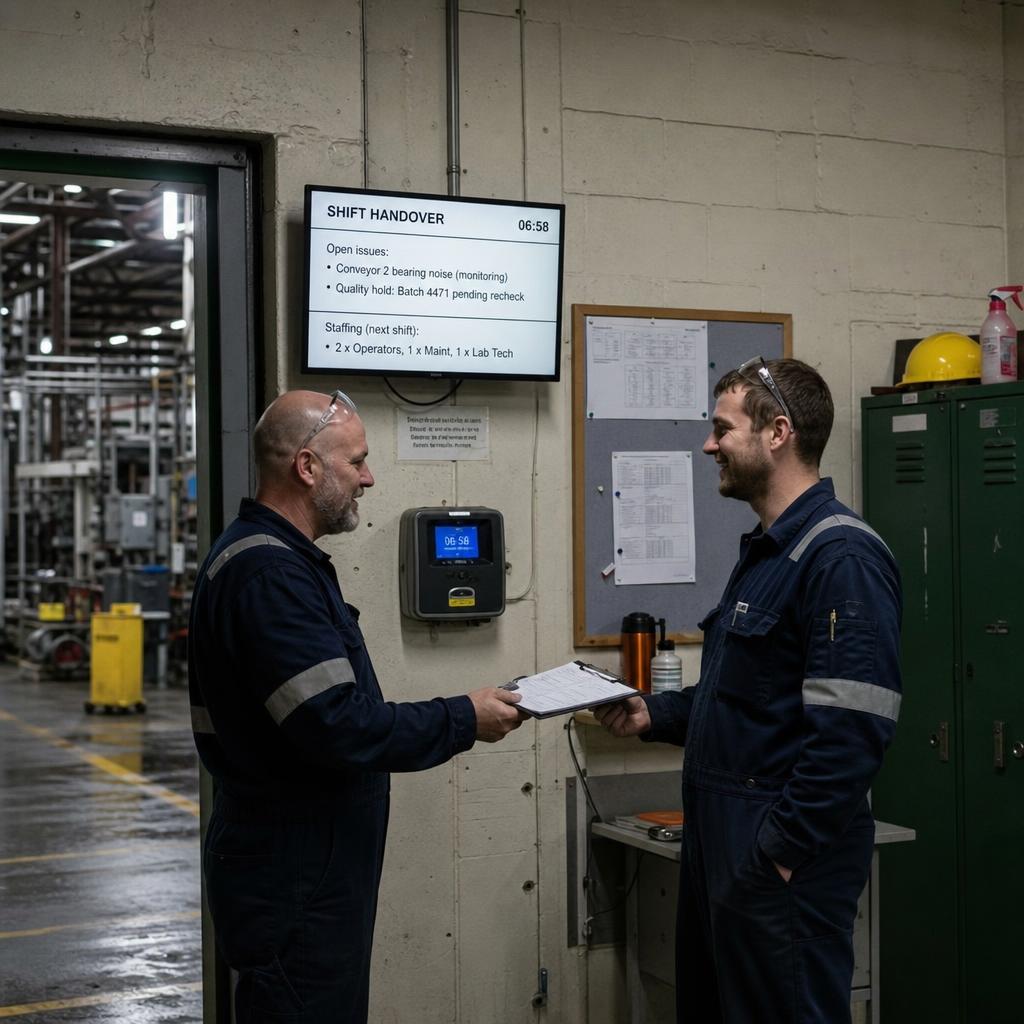
A digital signage screen positioned at the shift changeover point — near the time clock, the crew room, or the line start — can hold that information persistently and update it as a structured feed rather than a conversation that has to happen perfectly every time. Useful handover content includes:
- Open issues carried from the previous shift, with status (in progress, waiting on parts, resolved)
- Planned maintenance or changeovers scheduled for the incoming shift
- Quality holds or non-conformances that need attention before production resumes
- Staffing notes — who's rostered, who's covering, any gaps
- Target vs. actual from the previous shift, as context for the day ahead
The point is not to replace the handover conversation. It is to give that conversation something reliable to refer to, and to make the information survive when the two supervisors do not manage to connect in person.
A screen does not forget to mention something because the previous shift ran long and everyone wanted to get home.
Can Digital Signage Replace Mandatory WHS Signage?
No. Stating it plainly: digital signage displays safety-relevant information. It is not a safety system.
It does not replace any of the following, all of which your facility is legally required to maintain:
- Mandatory WHS signage
- Permits
- Lockout-tagout procedures
- Emergency systems
Fixed hazard signage, fire safety systems and formal WHS documentation stay exactly where they are and keep doing the job they are required to do.
What a screen can usefully add is timely, visible communication that sits alongside that program — a way of surfacing information that's otherwise stuck in a briefing room or a noticeboard nobody walks past:
- Incident-free day counts or safety milestones, if your WHS team already tracks and wants to display them
- Current site status — visitor counts, contractors on site, any zones under temporary restriction
- Toolbox talk topics or safety bulletins for the week, as a reminder rather than the primary delivery mechanism
- Environmental readouts where your facility already monitors them (noise, air quality) and wants them visible
- Emergency assembly point reminders as a supplementary prompt — never the primary emergency communication method, which should always be your facility's dedicated alarm and evacuation systems
The framing matters here: everything above is secondary and supplementary. Anything genuinely safety-critical — evacuation triggers, gas detection alarms, lockout status — needs to run on systems designed and certified for that purpose. Digital signage can reflect that information for visibility, but it should never become the system a facility depends on when something goes wrong.
Built for the Floor: Durability and Viewing Environment
A screen spec'd for an office won't necessarily hold up in a production environment, and the failure modes are different from what most facilities teams expect. A few factors worth planning around before you commit to hardware:
Dust and particulate. Depending on the process — metalworking, timber, food processing, textiles — airborne particulate accumulates on vents and can shorten the life of standard consumer displays. Sealed or industrial-rated screens, and sensible placement away from direct process exposure, matter more here than on a typical office deployment.
Ambient noise. Factory floors are loud. Any audio component (alarms aside) is largely wasted, which pushes almost all communication onto visual design — larger text, higher contrast, and content that's readable at a glance rather than content that needs to be listened to.
Viewing distance and sightlines. A dashboard mounted where it's only readable from 3 metres away is useless on a floor where the nearest safe standing point is 15 metres back. Screen size and font sizing need to be planned against actual sightlines, not against a generic "how big should my TV be" rule of thumb. Mounting height also has to account for forklift and pedestrian traffic clearances.
Temperature and vibration. Some areas of a plant run hot, cold, or with sustained vibration from heavy equipment. Screen and mount specifications should reflect the specific zone, not a single standard for the whole site.
Glare and lighting. Factory floors often mix harsh overhead lighting, natural light from roller doors, and reflective equipment surfaces. Screen brightness and anti-glare considerations need to match the specific zone rather than a single blanket spec across the site.
Zoning Content to the Area, Not the Whole Site
Not every screen on a manufacturing floor should show the same thing. A blanket "one playlist for the whole site" approach tends to produce content that's relevant to nobody in particular. Zoning by area keeps each screen useful to the people who actually stand in front of it:
- Line-side screens — station-specific line status, takt time, and immediate quality flags
- Warehouse and dispatch — pick/pack targets, outbound loading schedules, dock door status
- Break rooms and crew areas — shift handover notes, company announcements, non-urgent safety bulletins
- Reception and visitor areas — site induction reminders, visitor sign-in status, general company content
- Loading docks and yard — vehicle movements, delivery schedules, yard safety reminders relevant to that traffic
This is also where a content management platform earns its keep — being able to schedule and target content by screen group, rather than manually updating individual displays, is the difference between signage that stays current and signage that goes stale within a month.
Sample Content Mix by Screen Zone
| Screen Zone | Primary Content | Update Frequency | Data Source |
|---|---|---|---|
| Line-side dashboard | Takt time, OEE, downtime reason codes | Real-time / near real-time | MES or SCADA historian |
| Shift handover point | Open issues, handover notes, staffing | Per shift | Manual entry or MES export |
| Warehouse/dispatch | Pick targets, dock schedules | Hourly | WMS or ERP |
| Break room | Safety bulletins, announcements, handover summary | Daily / weekly | WHS team, manual entry |
| Reception/visitor area | Induction reminders, visitor counts, general news | Daily | Manual entry or visitor system |
Getting the Rollout Right: A Few Practical Considerations
Before committing to hardware and screen count, it's worth working through a short list of planning questions with whoever owns production data on your team:
- Which systems currently hold the data you'd want displayed — and does that system expose an API, a database you can query, or only manual export?
- Who owns content updates for each zone — is it a facilities function, a production supervisor, or split by area?
- What's the realistic viewing distance and lighting condition for each proposed screen location?
- Does the WHS team need to sign off on what safety-adjacent content gets displayed, and how it's worded?
- Is there a fallback if a data feed goes down — should the screen show a "data unavailable" state rather than silently freezing on stale numbers?
That last point is easy to overlook and worth taking seriously: a dashboard that quietly shows yesterday's numbers as if they're current is worse than no dashboard at all, because it trains people to trust something that's wrong.
Bringing It Together
Manufacturing digital signage works best treated as a communication layer built specifically for the floor — not an office display solution with "manufacturing" content dropped in.
Four things that means in practice:
- Production dashboards fed from systems you already run
- Shift handover screens that keep information from evaporating between crews
- Safety-relevant content that supports rather than substitutes for your WHS program
- Hardware genuinely specified for dust, noise and long sightlines
To see how this fits together for a manufacturing environment specifically, visit our manufacturing industry page, or book a demo to walk through zoning, data integration, and hardware options for your floor.
Manufacturing digital signage FAQs
Does SPARC's manufacturing signage control or interface directly with production machinery?
No. SPARC displays data pulled from systems you already run — such as MES, SCADA historians, or ERP platforms — on screens around the facility. It is a display layer, not a control system, and it does not write back to or operate any plant equipment.
Can digital signage replace our required WHS safety signage?
No. Fixed hazard signage, emergency systems, and formal WHS documentation must remain in place exactly as required by your safety obligations. Digital signage can display supplementary safety-relevant information — such as toolbox talk reminders or site status — alongside that program, but it is not a substitute for it.
How does the signage get production data from our systems onto the screens?
Typically through an API connection, database query, or scheduled data export from whatever system already aggregates your production data (MES, SCADA, ERP, or a quality platform). Our digital signage API integrations post covers how these connections generally work.
What happens if the data feed to a screen goes down?
This should be planned for during setup rather than discovered afterwards. A well-configured deployment shows a clear "data unavailable" or "last updated" state rather than silently freezing on outdated figures, so operators know not to trust stale numbers.
Do we need different screens for different areas of the plant?
Often, yes. Line-side displays, warehouse dashboards, break room screens, and reception displays typically show different content updated at different frequencies. Zoning content by area, rather than running one playlist site-wide, keeps each screen relevant to the people standing in front of it.
How do factory floor screens differ physically from standard office displays?
Considerations include dust and particulate exposure, ambient noise (which pushes most communication onto visual design), viewing distance across large open spaces, mounting height relative to forklift and pedestrian traffic, and glare from mixed industrial lighting. These factors should be assessed per zone rather than applied as a single site-wide spec.
Can we display shift handover notes without replacing our current handover process?
Yes — that's the intended use. A handover screen is designed to support the conversation between outgoing and incoming supervisors by holding open issues, staffing notes, and status updates persistently, not to replace direct handover communication.