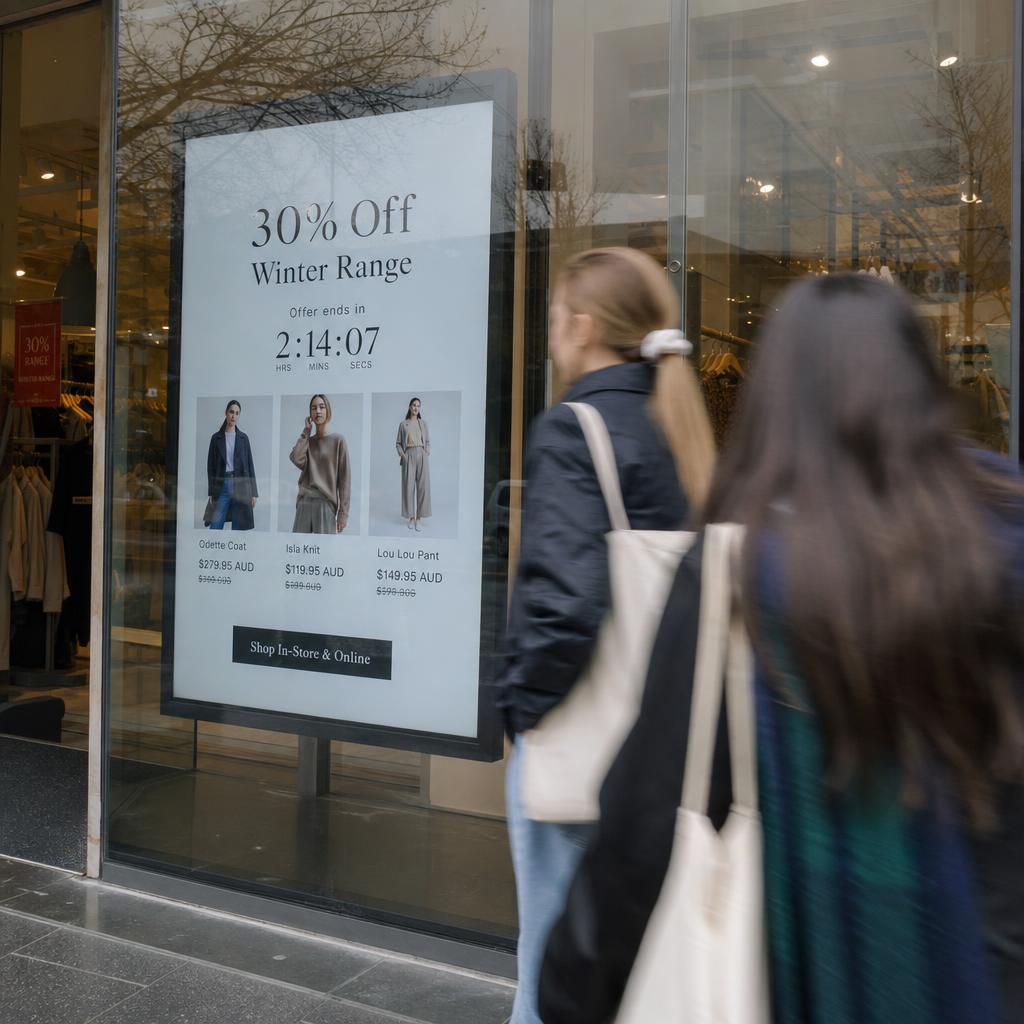
Most underperforming screens are not broken. They are showing content written for a reader who does not exist: someone standing still, reading closely, with time to spare.
Start with the job the screen must do
Before anything is designed, answer one question per screen: what should a person do differently because they saw this? Buy the thing that is promoted. Join the shorter queue. Find level 3. Know the site is closed on Monday.
A screen with one job can be measured. A screen showing a rotating mix of brand video, social feed, weather, and news is decoration.
Match content to dwell time
Dwell time is how long someone can actually see the screen. It dictates everything about the content.
| Where the screen is | Typical dwell | What works | What fails |
|---|---|---|---|
| Shop window, corridor, drive-thru lane | 2-5 seconds | One message, six words or fewer, one image, high contrast | Paragraphs, multi-item menus, QR codes |
| Queue, counter, lift lobby | 15-45 seconds | Promotions, wait times, three-item menus, short loops | Long video, dense tables |
| Waiting room, food court, staff room | 2+ minutes | Education content, longer video, news, rotating information | Repeating the same 10-second loop |
The most common mistake is putting 45-second content on a 3-second screen.
Rules that make content readable
- One idea per frame. If it needs a second sentence to make sense, it is two frames.
- Legibility over brand purity. Thin type and low-contrast palettes disappear from four metres away.
- Text large enough for the distance. As a rough test, read it from where the customer stands, not from your desk.
- Motion to attract, stillness to inform. Movement earns the glance; the message has to hold still to be read.
- Say what to do next. Scan, ask at the counter, take a ticket, turn left.
Schedule it so it cannot go stale
Content that requires someone to remember to change it will go stale. Build the calendar instead:
- Set start and end dates on every promotion so it removes itself
- Use dayparting for anything that differs by breakfast, lunch, dinner, or after-hours
- Assign an owner per screen group, not per screen
- Put a recurring monthly review in the calendar, not in someone's head
The guide on scheduling content for digital signage covers the mechanics.
Measure whether it is working
Pick the measure before the campaign runs. Depending on the screen, that could be sales of the promoted item during the hours it ran, queue abandonment, staff questions about a thing that was previously asked constantly, or attention data from audience measurement. Compare to the period before, and to a site where it did not run.
Common uses that reliably earn their screen
- Menu boards that update prices and availability from the point-of-sale system
- Window screens promoting what is actually in stock this week
- Wayfinding and directory boards in buildings people do not visit often
- Internal dashboards where the number changes behaviour in the room
- Waiting-room information that lowers perceived wait time
If you want the same by industry, the solutions by use case pages cover retail, hospitality, healthcare, corporate, and public sector in more detail.