Content scheduling transforms digital signage from static displays into dynamic, contextually relevant communication channels. Effective scheduling ensures the right content reaches the right screens at the right time.
Scheduling Fundamentals
1. Create Playlists Group related content items into playlists: - Add media files (videos, images, web content) - Set duration for each item - Choose transition effects - Arrange playback order
2. Assign to Displays Target playlists to specific screens: - Individual display assignment - Group-based targeting (all lobby screens) - Location-based rules (Northeast region stores) - Tag-based selection (outdoor displays)
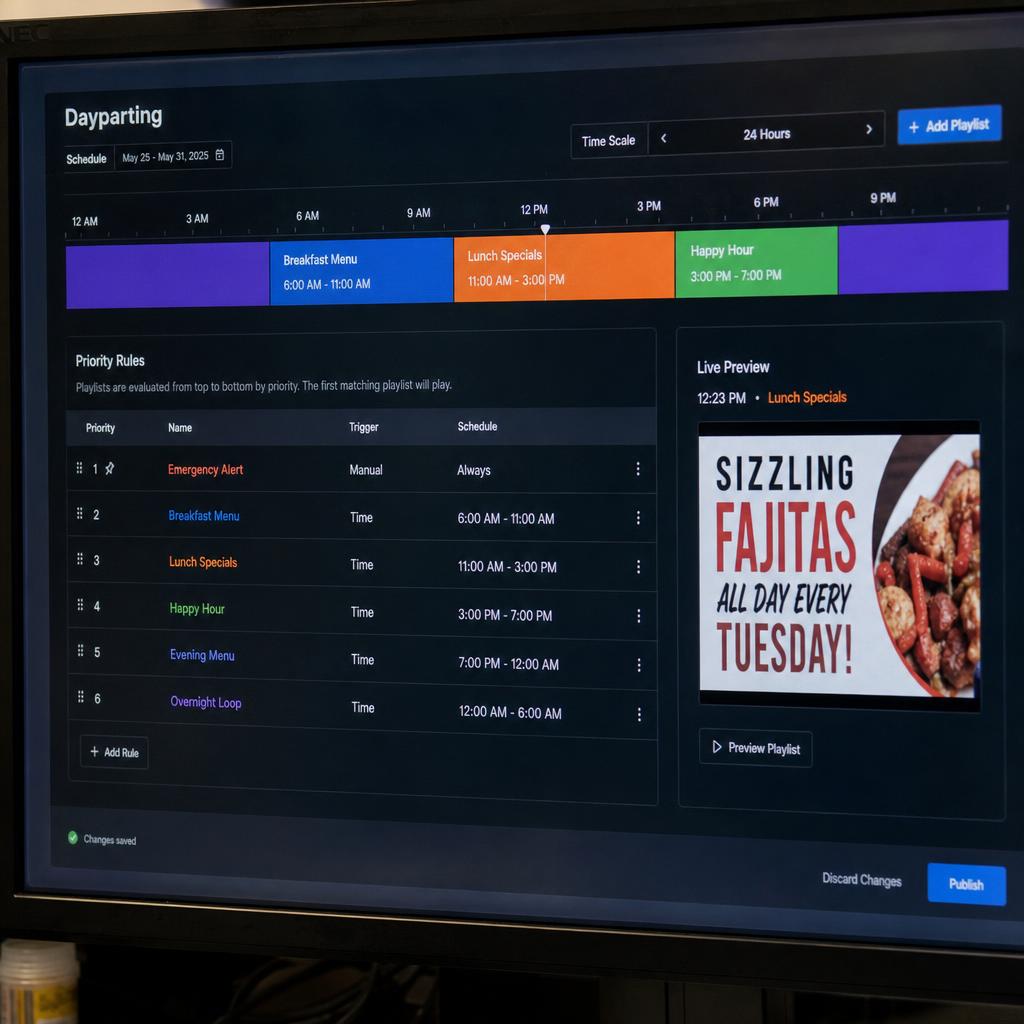
3. Set Time Rules Define when content should play: - Dayparting: Different playlists for morning, afternoon, evening - Day of week: Weekend content vs weekday content - Date ranges: Holiday campaigns with start/end dates - Recurring schedules: Same pattern every week
4. Configure Priorities Handle overlapping schedules: - Higher priority content overrides lower - Emergency content always takes precedence - Default/fallback content when nothing else is scheduled
Advanced Scheduling Features
Conditional Playback
- Weather-based content (show hot drink ads when cold)
- Inventory integration (promote overstocked items)
- Audience detection (content based on detected demographics)
Event Triggers
- Button or sensor triggers
- API-driven content switches
- Real-time data thresholds
Content Loops
- Infinite loops for ambient displays
- Fixed play counts for promotions
- Random shuffle for variety
Scheduling Best Practices
- Plan ahead: Schedule campaigns at least one week in advance
- Use templates: Create reusable schedule templates for common patterns
- Test first: Preview content and schedules before going live
- Allow flexibility: Leave gaps for last-minute additions
- Document rules: Keep records of scheduling logic for troubleshooting
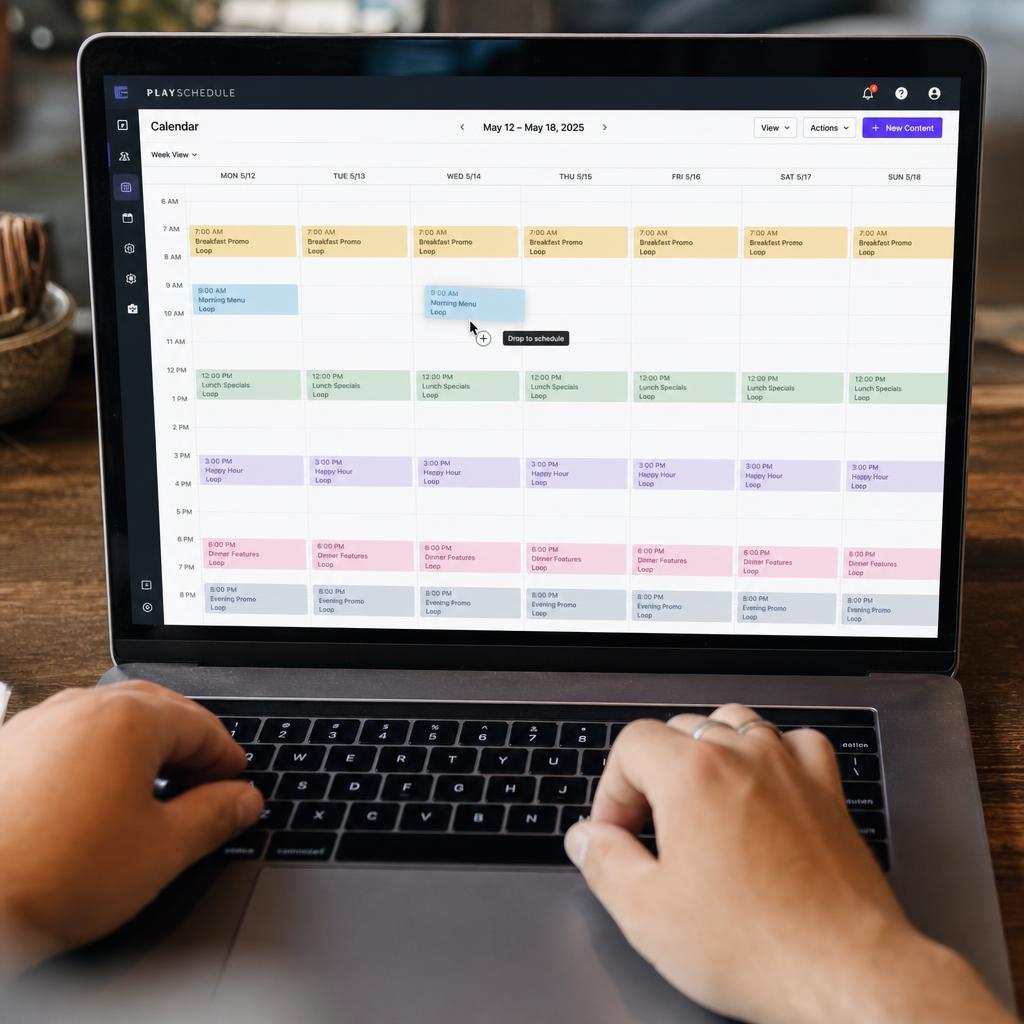
SPARC provides an intuitive calendar-based scheduling interface where you can drag and drop content onto time slots, visualize upcoming playback, and manage complex multi-location schedules from a single dashboard.