What Are the Layers Behind a Digital Signage Screen?
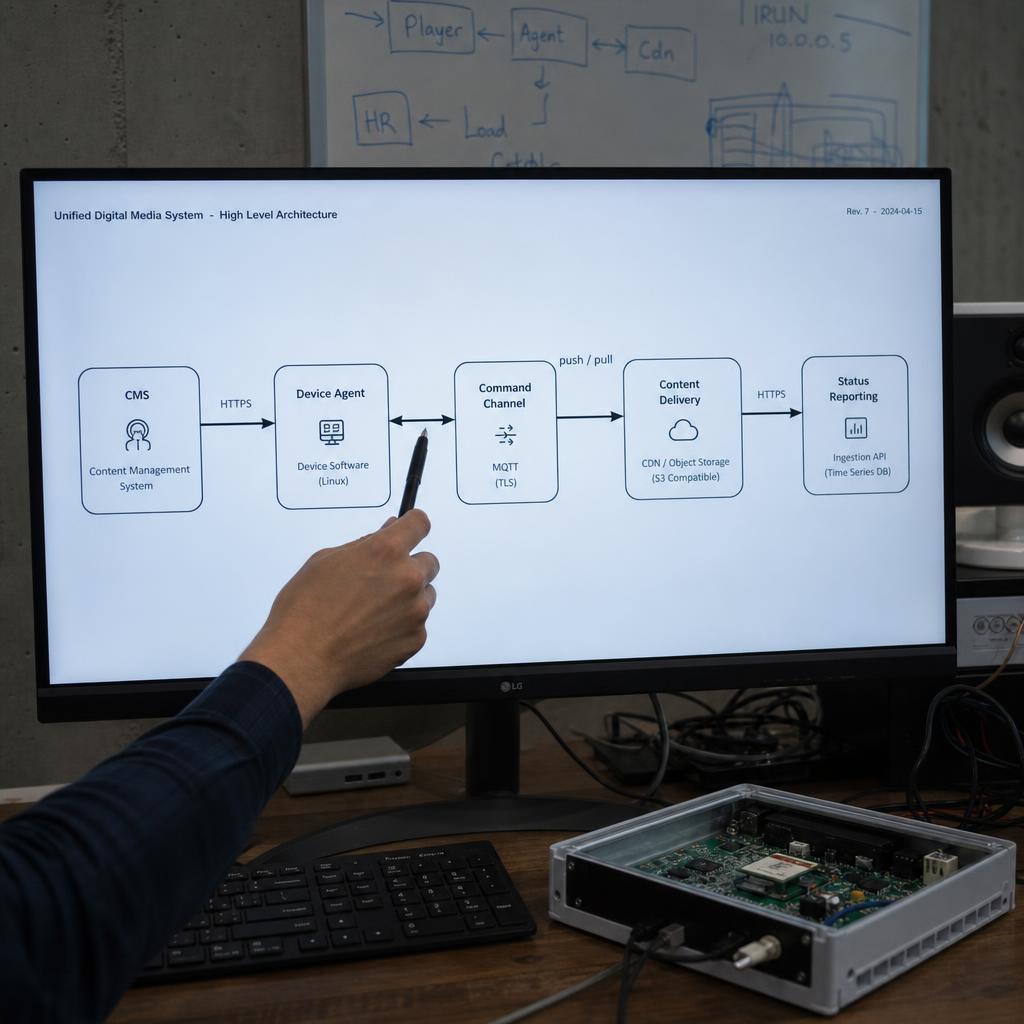
Five, and every deployment runs all of them no matter how small:
- A content management system where playlists and schedules are built
- A device agent installed on the player
- A command channel carrying instructions between the two
- A content delivery path getting media files onto the player
- A status reporting loop telling the CMS what actually happened
Picture a chain rather than a single product:
- The CMS is the brain — where a person builds the playlist
- The device agent is the hands — software on the player hardware, whether an Android box, a Windows PC or a screen's built-in system, receiving instructions and driving the display
- The command channel sits between them — the mechanism getting an instruction from a browser tab to a screen
- Content delivery and status reporting close the loop
This post walks through each layer without repeating the deep dives already published on speed, geography and device diversity — we point to those where relevant.
What Does the CMS Layer Actually Do?
Three jobs, underneath the playlist builder: it stores content, resolves schedules into a playback order, and hands that order to the player.
Scheduling logic is where platforms genuinely differ:
- A basic system supports a single looping playlist per screen
- A capable one handles dayparting, date ranges, priority overrides, screen groups and conditional rules — content that changes with time, location or an external trigger
The difference shows up the first time you need a screen to behave differently on a public holiday, or one store to run a local promotion while the other forty run the national campaign.
The Device Agent: Software Running on the Player Itself
The device agent does the physical work. It's a lightweight application on the player hardware itself, running locally on the box bolted to the back of the screen. Its job: maintain a connection to the CMS, receive and interpret commands, manage a local cache of media files, control the display's power and input state, and report on what's actually happening.
This is also the layer where hardware diversity becomes a real engineering problem. An Android media player, a Windows mini-PC, and a smart TV all have different operating systems and ways of exposing CEC (used to turn a screen on or off remotely). A device agent normalises all of that into commands the CMS can issue. We go into this hardware layer in more detail in our breakdown of managing mixed device fleets.
The device agent is also what keeps a screen running when the internet drops. A well-built agent caches enough content and schedule data locally that playback continues through a connectivity outage.
How Do Commands Actually Reach the Screen?
Two architectures, and the difference is measured in how long you wait.
Pull, or polling. The device agent checks in with the CMS on a fixed interval, asking whether anything has changed.
- Simple and firewall-friendly, because the player only makes outbound requests
- Latency is bounded by the interval — a 60-second poll means up to 60 seconds before a change appears
- Fine for scheduled content, poor for anything urgent
Push. A persistent connection stays open so the CMS can send an instruction the moment it is issued.
- Near-instant, typically a second or two
- Needs a connection the agent keeps alive and re-establishes after a drop
| Aspect | Push architecture | Pull / polling architecture |
|---|---|---|
| Typical command latency | 1-3 seconds | Up to the poll interval |
| Firewall friendliness | Needs a persistent outbound connection | Simple outbound requests only |
| Behaviour after a dropout | Reconnects and catches up | Picks up at the next poll |
| Best suited to | Urgent overrides, live events | Routine scheduled content |
Most mature platforms, SPARC included, run a hybrid: a persistent channel for anything urgent, polling as the fallback when that channel cannot be held open.
If your question is how fast content can change rather than how commands travel, that is covered separately in real-time screen control, and the SPARC platform overview shows how these layers fit together in one system.
Getting Media Onto the Screen Without Buffering
Commands are small; content is not. This is a separate problem from command delivery. The pattern almost every serious platform uses is pre-caching with delta sync: media files are downloaded to local storage ahead of schedule, verified against a checksum, and played back from local disk. When a playlist changes, the device agent only downloads the difference. This is why a well-built player keeps running smoothly even if the network drops mid-playback.
Most platforms front their storage with a content delivery network so a player anywhere in the country pulls from a geographically close edge node. SPARC runs on AWS's Sydney region so Australian screen fleets aren't routing content delivery through infrastructure overseas. We go deeper on how geography affects control and delivery in our post on remote screen control across distributed locations.
Closing the Loop: Status Reporting and Health Telemetry
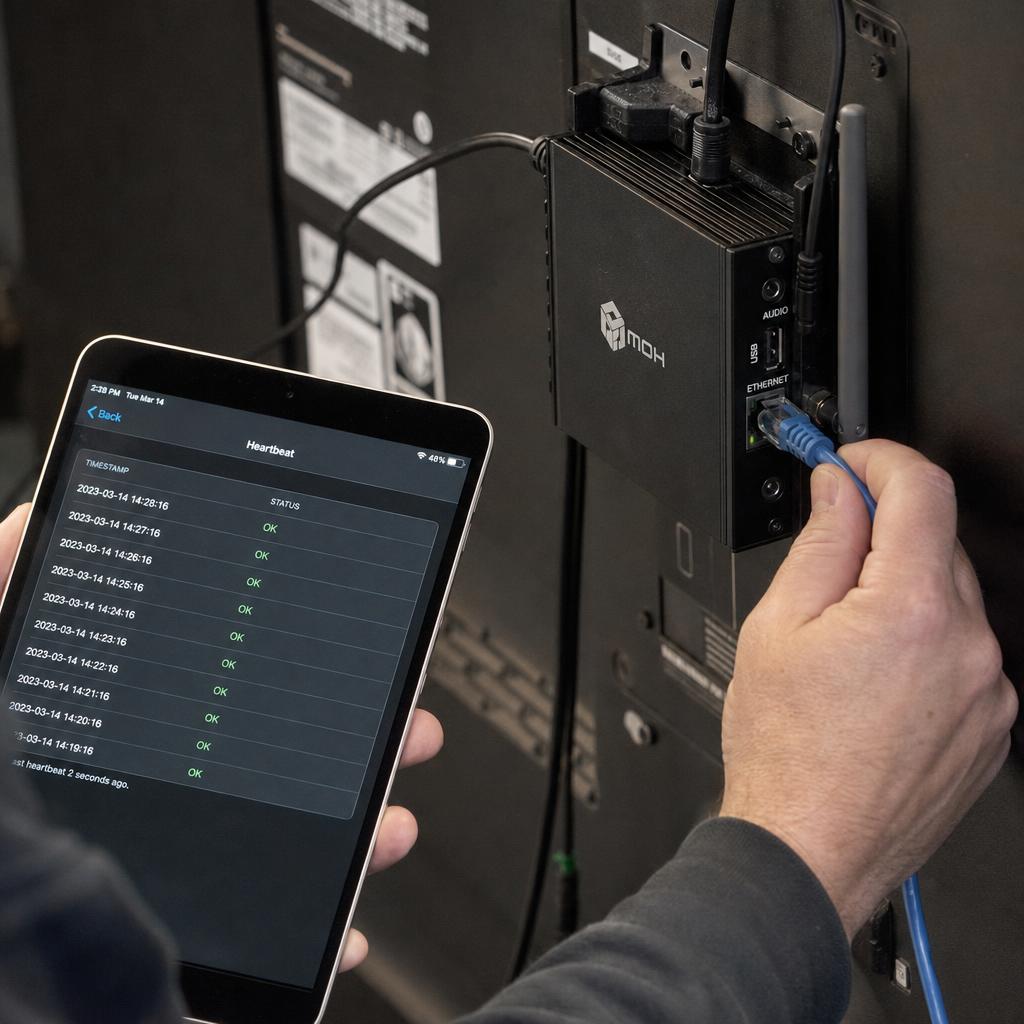
Status reporting is the return path, turning "we think the screen is working" into "we know the screen is working." A device agent typically sends a heartbeat at a regular interval, reports playback status, and surfaces device health data — storage remaining, uptime, and sometimes a periodic screenshot for visual proof-of-play.
This telemetry is what makes a dashboard trustworthy rather than decorative. Platforms built for accountability — particularly advertising and franchise networks where proof-of-play matters commercially — log playback events with timestamps so an operator can produce a report showing exactly what ran, where, and when.
Which Layer Matters Most to You
IT stakeholder evaluating vendors. Focus on the device agent's connection behaviour and the command channel's security posture: how the player authenticates, and whether traffic is encrypted end to end.
Retail or franchise network with dozens of screens. Content delivery and status reporting matter more day to day than command latency.
Live events or venues where content changes on a cue. Interrogate the command channel directly — pushed or polled, and what the real-world latency is under load.
Technically curious buyer mapping the category. Keep the five-layer model as your mental map. Every vendor comparison afterwards maps onto one or more of these layers.
The reason this matters: most vendor comparisons happen at the feature level, where every platform sounds similar. The differences are at these layers, and they are the ones that decide whether a screen recovers by itself at 2am.
If you want to see the layers rather than read about them, book a demo and we will pull a player offline mid-call and show you what the agent, the command channel and the status reporting each do about it.
Digital signage control FAQs
What's the difference between the CMS and the device agent in digital signage software?
The CMS is the cloud-based interface where content is uploaded and schedules are set. The device agent is separate software on the physical player that receives instructions from the CMS and drives the screen.
Does digital signage content stream live to the screen, or is it stored locally?
In almost all well-built systems, content is pre-downloaded and cached on local storage ahead of scheduled playback, then played from that cache. Live streaming to a signage player is rare outside specific cases like live data feeds.
How does digital signage software handle a screen losing internet connection?
A properly built device agent keeps playing whatever content is already cached locally, then reconciles with the CMS once connectivity returns.
What is proof-of-play and why does it matter for the architecture?
Proof-of-play is a logged record of exactly what content played, on which screen, at what time — generated by the status reporting layer. It matters most for advertising networks and franchise operations that need to verify content ran as scheduled.
Why does server location matter for digital signage architecture?
Server location affects command latency and content delivery speed. For an Australian fleet, routing both through infrastructure hosted in Australia reduces the distance commands and files have to travel.
Is a push-based command architecture always better than a polling-based one?
Not universally. Push architectures deliver lower latency but need more careful reconnection handling; polling architectures are simpler and naturally tolerant of patchy connections. Many platforms use both together.
Ready to Experience SPARC?
Join forward-thinking organizations already using SPARC for their digital signage needs.