What "Remote Screen Control" Actually Means
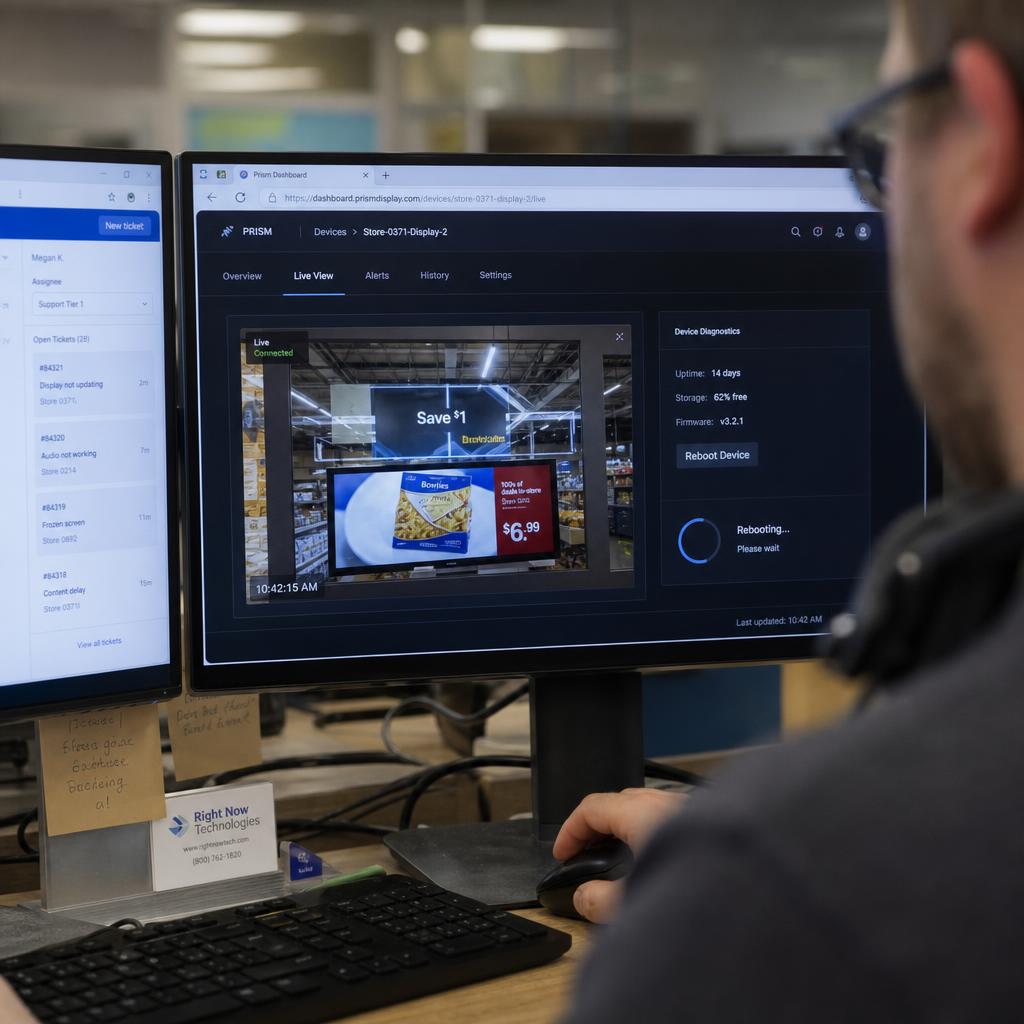
Remote screen control software lets someone manage a display's operational state — power, input, reboot, diagnostics — from somewhere other than where the screen physically sits.
That is a different problem to updating what is on the screen:
- "How fast can I push a new promo to every store?" is a content-scheduling and sync question, covered in our piece on real-time screen updates
- "Why has a regional screen been dark for days, and can I fix it without driving there?" is a remote control and diagnostics question, which is what this article covers
The two live in the same platform but solve different problems. A retailer with a head office and screens in a dozen regional stores gains nothing from faster content pushes if nobody is watching whether those screens are running at all.
Practically, remote screen control covers four things:
- Knowing a screen's current status
- Seeing what is actually displayed right now
- Taking action on the hardware
- Getting alerted when something changes state without you asking
The Technical Requirements Behind Remote Display Management
A persistent device agent. Something has to run on the media player that maintains a connection to the management platform and can act on commands — reboot, capture the frame buffer, query uptime.
Outbound-only connectivity. Properly built remote control doesn't need an open inbound port or a VPN tunnel — the player initiates an outbound connection to the cloud platform and holds it open. Most franchise and retail networks run locked-down IT with no appetite for opening inbound firewall rules per site.
Authenticated device pairing. Each player is paired to the account it belongs to, typically via a registration code, so commands only go to devices explicitly enrolled.
Enough bandwidth for control traffic, not content traffic. Sending a reboot command uses a trivial amount of data compared to syncing a video-heavy playlist — this matters for sites on limited connections.
Hardware-level hooks where they exist. Controlling the display itself — power, input source, volume — needs HDMI-CEC support or an equivalent integration, since not every commercial display responds to the same command set.
See how digital signage control works technically for the agent-and-command-channel mechanics in more depth.
What You Should Be Able to Do Without a Site Visit
- Reboot the player — resolves a surprising share of frozen-screen faults without anyone touching the hardware.
- Pull a live screenshot — see exactly what's rendering right now, distinguishing a genuine fault from content that just looks wrong.
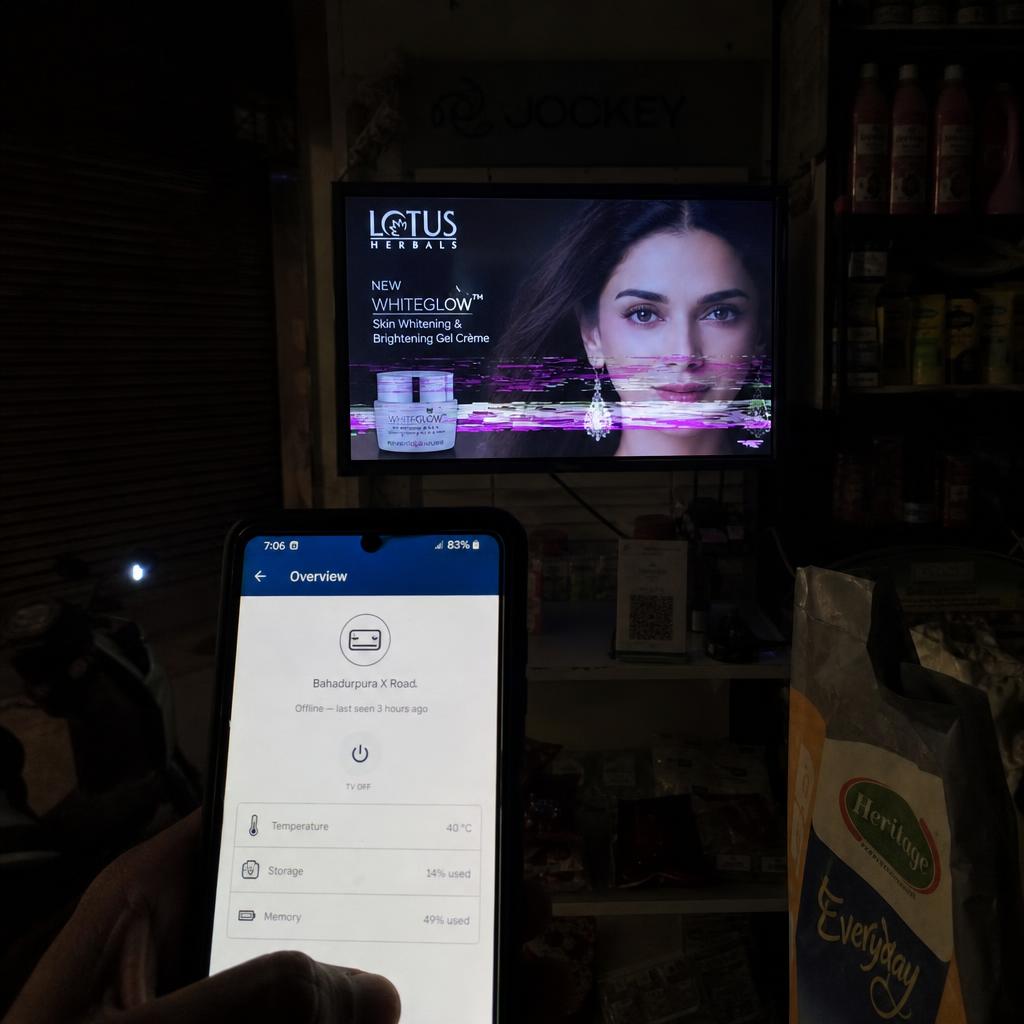
- Check online/offline status and uptime history — not just current state, but whether a screen has been dropping in and out.
- Switch input source — useful where a display is shared between a media player and another source.
- Adjust volume — for audio-enabled installs, without a manager standing at the unit.
- Pull device diagnostics — storage, firmware version, temperature, network signal strength.
- Force a resync or schedule check — confirming a device picked up the latest playlist.
If a platform can only tell you online or offline, that's monitoring, not control. See our hardware control features for what SPARC exposes at the device level.
On-Site vs Remote Management: The Operational Trade-Offs
| Factor | On-site management | Remote screen control software |
|---|---|---|
| Response to a frozen screen | Wait for someone to visit, or dispatch a technician | Reboot from the dashboard, minutes |
| Diagnosing if it's really broken | Rely on a staff description over the phone | Pull a live screenshot |
| Cost per fault | Technician time, travel, after-hours call-out | Staff time at a desk |
| Coverage across regions | Limited to business hours a technician can reach site | Same regardless of site location |
| Suited to | Single-site venues, physical repairs | Multi-site fleets, unattended locations |
| What it can't fix | — | Physical faults: dead panel, damaged cabling |
Remote control resolves software-and-connectivity faults without a visit; it can't fix a cracked panel. A sensible fleet still needs a technician relationship for physical repairs — remote control just means far fewer faults escalate that far.
Which Approach Fits Which Reader
Single venue, one or two screens: remote control is a convenience rather than a necessity — you can usually just look at the screen.
Multi-site retail or hospitality, five to fifty screens: this is where remote control stops being optional. Store managers aren't signage technicians and shouldn't be troubleshooting a frozen player.
State-wide or national fleets, 100+ screens: manual checking doesn't work regardless of team size. You need status dashboards, alerting, and bulk actions.
Agencies and AV integrators managing multiple client networks: the requirement is clean separation between clients, permission-scoped access, and the ability to demonstrate uptime back to clients.
What a Site Visit Actually Costs
A site visit is not just travel time. It is:
- Technician availability, which is rarely same-day
- The hours or days a screen sits dark while the visit gets scheduled
- The reality that many faults turn out to be a five-minute fix once someone is standing there
In an Australian context that maths gets worse fast. A retailer with stores in regional Victoria, NSW or Queensland is often looking at half a day of travel for something a remote reboot would have cleared in under a minute.
The practical effect of remote control is not zero site visits. It is fewer of them, and the ones that remain are genuine hardware faults rather than software hiccups.
It also changes who can respond. A fault needing a reboot can be handled by whoever is rostered on a support desk, at any hour, rather than waiting for a technician with a van.
Catching Problems Before a Customer Does
Remote control is reactive by nature. Monitoring is what catches the problem before a customer notices a blank screen in store.
The baseline worth having:
- Automatic alerts when a device goes offline, rather than finding out from a store manager
- A fleet-wide status dashboard, so one view answers "is everything running?"
- A per-device incident log, so a screen dropping offline weekly gets flagged as a pattern rather than fixed three times
Cloud-based screen management is what makes this workable across a distributed fleet: status, screenshots and control actions in one platform reachable from anywhere.
If your fleet spans genuinely different network environments, see managing a multi-environment screen fleet for the added complexity that introduces.
If you are currently finding out about dark screens from customers or store staff, that is the gap worth closing first. Book a demo and we will show the fleet dashboard against your own sites, including what an offline alert looks like when it fires.
Remote screen control software FAQs
What is remote screen control software?
Software that lets you manage a display's operational state — reboot, power, input switching, diagnostics — from away from the physical screen, via a device agent that maintains a connection to a cloud dashboard.
How does remote display management work without opening firewall ports at each site?
Properly built platforms use outbound-only connections — the media player initiates the connection to the cloud service, rather than the platform reaching in through an inbound port.
Can I control a screen remotely if the site's internet connection drops?
No — remote control depends on the player maintaining an active connection. A well-built player keeps playing its last-synced content locally during an outage, but remote actions won't reach the device until connectivity returns.
What's the difference between remote screen control and real-time content updates?
Remote screen control is about managing the device itself. Real-time content updates are about how quickly new content reaches the screen once published. See [content update speed](/blog/realtime-screen-controller) if that's the problem you're solving.
Do I need special hardware to enable remote screen control?
You need a media player capable of running a management agent, and for full display control the screen itself typically needs HDMI-CEC support or another control-out integration.
Does remote control replace the need for a technician entirely?
No. It resolves software and connectivity faults but can't fix physical failures like a damaged panel or faulty cabling. Most fleets still need a technician relationship for hardware repairs.
Ready to Experience SPARC?
Join forward-thinking organizations already using SPARC for their digital signage needs.