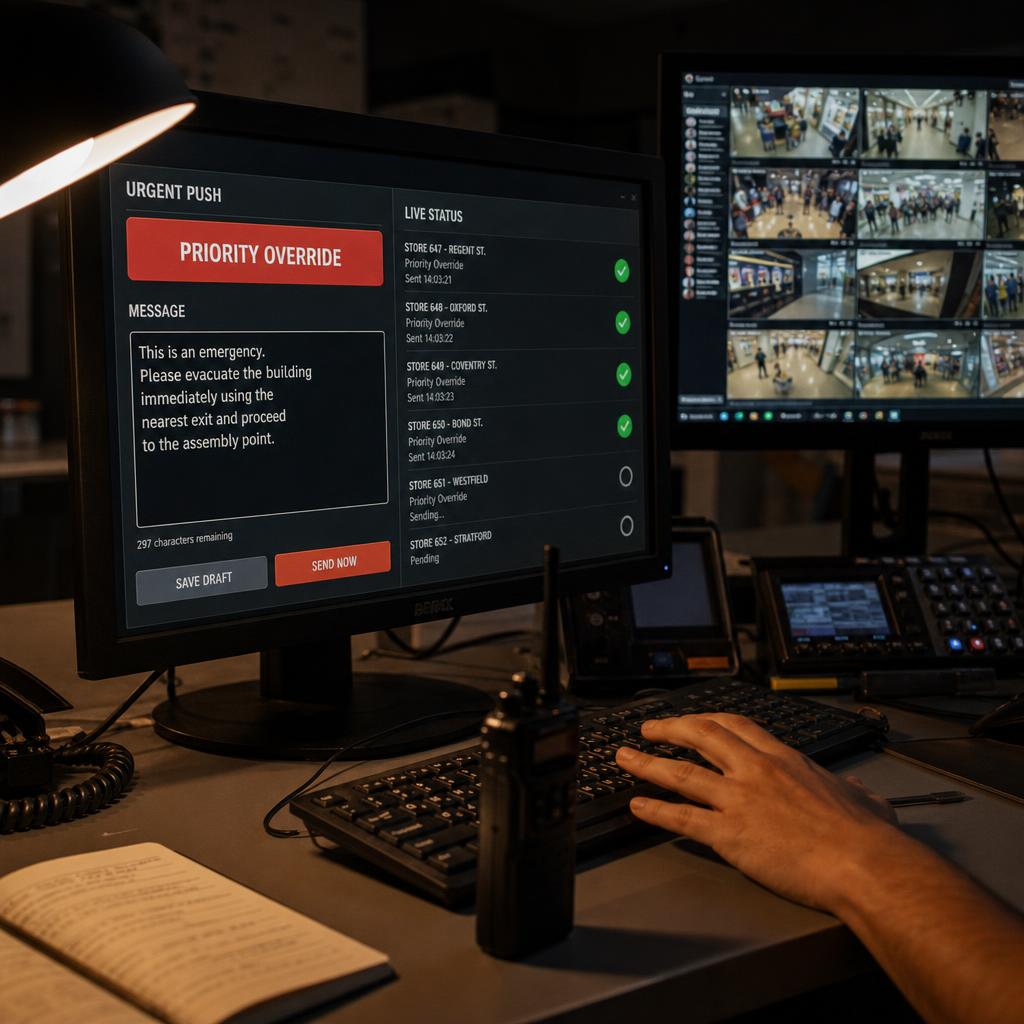
What Real-Time Screen Control Actually Means
Real-time screen control is the ability to push a content change to a display and have it appear within seconds, rather than waiting for the screen's next scheduled refresh.
It is a speed property, not a location property. That is the confusion worth clearing up:
- Real-time control — how fast a change lands once you have decided to make it
- Remote screen control software — managing displays from anywhere geographically
You can have full remote access to a network and still run entirely on scheduled updates.
In practice, most digital signage content does not need this. A weekly specials board or a wayfinding map are set-and-forget updates where a few minutes' delay changes nothing.
Real-time control earns its place where the gap between "something changed" and "the screen reflects it" has an operational cost:
- A safety message that has to override everything immediately
- A live score, stale the moment it stops updating
- A price that is now wrong
Is Immediacy Actually Worth Paying For?
It is tempting to treat "real-time" as a spec-sheet tick — faster is better. That framing misses the decision.
A system built for instant push needs three things:
- Persistent connections to every player
- Priority handling, so an urgent message can interrupt current content
- Confirmation that the screen actually displayed the change
None of that is free, and none of it is needed if content runs on a daily or weekly cadence.
The better question is what happens operationally in that gap.
> If a stock-out or a price error sits on screen for five minutes, is that a shrug or a real problem?
For a lot of signage estates the gap is a genuine non-event. For a specific subset, it is the entire reason the screen exists.
Where Real-Time Control Earns Its Keep
- Emergency and safety messaging — evacuation instructions or severe weather warnings need to override every screen the moment they're triggered, usually via a manual override that takes priority regardless of what's currently playing.
- Live sports scores and odds — a score that's ten minutes behind is actively wrong, not just a mild inconvenience.
- Urgent pricing corrections — a legally or financially wrong price needs to reach every affected screen immediately.
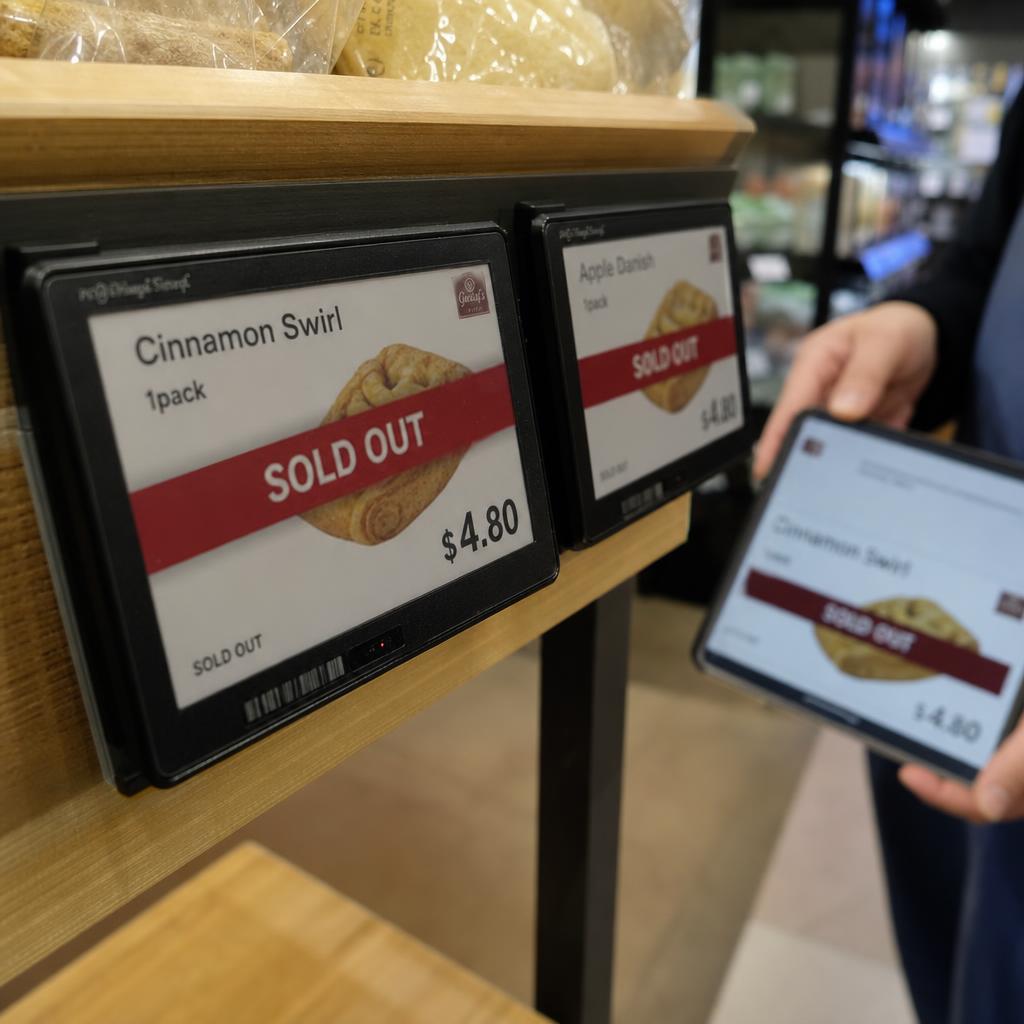
- Inventory-triggered messaging — "sold out" or "last few remaining" needs to reflect reality close to the moment it changes.
- Manual override during live events — staff interjecting a queue alert or schedule change on the spot.
What these share is that the cost of delay is concrete — safety exposure, financial error, or a visibly wrong screen.
When Scheduled or Batch Updates Are the Better Fit
- Menu boards and standard pricing — daypart changes and seasonal swaps are known in advance and can be scheduled to the minute.
- Brand and campaign content — loop content and promotions are planned days or weeks out.
- Wayfinding and directory content — changes rarely and can go through a normal review cycle.
- Low-frequency retail promotions — a monthly cycle doesn't need instant push, it needs a reliable schedule.
If your content calendar is genuinely a calendar, scheduled updates aren't a compromise — they're simpler to manage and less can go wrong.
Real-Time Push vs Scheduled Updates: The Trade-offs
| Factor | Real-time push | Scheduled/batch updates |
|---|---|---|
| Time to reach screen | Seconds, once triggered | Set interval |
| Best suited to | Emergency alerts, live scores, urgent corrections | Menus, campaigns, wayfinding |
| Operational overhead | Requires override handling and delivery confirmation | Lower, content queued in advance |
| Risk if content is wrong | Corrected almost immediately | Can persist until next push |
| Network dependency | Needs a near-continuous connection | Tolerant of intermittent connectivity |
Most estates need both, applied to different content types on the same screens.
Do You Actually Need Real-Time Screen Control?
Retail pricing or inventory-linked displays. Real-time matters for exceptions specifically. Day-to-day pricing can run on a schedule.
Multi-site franchise or hospitality networks. The priority is usually consistency, with real-time reserved for head-office-triggered exceptions. Pair it with a multi-environment controller for site-level scheduling alongside network-wide overrides.
Mostly brand or wayfinding content. You likely do not need real-time push at all, and paying for it is paying for a capability you will use twice a year.
That last case is worth saying out loud, because "instant" is an easy thing to sell and an expensive thing to need. The honest test: how many times in the past year did you need a change live in under a minute, rather than by end of day?
If the answer is more than a handful — a price error, a product recall, a venue closure — book a demo and we will time an actual push to a screen so you know the real number rather than the marketing one.
How Instant Push Actually Reaches the Screen
A scheduled system has the player check in with the server at set intervals.
A real-time system keeps a live connection open, or checks in far more frequently, so a change can be pushed the moment it is made — and critically, the player sends back confirmation that it received and is displaying the update.
Override behaviour adds another layer. An urgent push has to:
- Interrupt whatever is on screen
- Hand control back to the normal schedule automatically once it clears
That is usually implemented through priority zones rather than replacing the whole playlist. Hardware-level override control is what makes a hard override reliable even if a device has dropped off the network.
Real-time screen control FAQs
What's the difference between real-time screen control and remote screen control?
Remote control is about location — managing displays from anywhere. Real-time control is about speed — how fast a change reaches the screen once made. A network can be fully remote-controlled and still run on scheduled updates.
Do I need real-time control if I only update content weekly?
Generally no. If content changes on a predictable schedule and a short delay carries no real cost, scheduled updates are simpler to manage.
How fast is real-time in digital signage?
Typically seconds, not minutes, from the moment a change is triggered to appearing on screen, plus confirmation that it displayed correctly.
Can one screen run both scheduled content and real-time overrides?
Yes — routine content runs on a schedule, while an override layer sits above it and can interrupt for urgent messages, then hand control back automatically.
What happens if a screen is offline when an urgent update is pushed?
A well-built system queues the update and delivers it as soon as the player reconnects, and flags which screens haven't confirmed receipt.
Is real-time control only relevant for large or multi-site networks?
No — a single venue running live sport content or needing an emergency override has the same requirement as a national network.
Ready to Experience SPARC?
Join forward-thinking organizations already using SPARC for their digital signage needs.