What Changes Once You Pass a Few Dozen Screens
Enterprise display management is the set of governance, permissions and monitoring structures that let an organisation run digital signage across many sites without every change routing through one person's laptop.
It is a different problem to running a single-venue CMS. At ten screens in one building, one marketing coordinator can upload content, check it looks right and fix anything that breaks. At three hundred screens across four states, that model collapses — not because the software got worse, but because the coordination problem grows faster than any individual can track.
The trigger point is not a fixed screen count. It is the moment a second team, region or brand starts touching the same network:
- A retail chain adding a Queensland franchise group
- A university rolling signage out from one faculty to twelve
- A hospital network merging with another and inheriting its screens
The software has not changed. The number of people with a legitimate reason to publish something has.
Three things break, in this order:
- Visibility goes first. Nobody can say with confidence what is showing on a specific screen, who put it there, or whether it is still meant to be running.
- Then control. A well-meaning regional manager uploads an off-brand promotion because nothing stopped them.
- Then uptime awareness. A screen has been dark for days and the only reason anyone noticed was a customer complaint.
Enterprise display management is the discipline of designing around all three before they become recurring incidents.
Governance Structures: Who Can Publish What
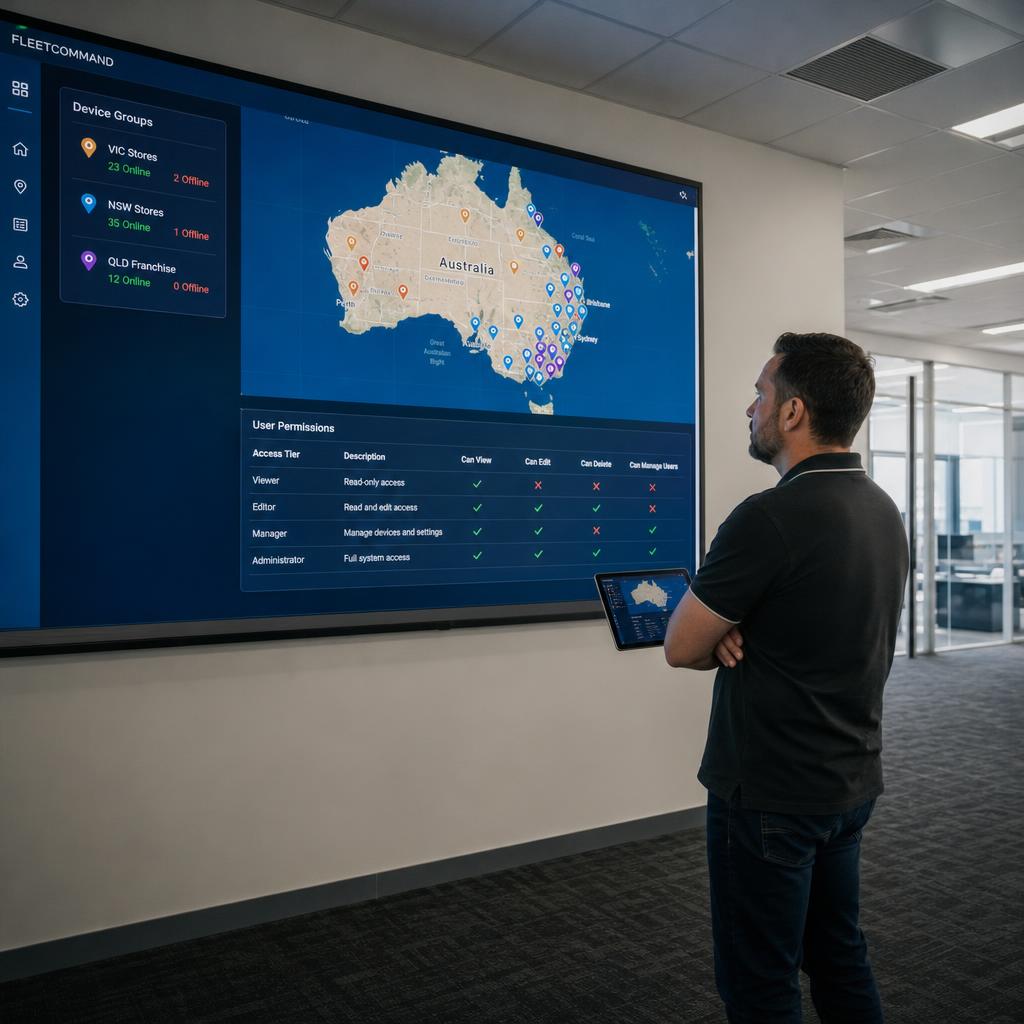
The starting point for any multi-site rollout is a permission model, not a feature list. Most organisations that get this wrong start with a flat structure — everyone with a login can push content to any screen — and only add restrictions after something goes visibly wrong. It's cheaper to design the tiers up front.
A workable structure usually has four tiers:
- Brand administrators — set the templates, locked design zones, approved fonts and colour palettes, and global fallback content. Typically one to three people, usually at head office.
- Regional or divisional approvers — review and approve content submitted for their region before it goes live.
- Content editors — build and schedule content within the templates they've been given access to. They cannot touch locked brand elements or push to screens outside their assigned group.
- Read-only viewers — typically operations or IT staff who need to see what's playing and whether a screen is online, without publishing rights.
The detail that matters is scope, not just role. A content editor for one store group should not be able to select screens in another group from a dropdown — the platform should enforce that boundary structurally, by device group and location tag.
Approval workflows are the second half. Every submission should carry:
- A timestamp
- A submitter
- An approver
- A decision
So when something ends up on screen that should not have, there is an answer to how it got approved.
Brand Consistency Without Micromanaging Every Screen
Brand consistency at enterprise scale is a design-system problem, not a policing problem. Organisations that handle it well don't review every piece of content that goes up — they make it structurally difficult to publish something off-brand in the first place.
That starts with locked templates: a layout where the logo position, safe margins, brand colours and typography are fixed, and the editable regions are limited to specific zones. A regional manager editing next week's specials inside a locked template can't accidentally push the logo off-centre, because those elements simply aren't editable fields.
Franchise and multi-brand networks need an extra layer: template families — one master template with regional variants (different languages, local promotions, state-specific compliance disclaimers) while the core brand shell stays identical. See our guide to franchise signage governance and rollout for how franchise networks structure this handoff specifically.
Content expiry rules are the other half of consistency. A promotion approved to run for two weeks but never taken down because nobody was assigned to remove it is a brand consistency failure just as much as an off-template upload. Setting hard expiry dates at the point of scheduling removes an entire category of stale-but-approved content from the network.
Monitoring and Uptime Across Many Sites
At small scale, uptime monitoring is informal — someone walks past the screen or a manager mentions it's gone dark. That fails exactly when it matters most: during a high-traffic period or a compliance-driven message that has to be visible.
The baseline components:
- Heartbeat monitoring — each player checks in on a set interval so the platform knows a screen is online now, not that it was online last time someone looked.
- Offline alerting with escalation — a screen that misses its heartbeat window triggers an alert to the operations team, not just a status change on an unwatched dashboard.
- Content delivery confirmation — separate from "is the screen online" is "did the scheduled content actually load and play."
- Fleet-level dashboards grouped by region or device tag — so a facilities manager can see their screens' status at a glance.
The organisational piece that often gets missed is ownership: who actually responds when an alert fires. A monitoring system that emails an inbox nobody checks is not meaningfully different from no monitoring at all.

Centralised vs Decentralised Display Management
| Dimension | Centralised management | Decentralised management |
|---|---|---|
| Who can publish | Head office / brand admins only | Local managers or franchisees, within guardrails |
| Speed of local updates | Slower — everything routes through one team | Faster — local staff respond same-day |
| Brand consistency risk | Low — single point of control | Higher — needs locked templates to offset |
| Head office workload | High — every change is a request | Lower — approval only |
| Suits | Regulated industries, single-brand retail, healthcare | Franchise networks, multi-venue hospitality |
| Failure mode if ungoverned | Bottlenecks, stale content | Off-brand content, compliance gaps |
Neither column is correct universally.
- A hospital handling patient-facing wayfinding wants centralised control, because the cost of an error is high
- A QSR franchise with three hundred outlets wants decentralised publishing for daily specials, because head office reviewing every price change creates a bottleneck
Most enterprise deployments end up hybrid: centralised control of the brand shell, decentralised control of a defined set of local variables.
Which Governance Model Fits Your Organisation
Single-brand retail or QSR chain with company-owned stores: start closer to centralised, with a lightweight regional approval layer. Local relevance can usually be handled through templated variants rather than open editing access.
Franchise network with independent operators: decentralised publishing is close to unavoidable — the governance work goes into locked templates and mandatory approval gates. See the franchise governance and rollout guide.
Multi-venue hospitality or leisure group: usually a hybrid — centralised control of core brand and compliance screens, decentralised control of venue-specific content.
Healthcare, education or government bodies: lean centralised, with monitoring weighted heavily toward compliance and uptime over content velocity.
Corporate/head-office communications across multiple offices: centralised by default, but often under-invested in monitoring since teams assume someone will mention a dark screen.
Building the Governance Model in Practice
- Audit current publishing access. List every account with publishing rights and what device groups they can actually reach.
- Define device groups that match the organisation. Group screens by region, brand, or business unit — whatever boundary maps to who's accountable.
- Lock the brand shell before opening up local editing. Build the master template with fixed brand elements first.
- Set an approval workflow proportional to risk. Compliance content needs a mandatory gate; low-risk local promotions can run on lighter review.
- Stand up monitoring with a named owner. Decide who receives offline alerts and what the response commitment is before alerts start firing.
- Review quarterly, not never. Access, templates and device groups drift as the organisation reorganises.
None of this requires exotic tooling. It requires a platform that supports role-based permissions, device grouping and approval workflows as first-class features rather than add-ons.
Our platform overview covers how these controls are structured for organisations moving from single-site to multi-site management.
If you already know which of the two columns above you need — or that you need a hybrid — book a demo and we will build your actual device groups and permission tiers during the call, rather than showing you a generic account.
Enterprise display management FAQs
How many screens before we need enterprise display management rather than a standard CMS?
There's no fixed number — it's driven by how many people and teams need publishing access, not screen count alone. The signal to watch for is more than one group needing independent publishing rights.
Do we need a dedicated IT team to run enterprise display management?
Not necessarily a dedicated team, but you need a named owner for monitoring and access review, whether that's marketing operations, IT, or a managed service arrangement.
How do approval workflows affect how fast local teams can publish?
Scoping approval to higher-risk content only — off-template changes, compliance messaging — while leaving routine local updates to publish without review keeps velocity up where it matters.
What's the difference between device grouping and permissions?
Device grouping is how you organise the screens themselves — by region, brand, or site type. Permissions determine who can act on which group.
Does centralised governance mean local teams lose all control over their screens?
No — most enterprise deployments are hybrid. Centralised control typically applies to the brand shell and compliance content, while local teams retain editing rights within a defined, locked-down set of fields.
How does this differ from just adding more users to our existing signage software?
Adding users without redesigning permissions and device grouping tends to recreate the same governance gaps at a larger scale. Enterprise display management is about restructuring those controls, not just widening access.
Ready to Experience SPARC?
Join forward-thinking organizations already using SPARC for their digital signage needs.