What Is Video Wall Software?
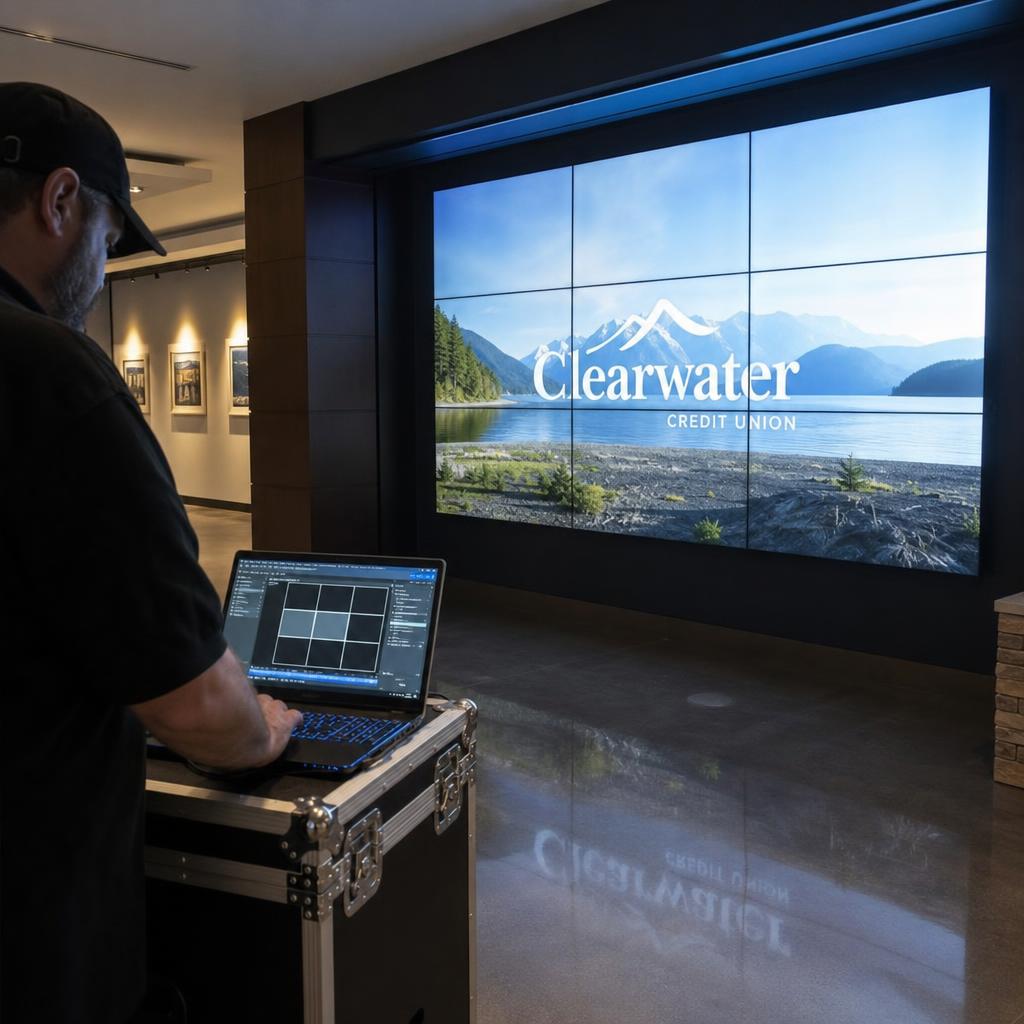
Video wall software is the layer that turns a grid of separate screens or LED panels into one coordinated canvas.
It maps content across the physical arrangement, compensates for bezels or panel gaps, keeps every display in frame-accurate sync, and lets an operator control the whole wall — or individual zones of it — from one interface.
Without that layer, a "video wall" is just a row of screens each showing its own signal, drifting out of step within seconds.
It sits between your content and the physical array, and handles four jobs no single display driver can do alone:
- Splitting a canvas across multiple displays
- Compensating for bezels so the image accounts for the dead space between panels
- Keeping every panel synchronised to the same frame
- Giving an operator remote control of layout and content without touching each screen
It is distinct from the display hardware, and from a hardware video wall processor — a physical box doing some of the same work in dedicated silicon, compared below.
Video wall software can run on standard media players, on a server, entirely in dedicated hardware, or as a hybrid, depending on the platform and the size of the wall.
What Video Wall Software Actually Does
Four functions do the heavy lifting, and vendors implement them with very different levels of sophistication.
- Canvas mapping — the software models the physical array (rows, columns, panel resolution, orientation) and splits source content into the correct pixel regions per display. Get this wrong and content overlaps, leaves gaps, or stretches unevenly.
- Bezel compensation — commercial displays have a physical bezel between panels. Bezel-aware software offsets content per panel so a straight line or moving object appears continuous across the gap. LED walls handle the equivalent problem through cabinet-level colour and brightness calibration.
- Frame synchronisation — every output needs to display the same frame at the same instant, or fast motion visibly tears across the wall. Software-defined systems typically synchronise players over the network using NTP or PTP combined with frame-accurate playback engines — see our deeper guide on synchronised playback software for how this timing layer actually works.
- Remote control and scheduling — where playlists get scheduled, layouts get swapped, and an operator monitors display health without walking the floor.
How Video Wall Software Works Under the Hood
Three architectures cover almost every deployment.
1. Single-source, multi-output
A workstation with a multi-output graphics card renders the full canvas internally and sends a separate signal to each display.
- Sync is effectively free, because one GPU renders every frame at once
- The software only handles mapping and bezel compensation
- Scales to the outputs one machine can drive — commonly 4 to 16
2. Networked players
Each display has its own player, and the software distributes per-display content over the network by multicast or point-to-point streaming.
- Each player decodes independently, so sync depends on clock alignment
- This is where NTP and PTP time sync matter most
- Scales to hundreds of outputs
3. LED-specific handling
LED walls add an LED processor that converts a standard signal into per-pixel data and handles cabinet-level calibration.
- Software-defined LED control increasingly handles some of this without dedicated hardware
- Very large or high-density walls often still pair software content management with a hardware processor for signal conversion
See our guide to synchronising multiple LED video walls for cabinet layout, and LED wall content management for structuring source assets.
Hardware Video Wall Processors vs Software-Defined Video Walls
| Factor | Hardware video wall processor | Software-defined video wall |
|---|---|---|
| Where sync happens | Dedicated processor board, often genlock | Software playback engine + network time sync |
| Typical use case | Broadcast, control rooms, very large LED walls | Retail, corporate lobbies, signage networks, exhibitions |
| Scaling to more displays | Bigger or additional processor chassis | Add more networked players or GPU outputs |
| Changing layout remotely | Often needs on-site configuration | Managed remotely through a web dashboard |
| Mixing with standard signage | Usually a separate system | Often the same platform runs both |
| Upfront hardware cost | Higher | Lower |
| Latency | Very low | Small additional latency from network decode |
Neither is a universal winner. A live-events control room feeding a large LED wall from mixed camera and graphics sources leans toward a hardware processor for guaranteed low-latency signal integrity. A retail chain running video walls across 40 stores, where content changes weekly and needs central scheduling, is far better served by a software-defined approach.
Which Approach Fits Your Deployment
Retail and hospitality (multi-site, content-led): a software-defined platform that manages both video walls and standard signage from one CMS is usually the better fit.
Corporate lobbies and briefing centres: software-defined video wall control with solid bezel compensation and a reliable scheduler covers most needs — see SPARC's video wall features.
Control rooms and NOCs: uptime and signal integrity outrank content flexibility, and hardware processors remain the safer default, sometimes paired with a software layer for scheduling.
Live events and broadcast: sub-frame latency matters more than remote scheduling, so hardware processing is standard.
Education and campus environments: software-defined is almost always practical, avoiding a second specialised system.
Very large or high pixel-density LED installations: often still benefit from a dedicated hardware processor for signal conversion, with software handling scheduling and monitoring on top.
Common Technical Challenges and How Software Handles Them
- Sync drift over time — robust platforms re-synchronise continuously and flag out-of-tolerance players rather than letting a wall silently degrade.
- Frame tearing on fast motion — exposes sync engine limitations that static images hide.
- Mismatched panel ageing — some platforms support periodic recalibration; most manage this with a maintenance schedule instead.
- Network bandwidth — video walls need adequate wired bandwidth; Wi-Fi isn't suitable at production resolutions.
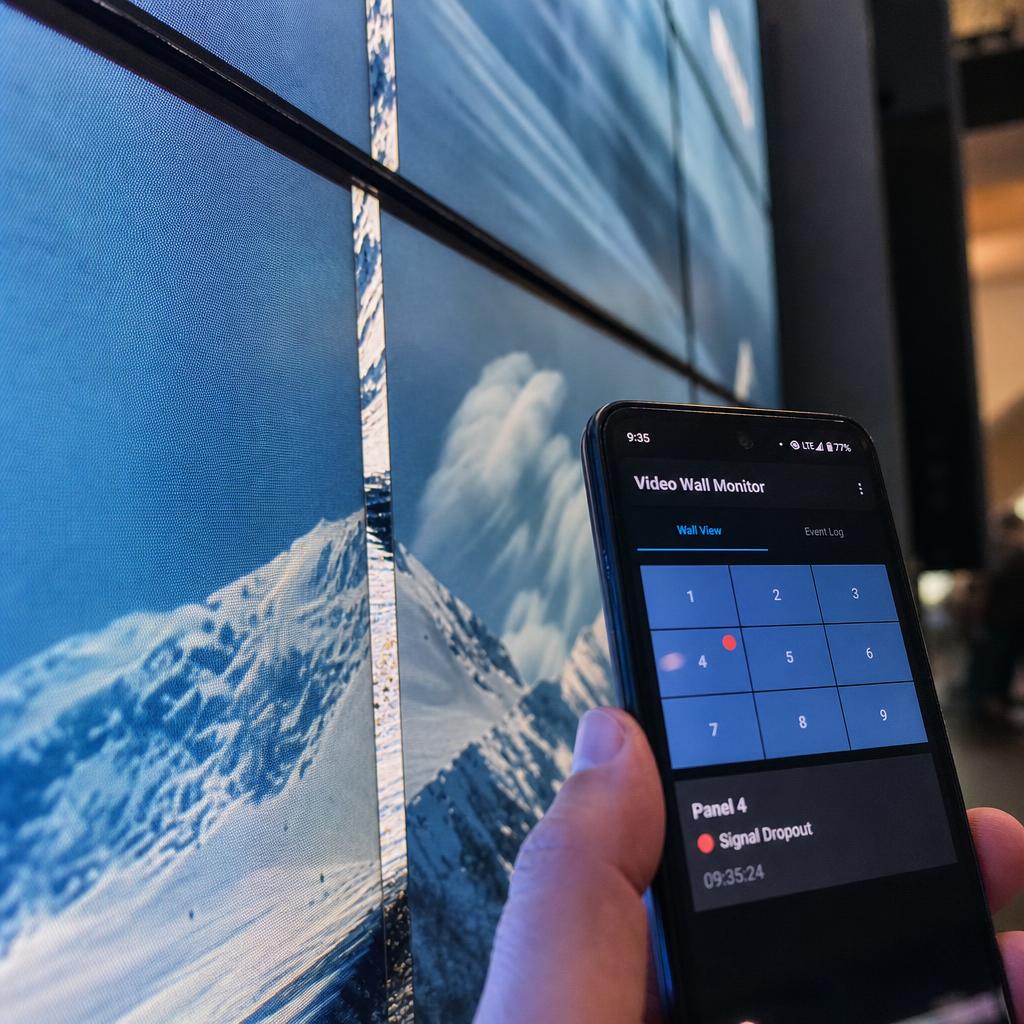
- Failover when a player drops — better platforms flag or reflow content to skip the affected zone rather than leaving a dead rectangle mid-canvas.
- Content built for the wrong canvas — the most common day-to-day issue; canvas preview tools reduce this significantly.
What to Check Before You Choose Video Wall Software
Seven questions separate platforms that handle a wall properly from platforms that technically display on one:
- Canvas and mapping tools — can you build your exact physical layout and preview content against it before going live?
- Sync method and tolerance — what protocol handles time sync, and what happens when a player falls out of tolerance?
- Output method matching your wall size — multi-output GPU for smaller walls, networked players for larger ones
- Remote monitoring and alerting — visibility into display and player health without a site visit
- Mixed estate support — confirm video walls and standard signage run from the same CMS
- Redundancy behaviour — ask specifically what happens when one output fails mid-playback
- Content workflow — SPARC's digital signage CMS maps content to the canvas natively for both flat-panel and LED walls
If you are specifying a wall now, the sync tolerance and redundancy questions are the two most likely to be answered vaguely. Book a demo and we will run your own layout on a live canvas — bezel compensation, zone switching and a deliberately failed output — so you can see the answers rather than read them.
Video wall software FAQs
What's the difference between video wall software and a video wall processor?
Video wall software maps, synchronises and schedules content across displays, running on standard computing hardware. A video wall processor is dedicated physical hardware performing similar signal-splitting and sync functions in silicon. Many deployments use software alone; larger or latency-critical installs often pair both.
Can I run a video wall without a hardware processor?
Yes. Software-defined video walls are standard for retail, corporate and signage use cases, using either a multi-output graphics card for smaller walls or networked media players for larger ones.
How many displays can video wall software control?
A single machine with a multi-output GPU typically handles a handful to around 16 outputs. Networked player architectures scale much further, into the hundreds, because each display has its own player.
Does video wall software work with mismatched displays or bezels?
Good bezel-compensation tools can offset content per panel where bezel widths differ slightly, and canvas mapping can handle panels of different native resolution within reason. Significant resolution or aspect-ratio mismatches still produce visible artefacts.
What network do I need for a software-defined video wall?
A stable, adequately provisioned wired network is essential — Wi-Fi is not suitable for driving video wall players at production resolutions.
Can video wall software mix video walls with regular digital signage screens?
On most modern platforms, yes — a single CMS can manage a video wall's canvas mapping and sync alongside a network of standard signage screens, sharing the same content library and scheduling.
Ready to Experience SPARC?
Join forward-thinking organizations already using SPARC for their digital signage needs.