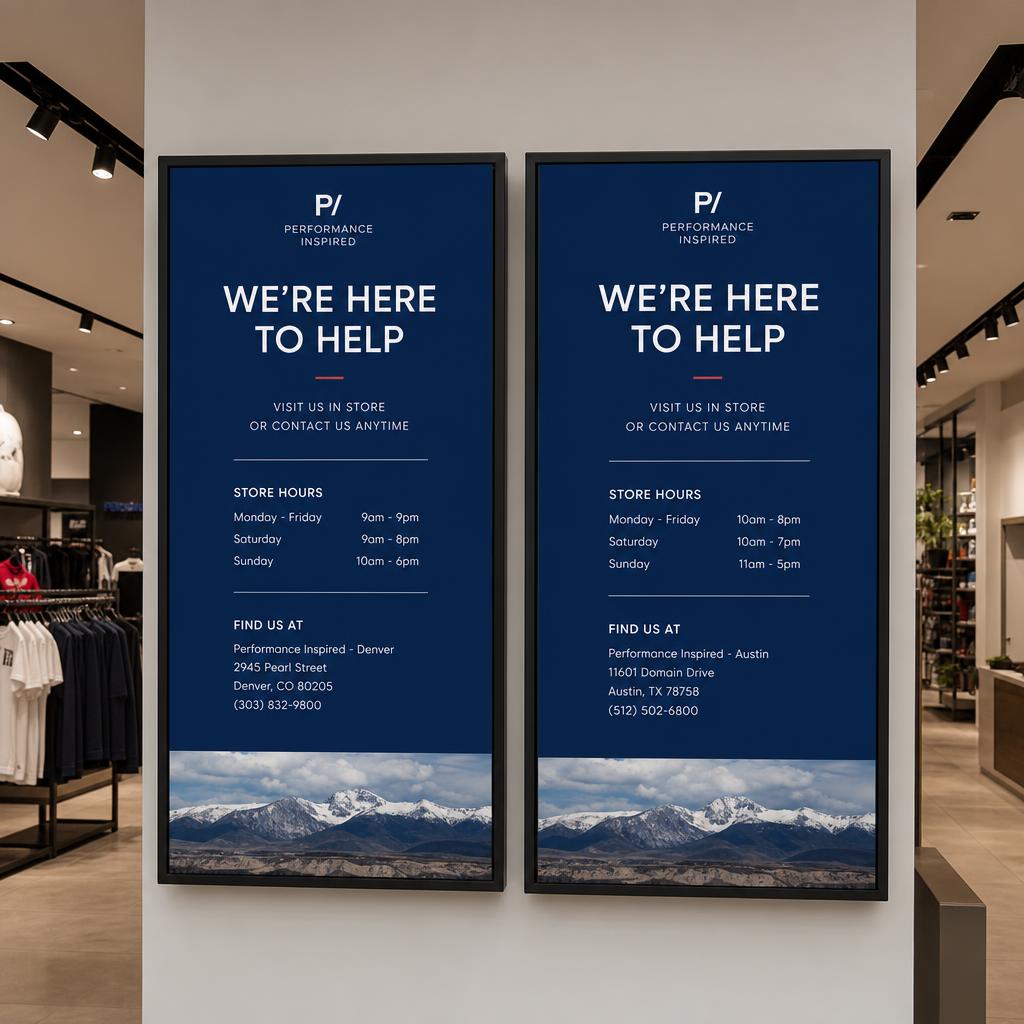
Multi-location digital signage networks face a core tension: brand and messaging need to stay consistent across every site, but individual locations often need to show location-specific information — hours, local promotions, or regional pricing. Solving this well requires the right combination of structure and flexibility.
Centralized Content with Location Grouping
Rather than managing displays one at a time, organize them into logical groups: - By region: Northeast stores, West Coast stores - By format: Flagship locations, standard locations, kiosk-only sites - By content need: Locations running a specific promotional campaign
Content and schedules can then be pushed to an entire group at once, while still allowing exceptions for individual sites within it.
Template-Based Content
Templates separate the parts of a design that must stay consistent (branding, layout, core messaging) from the parts that vary by location (local address, hours, pricing, manager name). A single template can pull in per-location data automatically, so corporate maintains one design while each site's screen shows locally accurate details without individual editing.
Local Overrides and Permissions
Fully centralized control works for brand consistency, but many networks need to let local managers make limited changes — posting a local event, reflecting temporary hours, or promoting excess inventory. Role-based permissions let corporate define what local staff can and can't change:
- Locked zones: Branding and core messaging that local staff cannot edit
- Editable zones: A designated area for local content, often within pre-approved templates
- Approval workflows: Local content that requires corporate sign-off before it goes live
Location-Aware Scheduling
Scheduling should generally respect each location's local time zone (for accurate dayparting) and can incorporate location-specific rules — a promotion tied to a regional holiday, or weather-based content relevant only to certain climates.
Data-Driven Localization
Beyond manual overrides, some content localizes automatically based on data feeds: local weather, local inventory levels, or nearest-location details pulled from a location database, so a single content design produces correct local output everywhere it runs without per-site manual work.
Monitoring at Scale
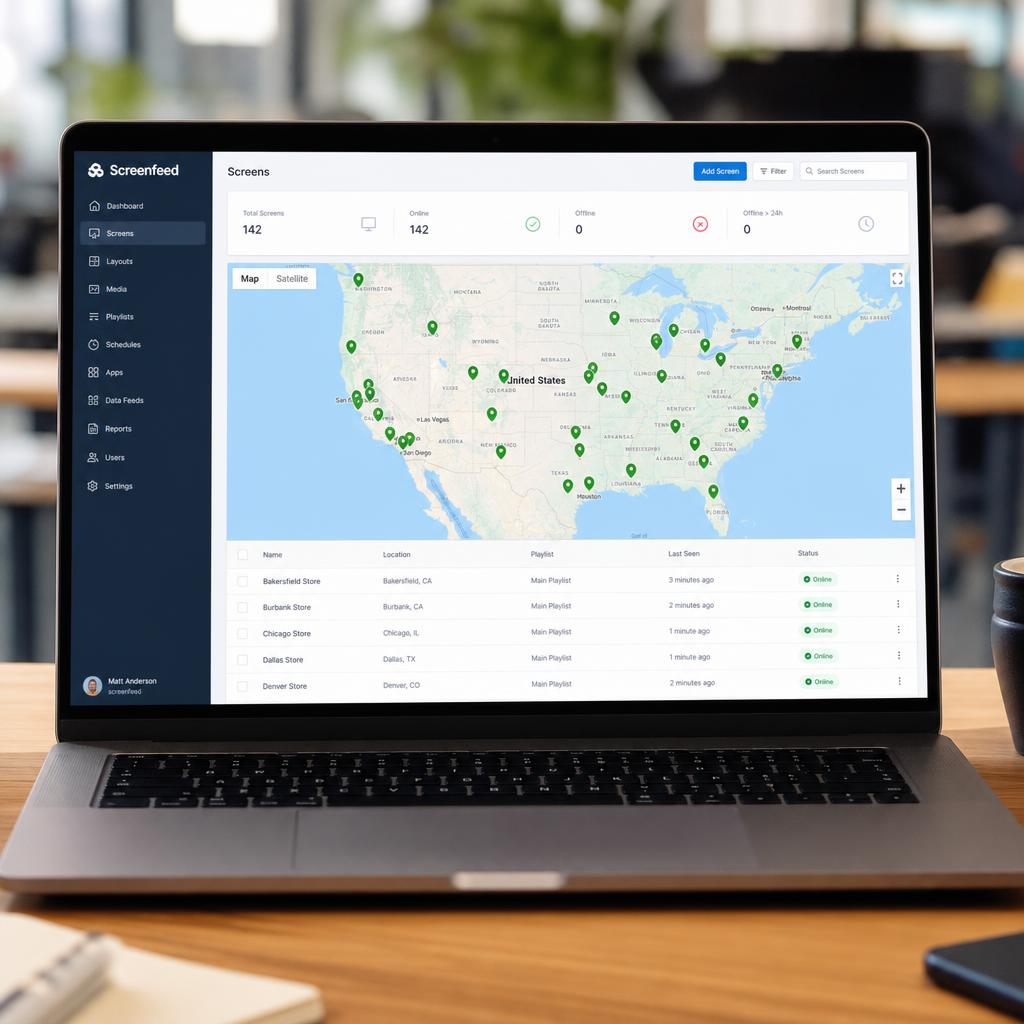
Multi-location management also means monitoring health and compliance across every site from one place — knowing at a glance which locations are online, which have synced their latest content, and which need attention, rather than checking each site individually.
SPARC for Multi-Location Networks
SPARC supports location grouping, template-based localization, and role-based permissions for local edits, along with time-zone-aware scheduling and a unified dashboard that shows the health and content status of every location in the network.