A customer standing in a bank queue is doing three things at once: waiting, noticing, and judging.
They are watching how fast the line moves, reading whatever is on the screens around them, and registering anything that looks out of date. In a branch, digital signage is not decoration. It is a live extension of how trustworthy the institution feels in that moment.
Get it right and screens shorten perceived wait times, surface relevant products and reinforce credibility. Get it wrong — a rate that changed last week, or a customer's name visible near a private meeting room — and the signage undermines the trust the branch exists to build.
Why Bank Branches Are a Different Signage Environment
Retail signage optimises for attention and impulse. Branch signage optimises for reassurance.
Customers are usually in a branch for higher-stakes reasons than a shop visit — opening an account, discussing a loan, resolving a dispute — and they notice small inconsistencies a retail shopper would walk past. A branch is also a mixed-purpose space, with a public queue, a semi-public teller zone and genuinely private consultation rooms all within metres of each other.
That mix creates three requirements most digital signage buying guides never mention:
- Near-real-time accuracy for anything involving rates or product terms, because a stale figure is a trust problem rather than an oversight
- Zone-by-zone content planning, because what belongs in a queue does not belong near a consultation room
- Approval workflows that suit a compliance-conscious organisation, where marketing, compliance and branch operations all have a stake in what appears
A platform built for general retail or hospitality handles none of these well out of the box.
Five Things Bank Branch Digital Signage Has to Get Right
- Queue and wait-time displays that reduce friction
- Rate and product accuracy, treated as a trust issue
- Privacy-conscious screen placement near consultation rooms
- Brand and trust content where customers are waiting
- Content governance across a multi-branch network
1. Queue and Wait-Time Displays That Reduce Friction
Wait-time perception is one of the few places signage has a direct, observable effect on experience. Idle time — time with nothing to look at — is felt as longer than time spent watching something relevant.
The screen closest to the line should be doing real work:
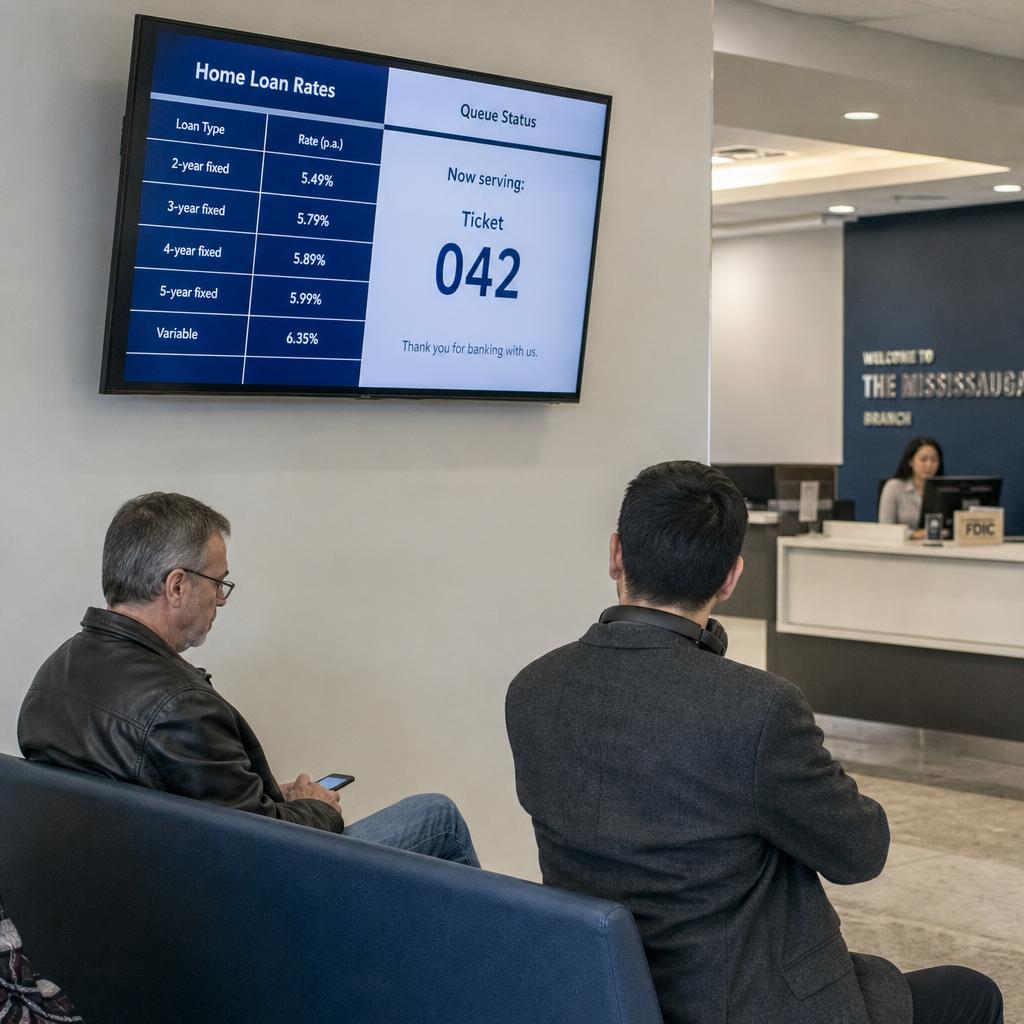
- Queue status or ticket numbers, where a queue management system is integrated
- A sense of how many people are ahead
- Short, genuinely useful content: what documents to have ready, or which consultant handles which service
Scheduling matters here more than it looks. A queue screen needs different content on a busy Monday morning than a quiet Thursday afternoon, and that should happen automatically rather than by manual swaps at each branch.
For a network of any size, the requirement is central control with a local escape hatch: head office pushes the queue-zone content, while a branch manager can still flag a system outage or a closed teller line.
2. Rate and Product Accuracy Is a Trust Issue
This is where branch signage diverges most sharply from retail. An outdated price on a retail poster is a minor embarrassment. A screen showing a home loan or term deposit rate that no longer matches what is on offer is a different category of problem — the kind a customer will reasonably question at the counter.
Two things decide whether that happens:
- Update speed. When a rate changes, how long before every affected screen across every branch reflects it? A platform needing someone to edit content at each location introduces real risk.
- Control. Rate and product content should be centrally managed and locked against ad hoc local editing, so one source of truth exists and no two branches display different terms.
Treat screen content with at least the update discipline you apply to printed rate cards or the website. Arguably more, because a screen implies currency in a way print does not.
We deliberately avoid quoting specific regulatory clauses here. Requirements vary by institution type, jurisdiction and product, and they change. If you operate under APRA or ASIC obligations, confirm specifics with your own compliance team rather than taking them from general signage content.
What a platform can do is give that team the tools to enforce whatever standard they set: audit trails of what was displayed and when, centralised approval, and the ability to pull content instantly. For the broader picture, see our post on digital signage compliance in Australia.

3. Privacy-Conscious Screen Placement Near Consultation Rooms
Every branch has at least one zone where conversations are meant to be private. Any screen visible from that area needs the same care as the physical layout of the room.
The concrete rules are short:
- No customer-identifiable content on any screen near a consultation area — no full names, no on-screen reference to account activity
- If screens call customers into rooms, use a first name or ticket number, and set that as a content standard rather than leaving it to local discretion
- Staff-facing dashboards, targets and operational alerts belong back-of-house only, never on anything visible from a client-facing seat
- In open-plan layouts, check viewing angles physically rather than assuming them from a floor plan
This is mostly a design and governance exercise rather than a technical one. It does depend on a platform supporting genuinely separate zones with their own permissions, so a general marketing update cannot land on a screen outside a private office.
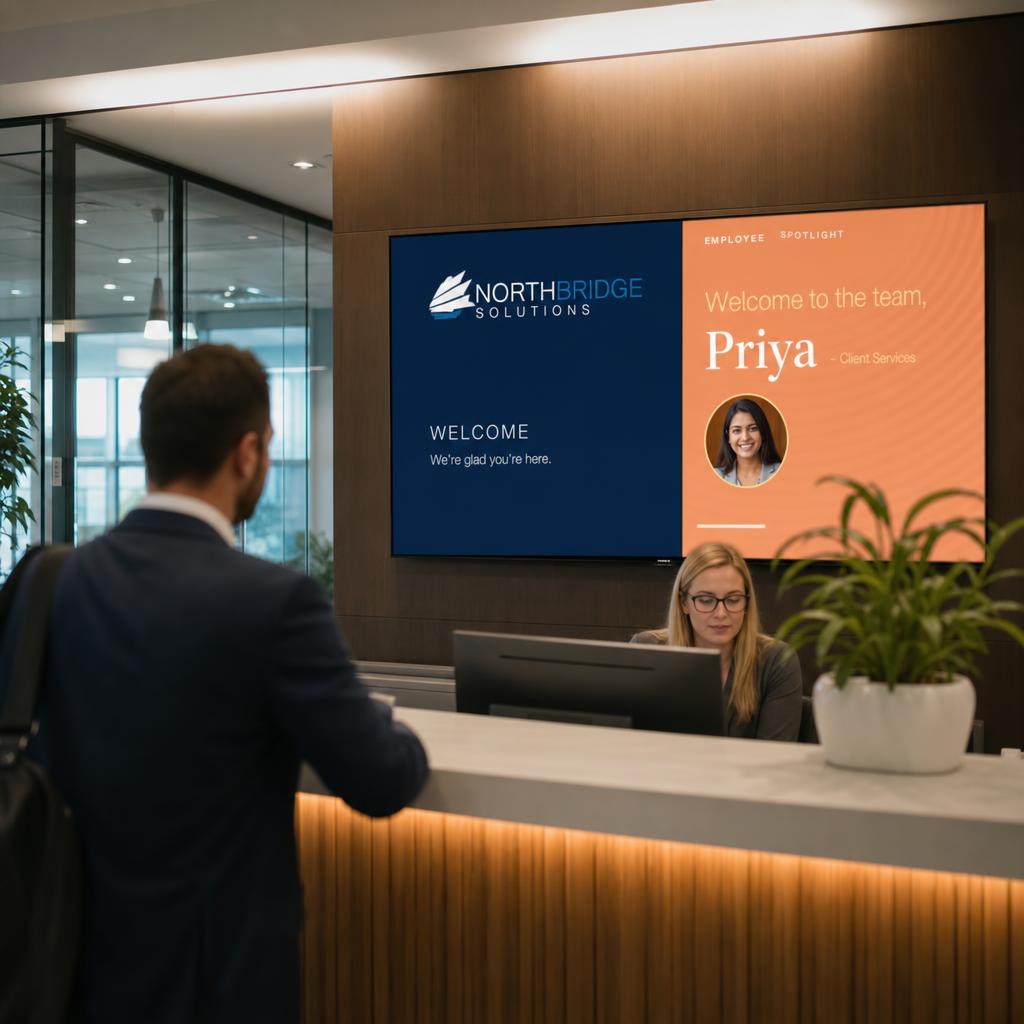
4. Brand and Trust Content Where Customers Are Waiting
The queue is the one place in a branch with a captive, low-distraction audience for more than a few seconds. It is worth more than promotions.
Content that earns its place here:
- Community involvement and sponsorships
- Financial literacy material
- Digital banking options for customers who came in for something they could do from a phone
- Well-produced brand storytelling
Keep it clearly separated from anything that has to be precise and current. A workable rotation reserves two or three slots for centrally controlled rate and product information, and gives the rest to brand and educational content with a longer shelf life.
That separation simplifies governance too: compliance-sensitive content gets one review process, brand content gets a lighter one.
5. Content Governance Across a Multi-Branch Network
Past a handful of branches the question stops being "what goes on the screen" and becomes "who can change what, and how do we know it happened correctly everywhere."
A workable model runs three tiers:
- Centrally locked — rates, regulatory notices and product terms, editable only by head office marketing or compliance
- Centrally scheduled — campaigns and seasonal promotions that branches can see but not alter
- Local — branch notices, temporary closures and local events that managers update without head office sign-off
The tiers only work if the platform enforces them: role-based permissions, approval before content goes live, and an audit log of what was displayed, when and by whom. For managing screens at scale, see our post on enterprise display management.
Choosing a Digital Signage Platform for a Bank Branch Network
Not every platform is built with financial services in mind, and the gap shows up in exactly the areas above. When evaluating one, ask directly:
- How fast does a centrally issued rate update reach every screen?
- Does it support genuinely separate content zones with different edit permissions?
- What audit trail does it keep, and can content be pulled instantly?
SPARC is built and hosted in Australia on AWS infrastructure in Sydney, and is designed for enterprise networks needing central control without losing local flexibility. Our financial services industry page covers how this applies to banks and credit unions, and you can book a demo to see the zone and permission controls against your own branch layout.
Frequently asked questions
Do bank branch screens need to be linked to a queue management system to be useful?
No — a direct integration helps, but even without one, screens near the queue can reduce perceived wait time by showing relevant, regularly refreshed content such as service guides, document checklists, or general branch information. An integration simply adds live queue status on top of that.
How quickly should a rate change on a screen after it changes elsewhere?
As close to immediately as the platform allows. Because a stale rate is a trust and potential compliance issue rather than a cosmetic one, institutions should look for platforms that push centrally issued updates to every branch screen without requiring manual editing at each location, and should set an internal standard for acceptable update lag.
Should every screen in a branch show the same content?
No. Content should generally be planned by zone — queue area, teller zone, and any private consultation areas each have different appropriate content, and treating the whole branch as one screen with one content stream is one of the more common mistakes institutions make when first adopting signage.
Is it safe to call customers by name on a screen near a consultation room?
It's safer to avoid displaying a customer's full name on any screen visible from or near a private area. A first name only, an initial, or a ticket number achieves the same practical purpose — letting the customer know it's their turn — without putting identifiable information on public display.
Can branch managers update content themselves, or does it all need head office approval?
Both models can work if the platform supports tiered permissions. A common approach locks rate, product, and regulatory content to central control while giving branch managers the ability to update local, low-risk content like temporary notices or branch-specific events without going through head office each time.
What specific compliance requirements apply to digital signage in a bank branch?
This varies by institution, product type, and jurisdiction, and requirements change over time, so we don't quote specific regulatory clauses in this article. Confirm current obligations with your own compliance team, and choose a signage platform that gives you the audit trail, approval workflow, and content control needed to meet whatever standard they set.
How is this different from the digital signage used in a retail store?
Retail signage is largely optimised for attention and promotion. Branch signage in a financial institution has to balance that same promotional role against accuracy requirements for rates and products, privacy considerations near consultation areas, and generally higher customer sensitivity to anything that looks inconsistent or out of date.