What Hospital Digital Signage Actually Does
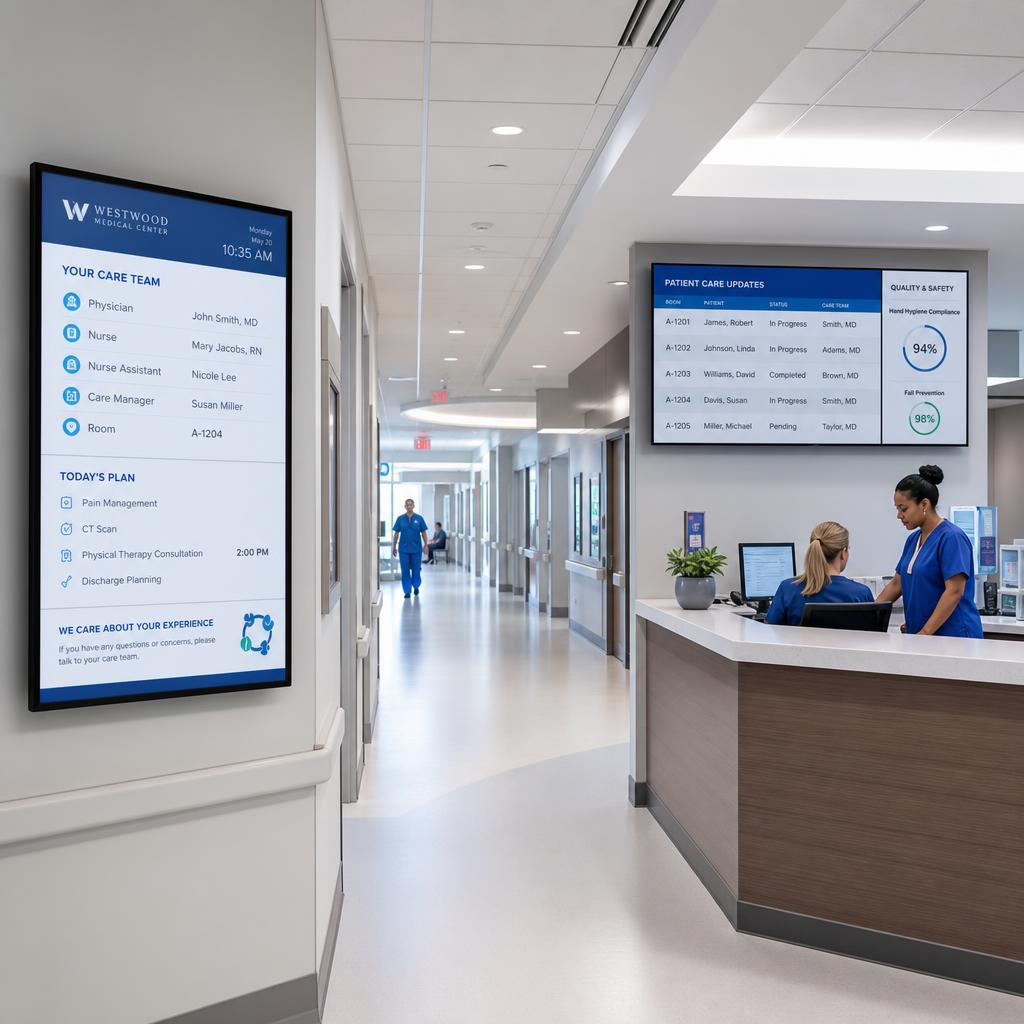
Hospital digital signage does four jobs from one system: it guides patients and visitors through the building, keeps waiting areas informed, reaches staff who are not at a desk, and carries priority messaging when something goes wrong.
It is worth being clear about scope from the start. Digital signage is a communication layer, not a clinical system:
- It does not hold patient records
- It does not replace a nurse call system
- It does not replace a mass-notification or duress platform
It sits alongside those systems and displays what they, or your communications team, decide should be visible.
Wayfinding: The Highest-Value Use
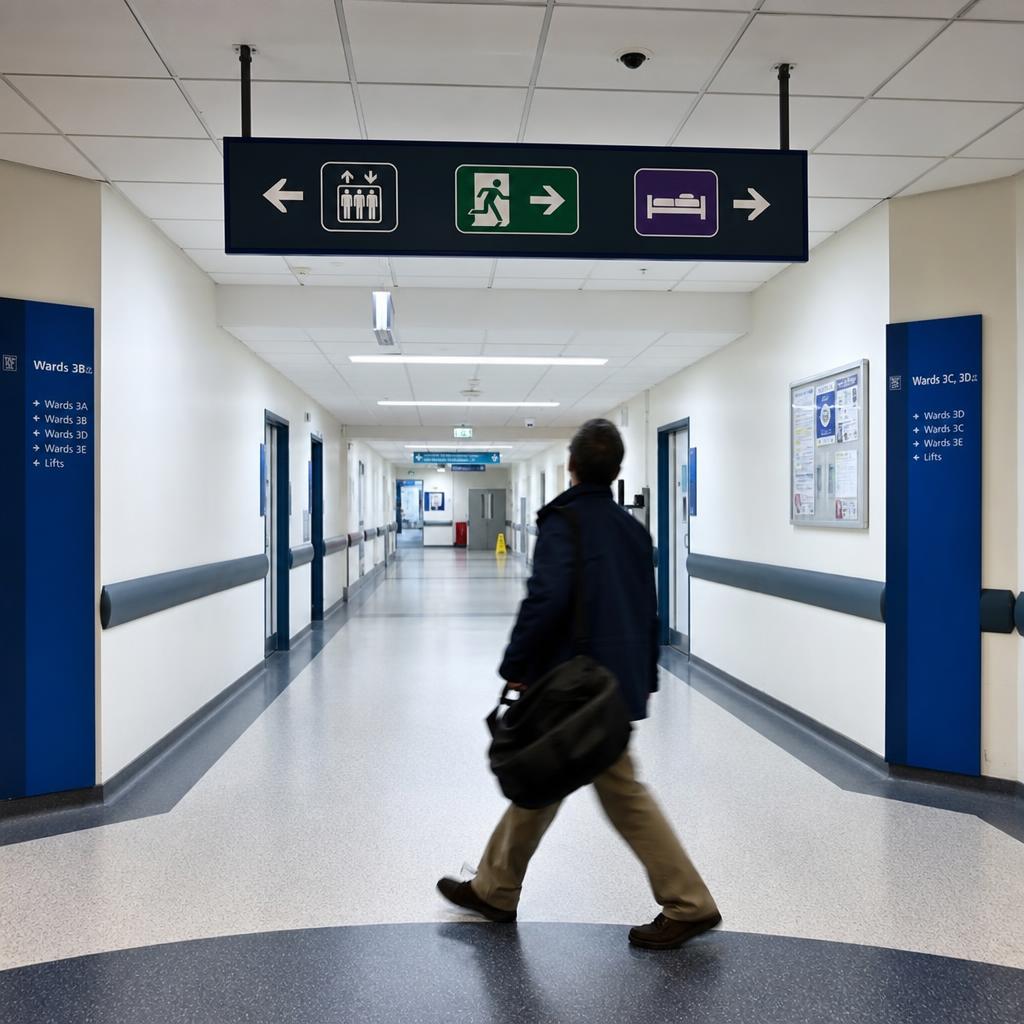
Hospitals change constantly. Departments relocate, wings close for works, temporary clinics open and lifts go out of service. Printed signs lag behind every one of those changes, and the people relying on them are often anxious, unfamiliar with the building, and there because someone they care about is unwell.
Digital wayfinding works when it follows a few principles:
- Place screens at decision points. Main entrances, lift lobbies, corridor junctions and car park exits are where people decide which way to go.
- Use the names patients were given. If appointment letters and SMS reminders say "Outpatients, Level 2", the screens should use exactly those words.
- Design for distance and movement. Large type and strong contrast, readable at an angle by someone pushing a wheelchair or walking beside a bed.
- Keep screens and printed maps consistent. A screen that contradicts the map at the entrance undermines both.
- Update centrally. A closed corridor or a relocated clinic should reach every relevant screen the moment it applies, and come down when it no longer does.
Our guide to wayfinding signage best practices goes deeper on design, and SPARC's digital wayfinding and directory board software covers how centrally managed directions work in practice.
Waiting Areas and Queue Displays
Long waits are harder when nobody knows what's happening. Waiting area screens help by showing queue status, general wait-time information and what happens next, alongside health education content for the time people spend sitting.
Two cautions apply in a hospital more than almost anywhere else.
Don't identify patients on public screens. Showing full names, or names alongside a clinic or procedure, exposes personal information to everyone in the room. Queue or ticket numbers do the same job without the privacy risk. Confirm your approach with your privacy officer before anything goes live.
Keep health content accurate and current. Education content should come from reputable sources, carry a review date, and be approved by someone with clinical authority before it's displayed.
Staff Communication Screens
Most hospital staff don't sit at a desk, and an email sent mid-shift is an email read tomorrow, if at all. Screens at nurse stations, in break rooms and at staff entrances reach people where they actually are.
Good uses include shift and roster information, protocol and policy updates, safety reminders, education sessions and staff recognition. Two boundaries keep it safe: screens in staff areas should never show patient information that could be visible to visitors, and they shouldn't become an unofficial substitute for clinical communication channels that have their own governance.
There's also a practical benefit to using the same platform every day. Staff who publish routine updates weekly already know how the system works when something changes quickly.
Priority Messaging and Emergencies
Priority messaging lets a small group of authorised people push a message to some or all screens, overriding whatever is scheduled until someone deliberately clears it. Used well, it reinforces a facility-wide instruction everywhere people are looking.
Used badly, it creates confusion. A few rules help:
- Define who can trigger it, and keep that list short and reviewed.
- Pre-write the messages for scenarios your emergency plan covers, so nobody is composing under pressure.
- Treat it as a supplement. Screens complement fire panels, public address and code systems; they don't replace any of them.
- Include it in drills, and confirm how a message is cleared as well as how it's sent.
We cover this in more detail in healthcare digital signage for emergencies.
Privacy, Data Residency and Access Control
Hospital signage handles more sensitive context than most deployments, so the questions to ask a vendor are more specific.
Where is the data hosted? Ask for the cloud region in writing. "The cloud" isn't an answer. Public health services in particular often have requirements about where data is stored, and a platform hosted overseas may fail a review.
Who can publish to which screens? Role-based access means a ward can update its own screens without being able to publish across the whole hospital.
Is there an audit log? You should be able to see who published what, where and when.
The Privacy Act 1988 and the Australian Privacy Principles apply, and public hospitals often have state-level ICT and security requirements on top. Involve your ICT, privacy and security teams early. Their requirements are much easier to meet at selection than after installation.
Choosing Screens for Clinical Environments
Hospital screens run long hours, so commercial displays rated for extended daily operation are the sensible default. Beyond that:
- Ask your infection prevention team first which surfaces and enclosures they're comfortable cleaning, and how often.
- Mount clear of trolley and bed paths, at a height that's readable without being in reach of every passing piece of equipment.
- Check brightness for the space. Glass-walled atriums and entrances need much brighter panels than internal corridors.
- Plan power and data with facilities, since new power points must be installed by a licensed electrician.
Existing commercial displays can often be reused. Our guide to digital signage costs in Australia covers screen and installation budgets in detail.
A Buying Checklist for Hospitals
Before shortlisting a platform, get clear written answers to these:
- Where is our data hosted, and can you confirm the region in writing?
- Can we restrict who publishes to which screens?
- Is every content change recorded in an audit log?
- How does priority messaging work — who can trigger it, and how is it cleared?
- What happens to a screen if the network drops?
- Will it run on the displays we already own?
- Can it integrate with our existing notification or queue systems?
- What support hours apply, in our time zone?
Where SPARC Fits in a Hospital Deployment
SPARC runs wayfinding, waiting-area information, staff communications and priority messaging from one platform.
What matters in a hospital context:
- Hosted on AWS in Sydney, so the data residency answer is a region, not "the cloud"
- Role-based access and audit logging, so a ward updates its own screens and you can see who published what, where and when
- Local content caching, so screens keep playing if the network drops
- Integrates with existing mass-notification systems, or runs as a standalone priority-messaging layer
It sits alongside a hospital's clinical and emergency systems rather than in place of them, and every facility should confirm its specific compliance requirements with its own advisors.
See healthcare digital signage for how SPARC is set up for hospitals, clinics and aged care.
If you are working through the buying checklist above, we are happy to answer all seven in writing before any demo — data region, access control and audit logging included. Book a demo when you want to see the wayfinding and priority messaging running against your own floor plan.
Hospital digital signage FAQs
What is hospital digital signage used for?
Hospital digital signage is used for four main jobs: wayfinding for patients and visitors, waiting area and queue information, staff communications such as rosters and protocol updates, and priority messaging that can override every screen when a facility needs to.
Can digital signage replace a hospital's emergency warning system?
No. Digital signage is a communication layer that can reinforce an instruction on every screen, but it supplements fire panels, public address and code systems rather than replacing them.
Is it safe to show patient names on hospital waiting room screens?
Generally it's best avoided. Full names on a public screen expose personal information to everyone in the room. Queue or ticket numbers do the same job, and your privacy officer should approve the approach.
How is hospital digital signage different from clinic signage?
The platform can be the same; the scale and content differ. A clinic usually runs waiting room and appointment information on a few screens, while a hospital adds facility-wide wayfinding, department-level staff communications and priority messaging across many more displays.
Does hospital digital signage need to be hosted in Australia?
It often matters, particularly for public health services with data storage requirements. Ask any vendor for the specific cloud region in writing, and involve your ICT and privacy teams before selecting a platform.
Ready to Experience SPARC?
Join forward-thinking organizations already using SPARC for their digital signage needs.