Museum digital signage solves problems generic retail or corporate signage was never built for:
- Guiding visitors through heritage buildings where you cannot drill into a listed wall
- Swapping exhibition content on a curator's schedule rather than a marketing calendar
- Serving international visitors in multiple languages
- Meeting accessibility obligations for a genuinely public audience
The right platform treats wayfinding, exhibition interactives and permanent collection displays as three different content jobs with three different rules — not one template stretched across the building.
Most platforms assume a handful of screens in a retail store or corporate lobby: similar content, similar cadence, mounted in walls that can be drilled without a heritage consultant signing off.
Museums break that model in almost every dimension. A mid-sized institution might run:
- Permanent orientation screens in a 19th-century foyer
- A dozen exhibition interactives that disappear when a touring show closes
- Wayfinding totems in a modern extension bolted onto a protected building
- Education-space displays reprogrammed every school term
Getting this right is less about screen count and more about matching content governance to how museums actually operate.
How Do You Install Wayfinding in a Heritage Building?
Wayfinding is the first thing visitors interact with and often the hardest to install well.
Heritage listing restricts:
- Where cabling can run
- What can be fixed to original walls
- Which fixings are reversible under a heritage permit
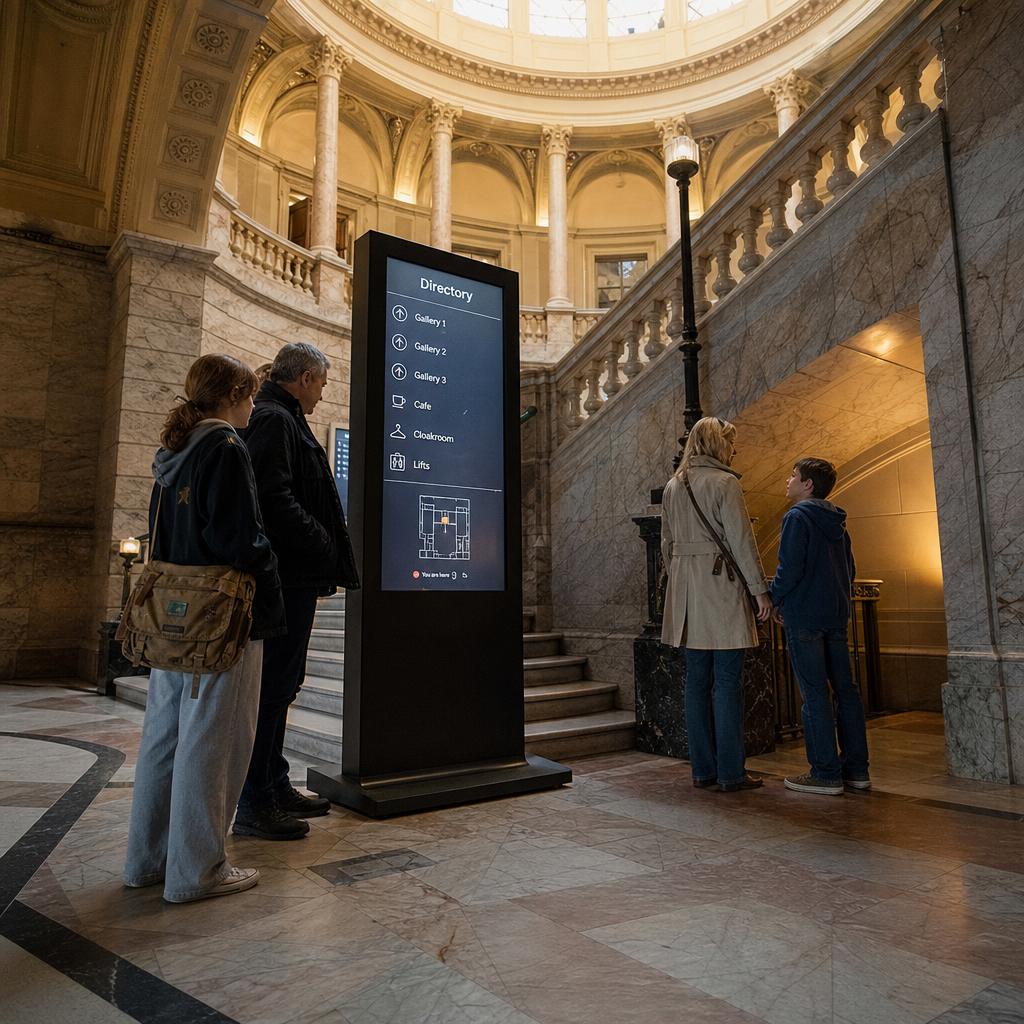
The practical consequences are specific. A cathedral-ceilinged foyer might have no data point within twenty metres of the ideal screen location. A grade-listed staircase might rule out wall mounts entirely.
Practical approaches that work in these conditions include:
- Freestanding totems and kiosks on weighted or plinth bases, which avoid any fixing into heritage fabric and can be repositioned if a gallery layout changes.
- Wireless content delivery over Wi-Fi rather than hardwired network runs, reducing the cabling footprint through protected walls and ceiling voids.
- PoE (Power over Ethernet) where a single heritage-approved cable run is feasible, cutting the number of separate power and data penetrations needed.
- Battery or low-voltage options for short-term wayfinding during exhibition changeovers, where a permanent install isn't justified.
The content has to reflect how people actually navigate a museum, which is rarely a straight line. Visitors move between wings, backtrack to missed galleries and reorient after a break in the cafe.
Screens at decision points do more work than one large map at the entrance:
- Lift lobbies
- Gallery thresholds
- The transition between old and new building extensions
For planning placement and content hierarchy, see our guide to wayfinding signage best practices.
How Do You Avoid a Re-Install Every Exhibition?
Temporary and touring exhibitions run three to six months. The interactives supporting them — object interpretation screens, digital touchpoints, hands-on interfaces built into the exhibition design — have to come down cleanly and go up quickly for the next show.
A platform requiring a technician to rebuild playlists, re-point screens and re-test every display at each changeover adds real cost and real risk, every rotation, forever.
What works is content structured around zones and templates rather than individual screens.
- Group interactives by exhibition, not by physical device. An outgoing show's entire content set can then be archived and a new one activated without touching hardware configuration.
- Use template-based layouts. Curators or exhibition coordinators drop new images, object labels and interpretive text into a pre-built format, so content changes do not require a designer or developer for every rotation.
Hardware choice matters here too. Screens and media players for exhibition interactives should be easy to relocate, reconfigure or temporarily decommission between shows — not semi-permanent installs.
Where an exhibition includes large-format displays — projection walls, LED video walls, immersive screens — content workflows have to handle high-resolution asset management without becoming a bottleneck during install week.
Our guide to LED wall content management covers the practicalities at that scale.
Permanent Collection Content vs Temporary Exhibition Content — Different Rules
One of the most consistently underestimated challenges in museum signage is that permanent collection displays and temporary exhibition displays need genuinely different content governance, not just different content.
Permanent collection screens — object interpretation in a long-standing gallery, an orientation film that's run for years, a donor-recognition display — benefit from stability and controlled change. These typically sit under curatorial or collections sign-off, change infrequently, and should be protected from accidental overwrite by staff working on an unrelated exhibition.
Temporary exhibition screens need the opposite: fast iteration and easy handover. Exhibition teams are often working to a fixed opening date, content is being finalised until days before launch, and the same screens will be repurposed for a completely different show a few months later. A platform that lets exhibition coordinators manage their own content within defined templates — without needing IT to push every update — keeps changeovers on schedule.
The practical fix is separating these into distinct content groups with distinct permissions:
- Collections staff control permanent gallery content
- Exhibition teams control their own show's content, within its run dates
- A facilities or communications administrator keeps oversight across both without becoming a bottleneck for either
Then schedule by exhibition dates, so content activates and expires in line with a show's run — removing the manual step of someone remembering to switch content over on close-out day.
Multilingual Signage for International Visitors
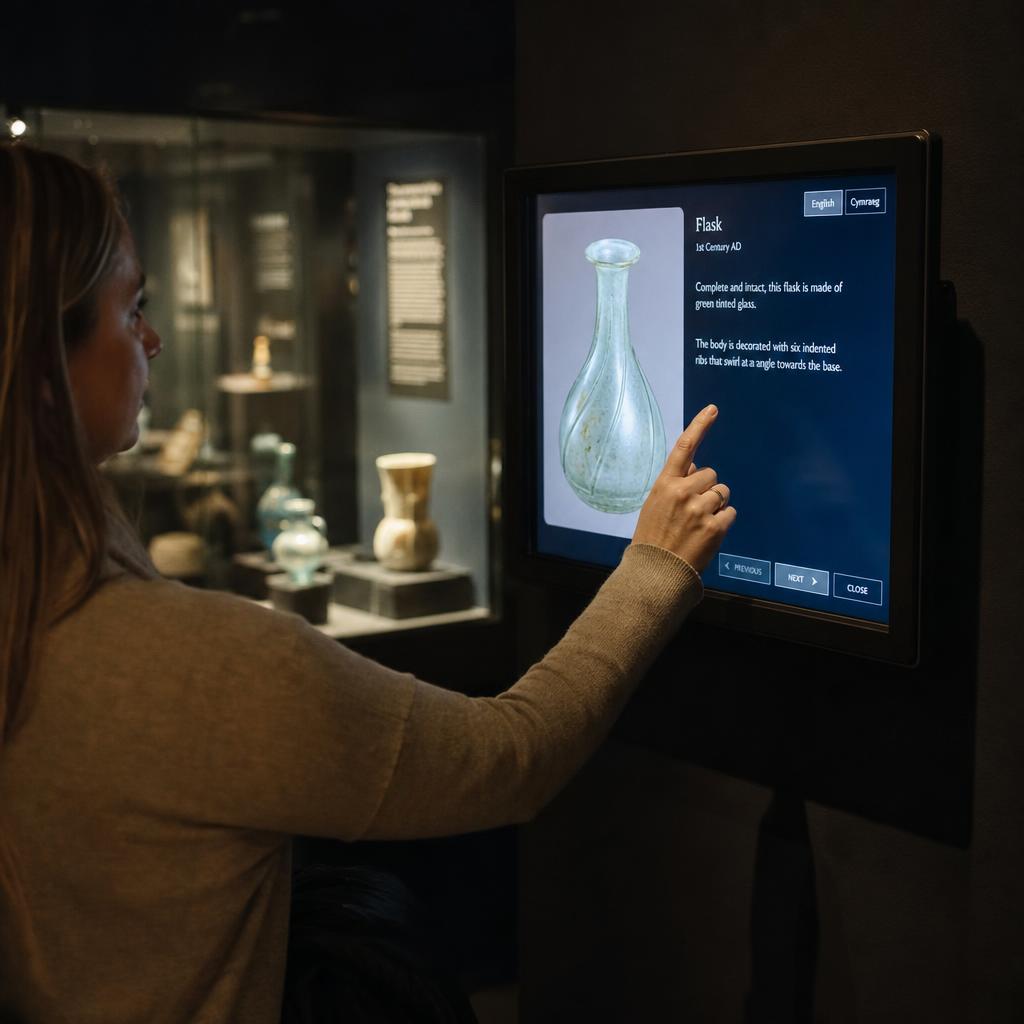
Museums with significant international visitation — capital city institutions, major galleries near tourist precincts, venues on cruise ship or tour group itineraries — need wayfinding and interpretive content that works for visitors who don't read English fluently. This goes beyond a language toggle on an interactive kiosk.
Effective multilingual signage in a museum context typically combines:
- Icon-first wayfinding for directional signage, where symbols for toilets, café, cloakroom, lifts, and gallery numbering carry the primary meaning and language is secondary.
- Rotating or selectable language content on interpretive and orientation screens, covering the languages most represented in actual visitation data rather than a generic default set.
- QR-linked content that lets visitors pull up translated interpretive text on their own device, useful where screen space is limited and a full multilingual rotation isn't practical.
- Consistent terminology across signage and printed collateral, so a visitor matching a floor plan to a wall screen isn't working with two different translations of the same gallery name.
Getting multilingual content right also depends on realistic content workflows — someone in the institution needs to own translation accuracy and keep it current as gallery names, exhibition titles, and wayfinding routes change, rather than treating translated content as a one-off setup task.
Accessibility as a Core Requirement, Not a Checkbox
Museums serve an unusually broad public audience, and accessibility should be treated as a genuine institutional priority rather than a compliance formality bolted on at the end of a project. This matters for both the physical deployment of screens and the content shown on them.
On the deployment side: screen mounting heights need to accommodate wheelchair users and visitors of varying height, touch interactives need reachable control zones, and screens shouldn't be placed where glare, reflection, or poor sightlines undermine legibility for visitors with low vision.
On the content side, four requirements:
- Text size and contrast sufficient against background imagery
- Colour choices that work for visitors with colour vision deficiency
- A captioned or visual equivalent for any audio component, for Deaf and hard-of-hearing visitors
- Alternative input methods or physical controls on interactive touchscreens, where full-touch interaction excludes visitors with motor impairments
Content pacing matters too. Auto-advancing carousels that cycle too quickly disadvantage visitors who read more slowly, or who are processing translated content.
None of this is exotic, but it requires the platform and the content team to treat accessibility as a standing content standard applied to every screen, not a one-time audit performed before opening day and forgotten afterward.
Content by Gallery Zone
Different areas of a museum call for genuinely different content strategies, update frequencies, and screen types.
| Zone | Primary content | Typical update frequency | Key requirement |
|---|---|---|---|
| Entrance & orientation | Building map, gallery directory, today's programme, ticketing info | Daily to weekly | High legibility from a distance, multilingual, heritage-safe mounting |
| Exhibition interactives | Object interpretation, touring show content, hands-on digital touchpoints | Per exhibition run (3–6 months) | Fast changeover, template-based content, relocatable hardware |
| Café & gift shop | Menu boards, retail promotions, membership offers | Weekly to daily | Standard retail-style signage workflow, brand consistency |
| Education spaces | Programme schedules, school group instructions, workshop content | Per term or per booking | Simple self-service editing for education staff, booking-linked scheduling |
Choosing a Platform: What Museums Should Actually Look For
Given these requirements, a museum evaluating digital signage platforms should look past generic feature lists and test for the specific operational realities above:
- Wireless and low-cabling deployment options, for heritage buildings where hardwiring is restricted or impractical.
- Content grouping by exhibition or gallery, so temporary shows can be archived and activated as a unit rather than screen by screen.
- Role-based permissions, separating collections content from exhibition content from café and retail content, so no single mistake can overwrite the wrong display.
- Scheduled activation and expiry, tied to exhibition run dates, so changeovers happen automatically rather than relying on someone remembering.
- Multilingual content support built into the templates, not bolted on as a separate workflow.
- Reliable local support and hosting, particularly relevant for Australian institutions that don't want critical wayfinding infrastructure dependent on offshore support during opening hours.
SPARC's platform is built in Melbourne and hosted on AWS in Sydney, and is used across enterprise and cultural deployments where local support and Australian data residency matter. You can read more about how this applies specifically to galleries and cultural institutions on our museums industry page.
Exhibition changeovers are where this either works or does not. If your last one meant a contractor on site to swap interpretive content, book a demo and we will run a changeover against your own gallery zones so you can see what your curatorial team could do without one.
Museum digital signage FAQs
Can digital signage be installed in a heritage-listed museum building without drilling into the walls?
Yes. Freestanding totems and kiosks on weighted bases avoid fixing into heritage fabric entirely, and wireless content delivery reduces the cabling that would otherwise need to run through protected walls or ceiling voids. Where a data connection is genuinely needed, a single heritage-approved cable run using Power over Ethernet can often minimise penetrations to one point rather than separate power and data runs.
How do museums change exhibition interactive content between touring shows without a full re-install?
By structuring content around exhibitions rather than individual screens, so an entire show's content can be archived and a new one activated as a group. Template-based layouts also let exhibition coordinators drop in new object images and interpretive text without needing a developer to rebuild each display from scratch for every rotation.
Should permanent collection displays and temporary exhibition screens be managed the same way?
No. Permanent collection content benefits from stability and restricted editing access, usually under curatorial sign-off, while temporary exhibition content needs fast iteration and easy handover to exhibition teams working to a fixed opening date. Separating these into distinct content groups with different permissions avoids either team blocking the other.
What's the best way to support international visitors with multilingual wayfinding?
Lead with icon-first directional signage so meaning doesn't depend on reading a specific language, then layer selectable-language content on interpretive and orientation screens for the languages most represented in actual visitor data. QR-linked translated content on visitors' own devices is a practical option where on-screen space for multiple languages is limited.
What does genuine accessibility look like for museum digital signage, beyond compliance minimums?
It covers both the physical install — reachable touch zones, mounting heights that work for wheelchair users, screens placed to avoid glare — and the content itself, including sufficient text contrast, colour choices that work for colour vision deficiency, captioned audio, and content that doesn't auto-advance too quickly for visitors reading translated text.
How often should content differ between the entrance, exhibition spaces, and education areas of a museum?
Entrance and orientation content typically updates daily to weekly to reflect the day's programme. Exhibition interactive content changes per exhibition run, often every three to six months. Education space content usually follows the school term or individual booking schedule, with simpler self-service editing for education staff who aren't full-time signage administrators.
Is a generic digital signage platform good enough for a museum, or do museums need something purpose-built?
A generic platform can technically run screens in a museum, but it will struggle with the operational specifics — heritage-safe deployment, exhibition-based content grouping, role-based permissions between collections and exhibition teams, and scheduled activation tied to show run dates. These aren't edge cases for museums; they're everyday operations, so a platform that handles them natively saves significant ongoing staff time.
To see how centrally managed directions work across other building types, see SPARC's digital wayfinding and directory board software.