Education digital signage is the network of screens, software and integrations that lets schools, TAFEs and universities run wayfinding, timetables, event promotion and emergency alerts across multiple buildings from one system.
The core challenge is not the screens. It is coordinating dozens of content contributors, hundreds of rooms, and the one scenario where the system has to work without hesitation.
A campus platform has to handle both through the same interface:
- Routine, low-stakes updates — today's lunch menu, a room change
- High-stakes ones — a lockdown notice
They cannot run on separate systems if you want staff and students to trust either.
This is the deeper, practical companion to our Digital Signage for Schools overview — here we're getting into how campuses actually operate day to day, and what that means for the platform underneath the screens.
Why Do Campuses Break Generic Signage Assumptions?
Most digital signage assumes one site, one content owner, one type of message. A campus violates all three.
A mid-sized TAFE or university runs signage across a library, several faculty buildings, student services, a dining precinct and a sports facility — each with local staff who need to post something today, without waiting on IT or a central comms team.
At the same time, every one of those screens has to show the same emergency message within seconds, overriding whatever local content was playing.
That is a harder brief than it sounds. The system has to be decentralised enough for day-to-day use and centralised enough for the one message that actually matters.
Platforms designed for retail chains or single corporate offices are generally not built for that split. They assume one content team and one message hierarchy — not dozens of contributors sitting underneath one non-negotiable override.
How Does Wayfinding Work Across Multiple Buildings?
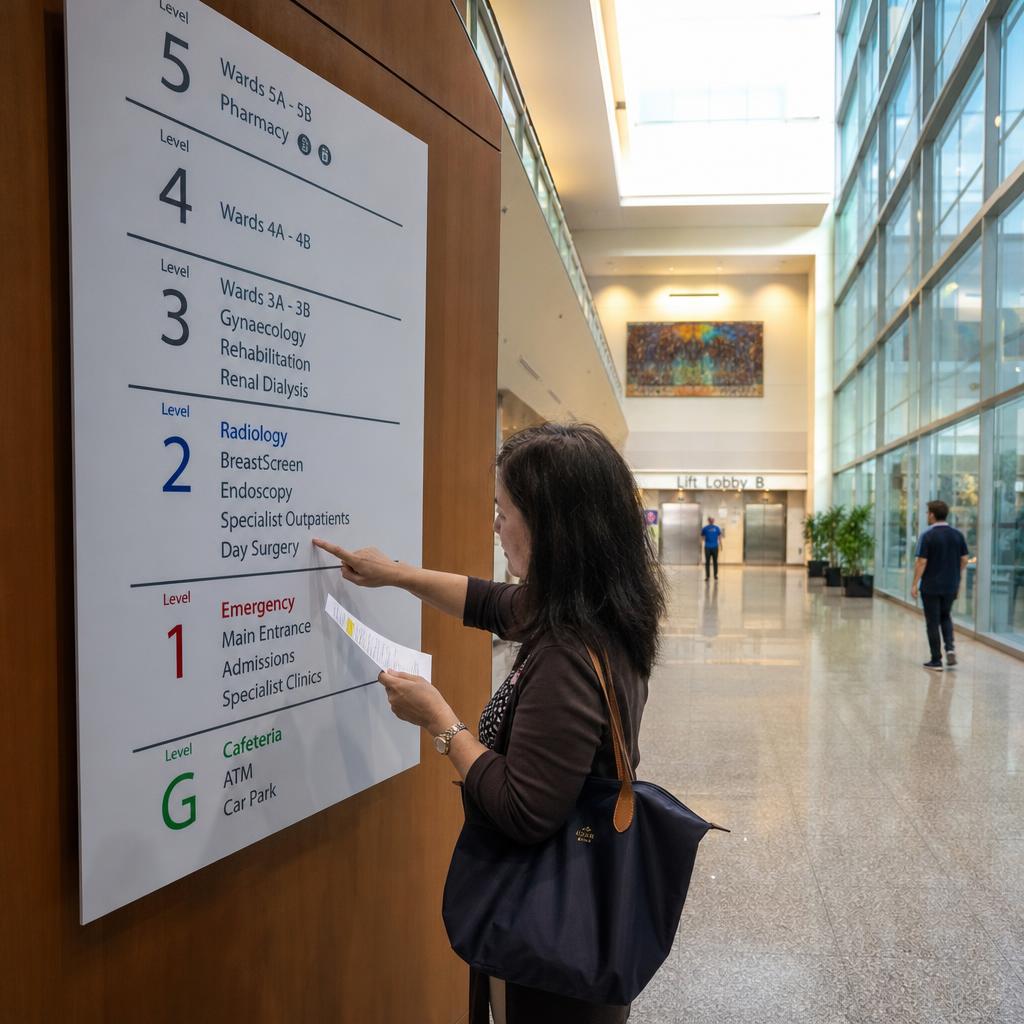
Wayfinding is often the first reason a campus looks at digital signage, and it is a different problem to a single-building office.
A visitor arriving for an open day or a parent-teacher interview does not know there is a Building C behind Building A, or that the science wing is a separate structure across a courtyard.
Static printed maps fail twice over:
- They go out of date the moment a room is renumbered or a building is added
- They cannot respond to what is happening that day — an event in the main hall, a closed wing, a relocated exam
Digital wayfinding at entry points and building junctions combines a live campus map with schedule-aware detail:
- Which rooms are in use
- Where today's specific event is being held
- Which routes are affected by maintenance or construction
For a school running an open day, or a university managing exam period, the same network shows general orientation on a normal Tuesday and event-specific directions when hundreds of unfamiliar visitors are on site — without a separate temporary setup.
The practical requirement this creates: wayfinding content needs to pull from the same data source as room bookings and event calendars, not be manually redrawn every time something changes. A wayfinding map that's disconnected from the timetable system is just a nicer-looking static map — it inherits the same staleness problem.
What Makes Emergency Messaging Staff Actually Trust It?
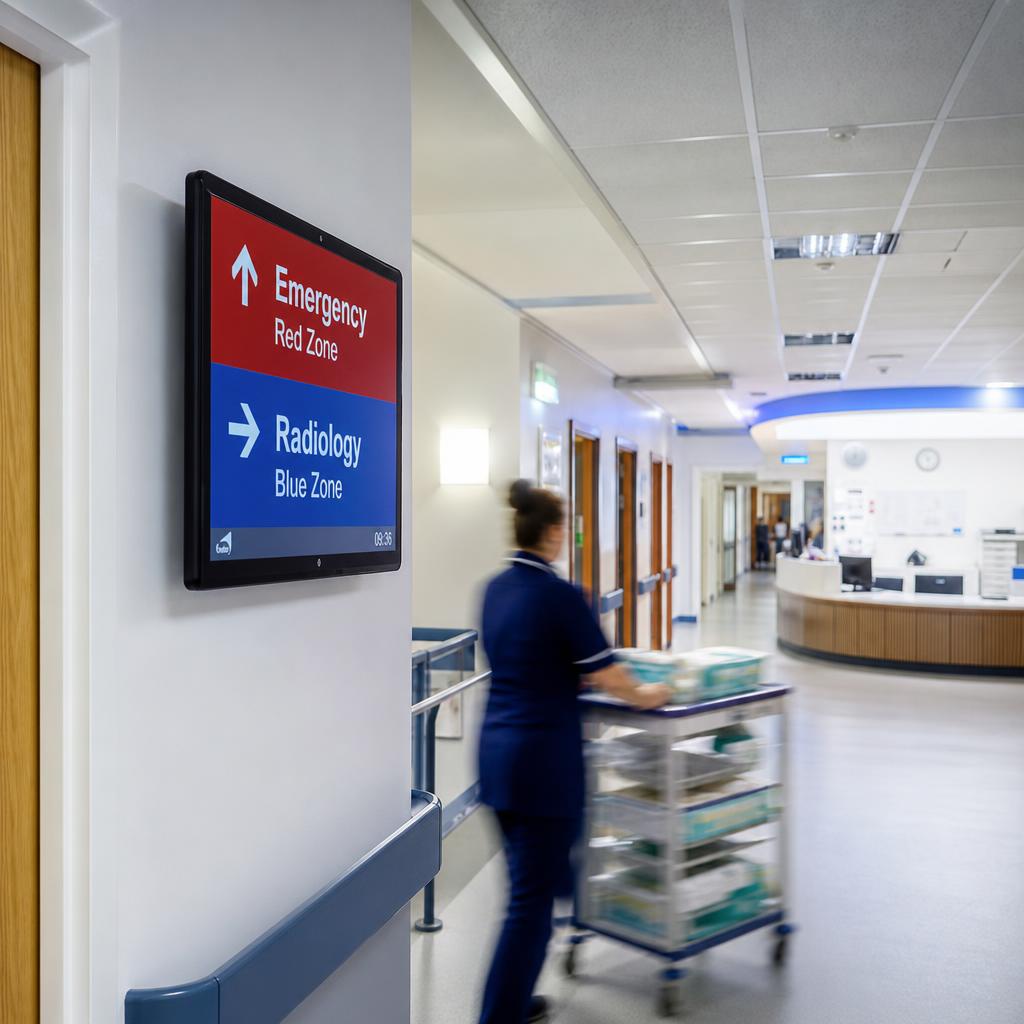
This is the section every education stakeholder cares about most, and it's worth being specific about why the "integrated into daily use" principle matters — the same principle applies in healthcare emergency communications, but the trust mechanism in education is different.
An emergency messaging system that only gets used during drills is a system nobody is used to looking at.
If the screens in a lecture hall or staffroom are dark or irrelevant nine days out of ten, staff and students never build the habit of glancing at them.
In the one situation where seconds matter, that habit gap is the difference between a message landing immediately and being missed entirely.
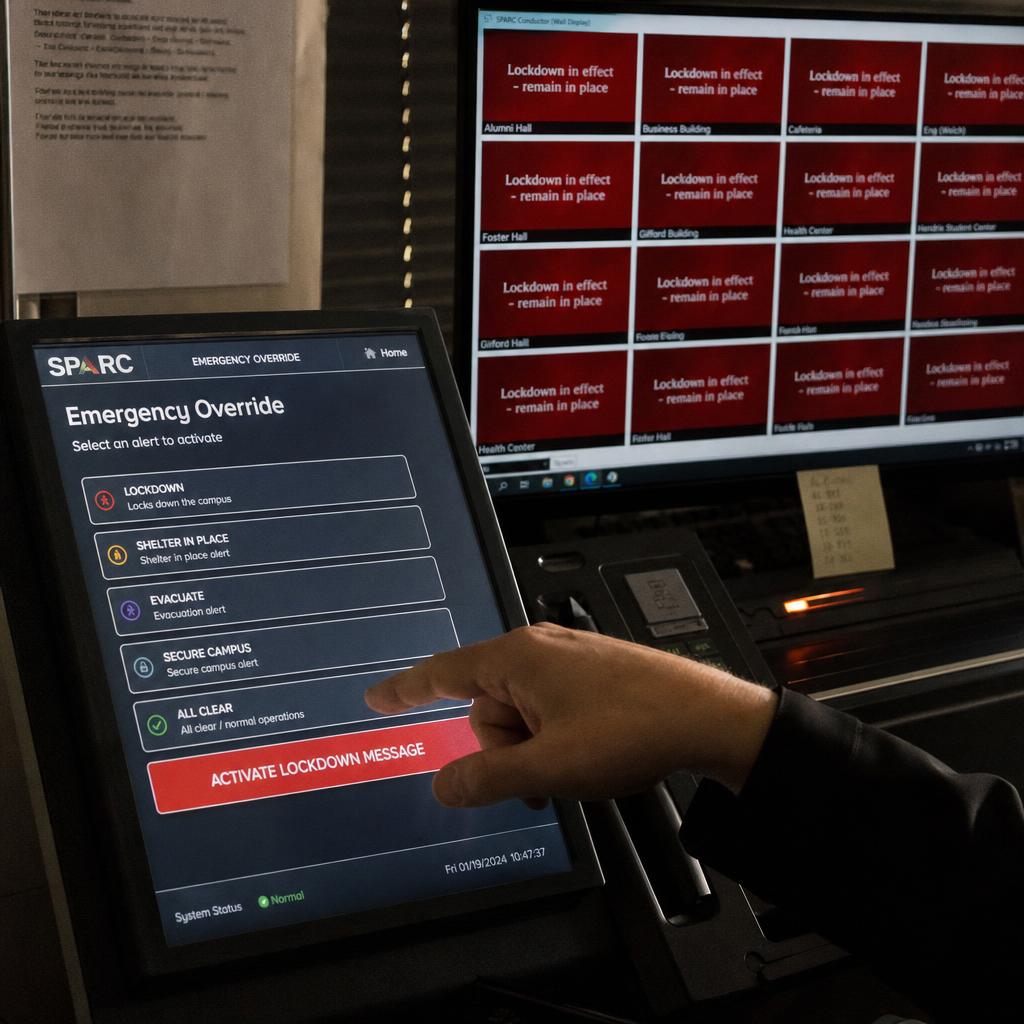
The fix is not a separate emergency-only screen network. It is the same screens people already check for their next class, the cafeteria menu or today's assembly notice — with an override layer sitting above everything else.
When a lockdown, evacuation or severe weather alert is triggered, whether manually by campus security or through an existing mass notification or fire system, it should take over every screen on the network instantly:
- Regardless of which department or faculty owns that display
- Regardless of the content queued behind it
For this to work operationally, a few things need to be true:
- The override has to reach every screen on every building's network, not just the ones a particular team manages — content permissions can't get in the way of an emergency broadcast
- The trigger needs to be fast and simple enough that campus security or reception staff can activate it under pressure, not a multi-step process buried in an admin panel
- The system needs a tested "all clear" process, so screens don't keep showing an emergency message after the situation has resolved
- Regular, low-stakes use of the same screens is what keeps the emergency function credible — a network people already trust for daily information is a network they'll actually read in a crisis
Timetable and room-booking integration
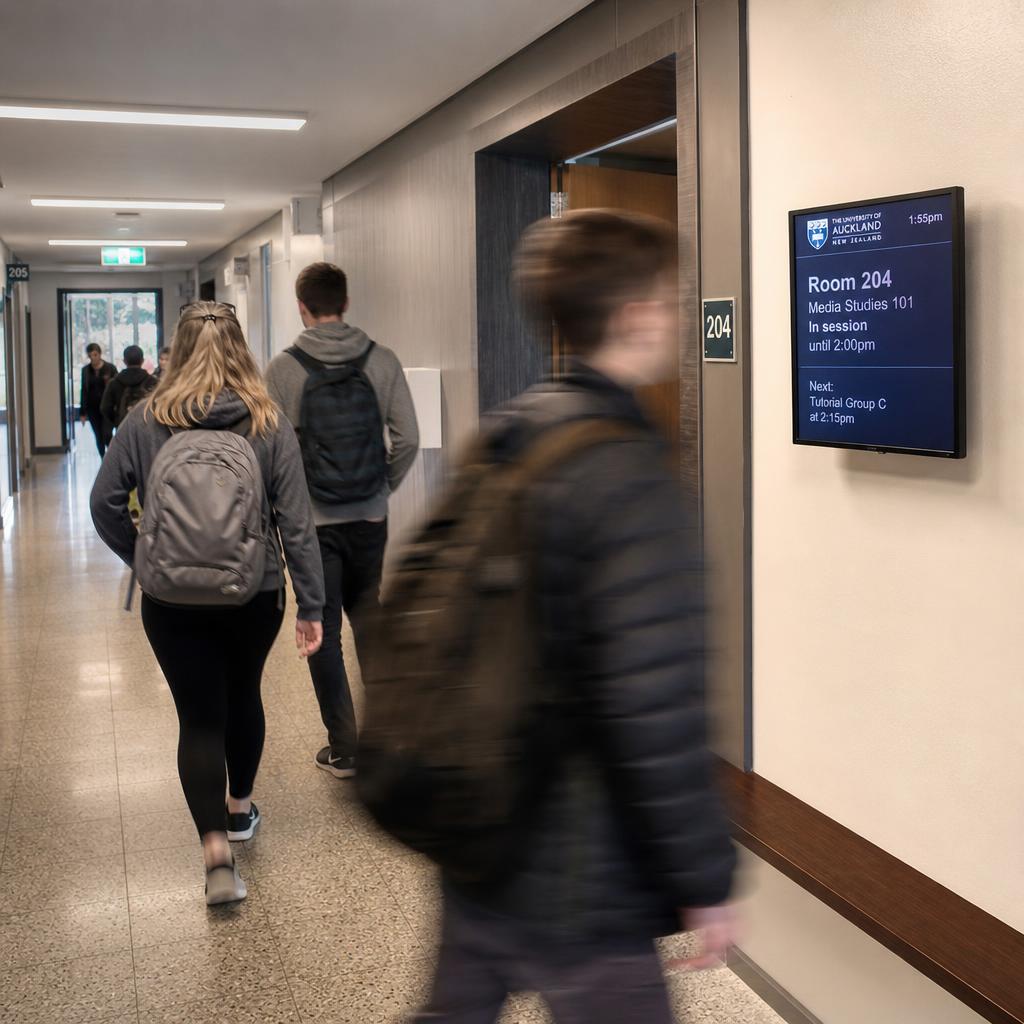
Static "Room 204: Media Studies" signage becomes wrong the first time a class is relocated, a tutorial runs over, or a meeting room is double-booked. On a campus with continuous timetable churn — semester changes, casual room swaps, one-off bookings for external hire — manually updating door and corridor signage isn't sustainable at any scale beyond a handful of rooms.
The alternative is signage that reads directly from the timetabling or room-booking system already in use — a dedicated timetabling platform, a booking calendar, or a student information system.
Outside every lecture theatre, tutorial room and meeting space, the screen then shows what is scheduled right now and what is next, updated automatically as bookings change.
Two things that buys you:
- An entire category of manual admin work removed from facilities and reception staff
- Students in a corridor get accurate information, not a printed schedule from three weeks ago
It also solves a smaller but genuinely annoying problem: room-booking conflicts. When a screen outside a meeting room shows live occupancy and the next booking, double-bookings get caught by whoever's standing at the door, rather than discovered mid-meeting.
Event and student-life content alongside academic messaging
A campus isn't only an academic operation — it's also where student life happens, and the signage network has to represent both without one drowning out the other. Orientation week, club sign-ups, guest lectures, sports fixtures, exam timetable reminders, mental health and wellbeing resources, canteen menus — all of this competes for the same screens as faculty announcements and timetable data.
The practical answer is content zoning, not a single undifferentiated feed. Three zones, three mixes:
- A student lounge screen — a heavier mix of events and student-life content
- A corridor screen outside lecture theatres — timetable and academic notices first, lighter event promotion
- A library screen — study resources and quiet-hours notices
That requires playlist and zoning logic different contributors can use independently. Student services posting a wellbeing campaign should not require a faculty's academic notices to come down to make room.
Scheduling also matters here in a way it doesn't for a retail screen. Content tied to specific dates — orientation week, exam period, an open day — should be programmed to appear and disappear automatically, rather than relying on someone remembering to swap it out on the right morning.
Managing content permissions across departments and faculties
This is the operational problem that quietly kills a lot of campus signage rollouts. Once you move past a handful of screens run by one central comms team, you're dealing with multiple faculties, student services, facilities, security and often individual schools or departments — each wanting the ability to post their own content, on their own schedule, without needing anything approved by anyone else for routine updates.
Without proper structure, this turns into either total chaos (anyone can post to any screen, and a faculty's timetable screen ends up showing an unrelated event poster) or total bottleneck (everything routes through one central IT or comms person, who becomes the blocker for a simple room-change notice). Neither is workable at campus scale.
What works is role-based permissions mapped to how the campus is actually organised:
- A faculty administrator manages the screens in their own building and playlists tagged to their department — and cannot touch another faculty's signage or override campus-wide emergency and executive messaging
- Student services posts to designated common-area and student-life zones without sign-off from academic departments
- A central team can see and, when necessary, override everything — particularly the emergency layer above — without being the single point of contact for routine content
Getting this structure right up front is what determines whether a signage network stays useful as it grows from one building to a whole campus, or whether it collapses back into someone manually approving every poster. This is one of the areas covered in more depth in our piece on enterprise display management, which looks at permission structures for organisations running signage across multiple sites and teams.
Content needs by campus zone
Different areas of a campus carry genuinely different content priorities, update frequencies and emergency requirements. A useful way to plan a rollout is to map zones against what they actually need to show, rather than treating every screen the same.
| Campus zone | Primary content | Typical update frequency | Emergency override |
|---|---|---|---|
| Lecture halls & tutorial rooms | Live timetable, room bookings, exam notices | Continuous (real-time from booking system) | Yes — full override |
| Corridors & building entries | Wayfinding, campus map, event directions | Daily to weekly | Yes — full override |
| Common areas & student lounges | Events, club sign-ups, student-life campaigns | Daily | Yes — full override |
| Library & study spaces | Study resources, quiet-hours notices, opening hours | Weekly | Yes — full override |
| Dining & food precincts | Menus, pricing, promotions | Daily | Yes — full override |
| Reception & visitor entry points | Wayfinding, open-day and event welcome messaging | Event-driven | Yes — full override |
| Staffroom & administration | Internal notices, HR/admin updates | Weekly | Yes — full override |
The emergency override column is deliberately uniform — that's the point. Every zone carries different routine content, but every screen on the network needs to be reachable by the same emergency layer, without exception.
Choosing a platform for campus-wide signage
The requirements above point to a fairly specific evaluation checklist, distinct from generic digital signage comparisons:
- Integration capability — does it connect to your existing timetabling, room-booking and mass-notification systems, or does it require content to be manually re-entered
- Permission granularity — can you structure access by faculty, department or zone without either total lockdown or total free-for-all
- Emergency override reliability — how fast does the override reach every screen, and how is it tested and maintained over time
- Multi-building network management — can facilities and IT manage screens across buildings from one dashboard, with local staff still able to post routine content independently
- Content scheduling — does date-based and time-based scheduling handle recurring events (orientation, exam periods) without manual intervention
- Local hosting and support — for Australian campuses, data residency and support response times matter, particularly for anything touching emergency communications
If you want the fundamentals of how a content management layer should be structured to support all of this — scheduling, playlists, permissions and multi-screen control — our guide to digital signage CMS covers the underlying platform mechanics in more detail.
Campus digital signage FAQs
What makes education digital signage different from retail or corporate signage?
The core difference is the mix of decentralised, low-stakes daily content (timetables, events, menus) managed by many different contributors, sitting under a single centralised emergency override that has to reach every screen instantly regardless of who normally manages it. Retail and single-site corporate signage generally don't need to solve both problems in the same system.
Can digital signage really integrate with our existing timetabling system?
Most established campus signage platforms are built to pull data from existing timetabling, room-booking or student information systems rather than requiring content to be entered twice. The specifics depend on which system your campus already uses, so it's worth checking integration compatibility directly with a provider before committing.
How does emergency messaging actually override normal content?
A properly configured system has an override layer that sits above all standard playlists and zones. When triggered — manually by security or reception staff, or automatically via integration with a fire or mass notification system — it takes priority on every connected screen, replacing whatever was playing, and reverts once an "all clear" is issued.
Who should be able to post content to campus screens?
This should be role-based rather than all-or-nothing. Faculty staff typically manage their own building and department content, student services manage designated common-area and student-life zones, and a central IT or comms team retains oversight and emergency control across the whole network.
Do we need different screens for wayfinding versus academic content, or can one network do both?
One network can do both, provided the platform supports zoning and scheduling. The same screens can show timetable and room information most of the time and switch to event-specific wayfinding during open days, orientation or exams — it doesn't require a separate physical network.
How often does content actually need to be updated across a campus?
It varies significantly by zone — lecture hall and room-booking screens should update continuously from live data, while library or staffroom notices might only change weekly. Building this into scheduling rules, rather than manual updates, is what keeps a large network manageable.
Is this suitable for a single school, or only larger university campuses?
The same principles scale down. A single school with a few buildings still benefits from centralised wayfinding, timetable integration and — critically — an emergency messaging layer staff and students already trust because they see the same screens used daily.
If you're assessing what campus-wide digital signage would look like for your school, TAFE or university, visit our education industry page for the platform overview, or book a demo to see how wayfinding, timetable integration, permissions and emergency messaging work together in practice.