In a VR arcade or immersive experience centre, the headset is the attraction. Digital signage is what keeps the floor running.
Operators use screens for four operational jobs the hardware cannot do:
- Showing which pods or bays are free, mid-session, or about to open
- Orienting first-time visitors through a layout they have never seen
- Delivering consistent safety and motion-sickness briefings without staff repeating themselves all day
- Converting the post-experience moment into photo sales, merchandise or extended bookings
None of that touches what happens inside the headset. It is the network of screens around it that makes a venue easy to run and easy to visit.
This is a different brief to most entertainment venues. A cinema or bowling alley's screens are mostly promotional. A VR venue's screens are operational infrastructure sitting alongside a booking system — and if they are wrong, the experience feels chaotic before a headset goes on.
Why XR and VR Venues Need a Dedicated Signage Layer
Most digital signage advice is written for retail or hospitality, where the product is on the shelf and the screen sells it.
Immersive venues do not work that way. The product is a timed, physical-space experience — a pod, a bay, a room — that one group occupies at a time, for a fixed duration, often requiring a safety briefing first.
That creates pressure points generic signage never addresses:
- Visitors need to know what is free right now, not just what is on offer
- First-timers need orientation in a layout with no obvious front-to-back flow
- Staff cannot stand at every bay repeating the same safety briefing all day
Signage here sits between the booking system and the physical space. It has to:
- Reflect real-time session state
- Hold up in low ambient lighting, which many VR venues run for immersion
- Stay legible to people mid-conversation, wearing a wristband, or looking for a bathroom before their session
Treating it as an afterthought — a couple of TVs on a promo loop — wastes the one channel that reduces staff load and visitor confusion at the same time.
For how SPARC approaches venues like this, see our XR & VR industry page.
1. Pod and Bay Status Displays
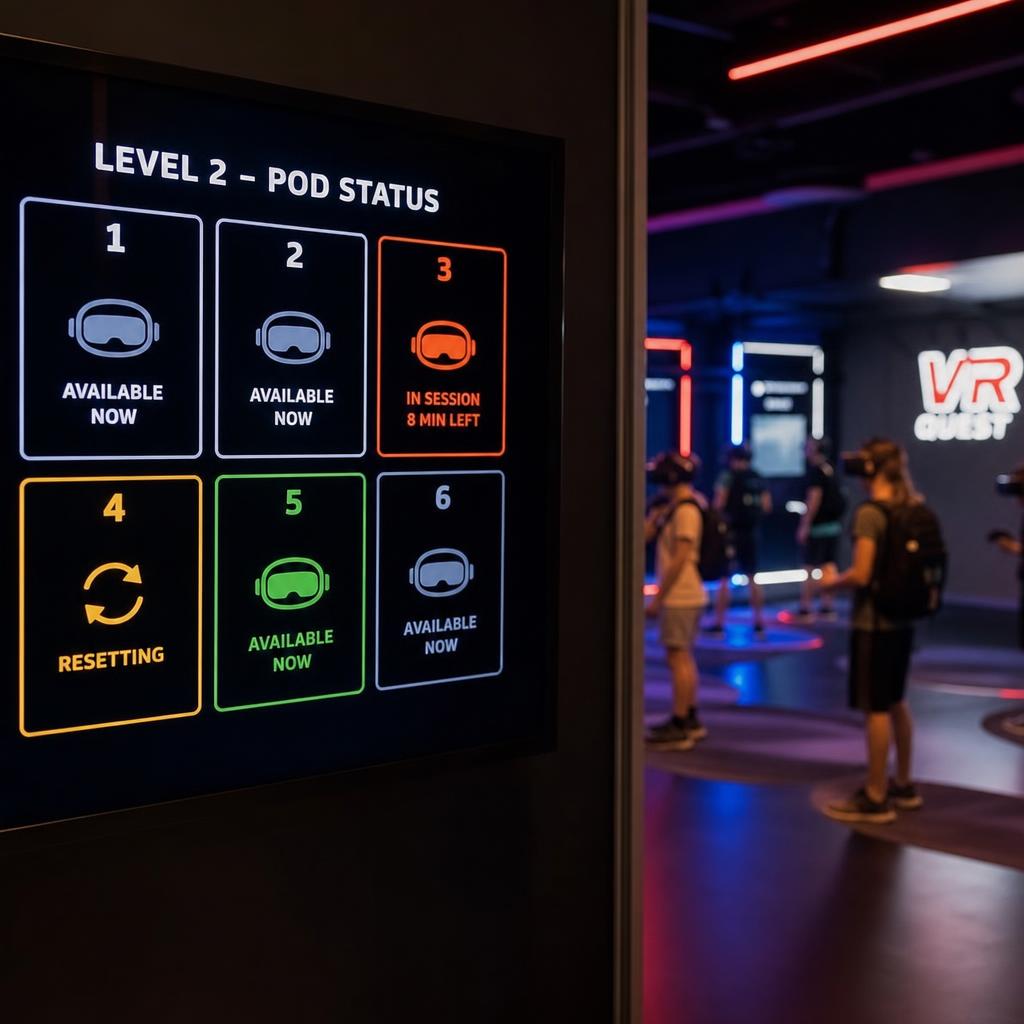
The closest analogue is a quick-service restaurant's order-status board. Instead of "order #42 ready", a VR venue shows which pods are occupied, free, being reset, and roughly how long the current group has left.
Done well, it removes the most common friction point in walk-in venues: guests hovering near a bay, unsure whether it is their turn.
A good status display:
- Groups content by bay or pod number, so a guest finds their own line instantly
- Uses colour and iconography — occupied, in briefing, running, resetting, ready — rather than dense text
- Updates automatically as sessions start and end, rather than a staff member flipping a sign
- Extends to group bookings in multi-room venues, showing estimated start times for a party rather than one occupancy state
This only works if the signage is connected to whatever tracks session state — a booking platform, a timer system, or POS-linked session software. The display mirrors that data; it is not a separate thing staff update by hand.
How that live connection works is covered in our guide to digital signage API integrations.
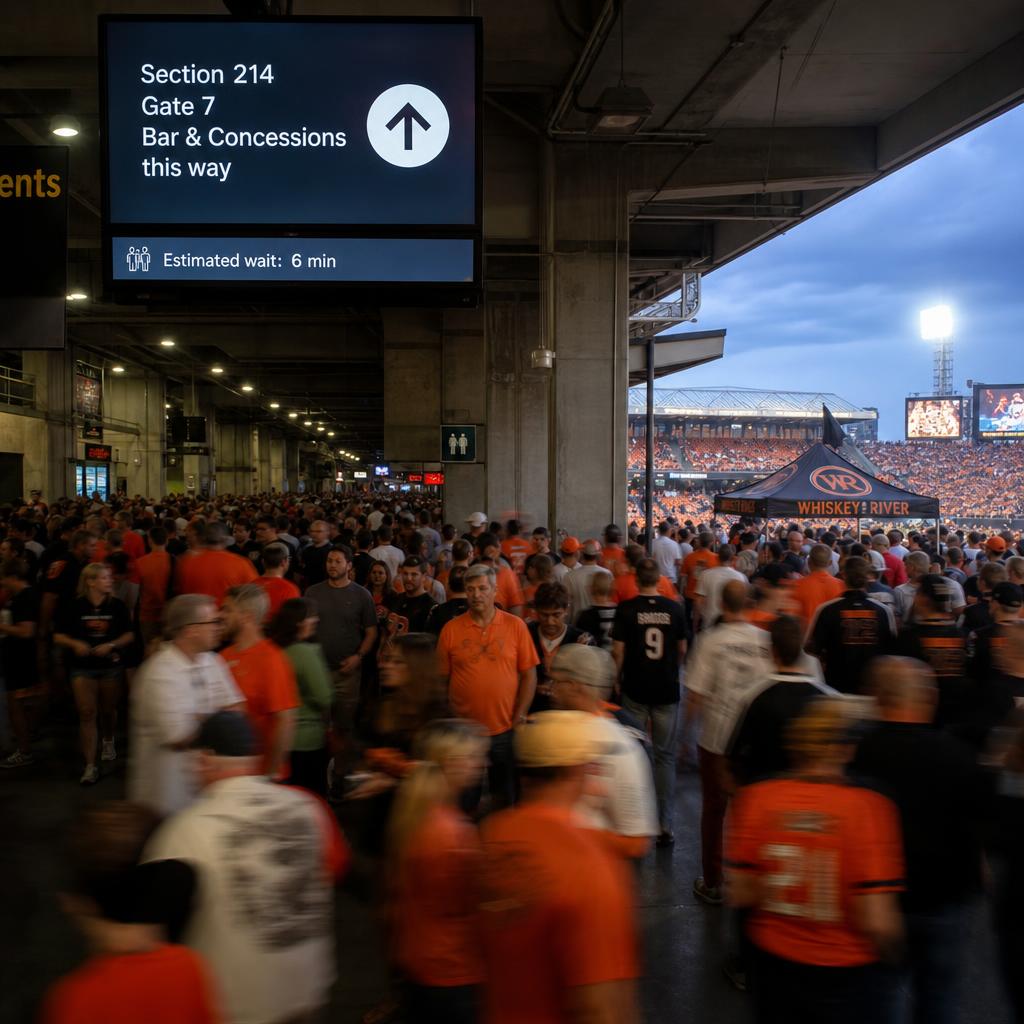
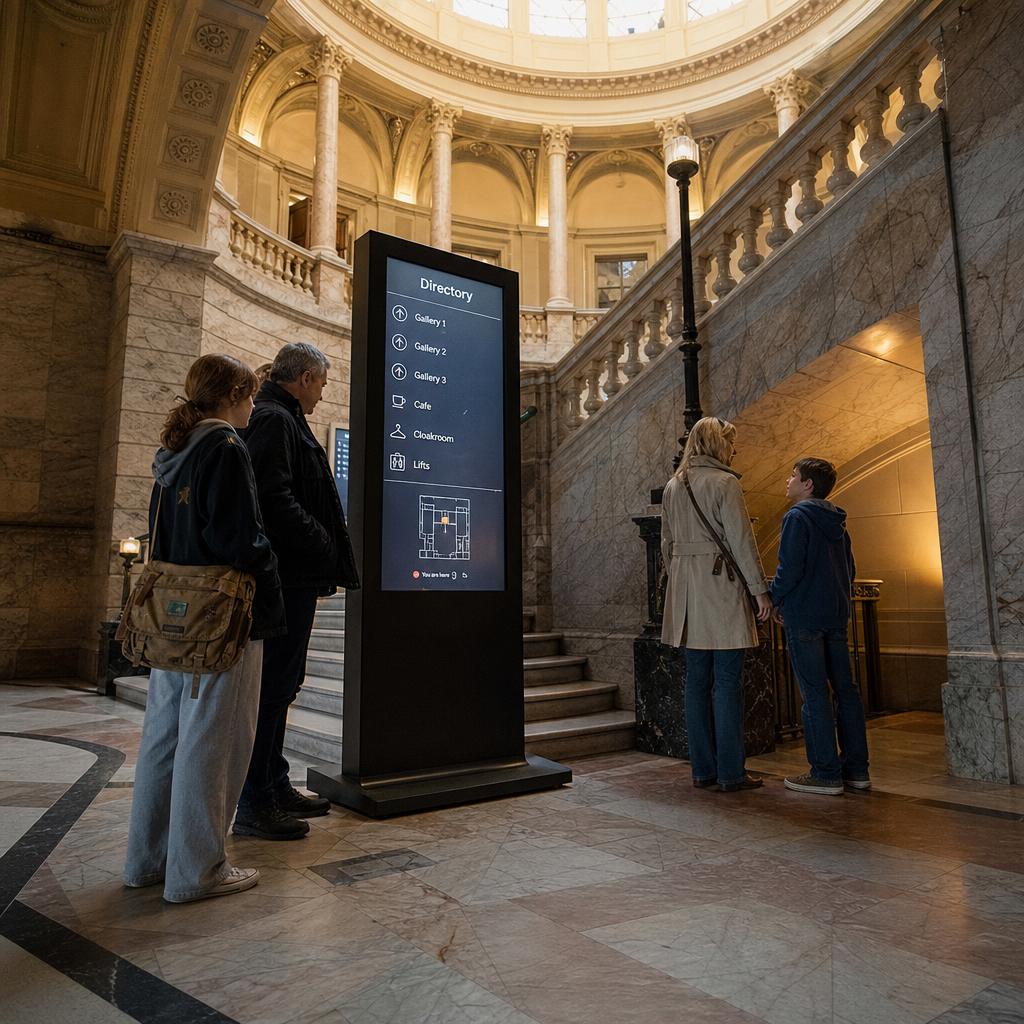
2. Wayfinding for a Venue Format Visitors Have Never Navigated
A cinema, a gym and a shopping centre all have conventions visitors already understand. A VR arcade often does not.
Many guests are visiting this venue type for the first time in their life, with no mental model of where the lockers are, where to wait, or which door leads where. That is especially true of immersive art installations and XR training centres, where the layout is purpose-built and unfamiliar even to people comfortable in normal entertainment venues.
Digital wayfinding does the job a floor plan poster used to, with one advantage: it updates instantly when a room changes function, a pod goes offline, or a schedule shifts for a private event.
Keep orientation content simple:
- Numbered or colour-coded zones
- Clear directional arrows
- Minimal text, because visitors are mid-walk rather than studying a map
Place screens at decision points — the top of a corridor, outside lift doors, at the split between the arcade floor and a private event room. Those do more work than one large screen at the entrance nobody looks at twice.
For venues hosting school groups, corporate bookings and rotating exhibits alongside general admission, the same screens can show different directional information by time of day or booking type, without reprinting anything.
3. Safety Briefings That Don't Rely on Staff Repeating Themselves
Every immersive venue has the same problem: safety information has to be delivered consistently, but staff cannot brief every visitor to the same standard during a busy period.
Content that benefits from being on screen as well as spoken:
- Play space boundaries
- Trip hazards from cabling
- Motion sickness warnings for intense content
- Guidance for visitors prone to seizures or vertigo
- How to remove a headset if they feel unwell
Pre-session waiting areas and the space immediately outside each pod are the natural places for a looping briefing, covering the essentials before a staff member does the final walkthrough.
This does not replace verbal briefings or liability waivers. It reduces how much staff repeat, and gives visitors a second, calmer exposure to safety information before they are mid-session and disoriented by the headset.
For venues running content of variable intensity — a gentle art installation next to a high-motion combat simulator — screens also set expectations per room, so visitors self-select rather than staff talking every group through every option.
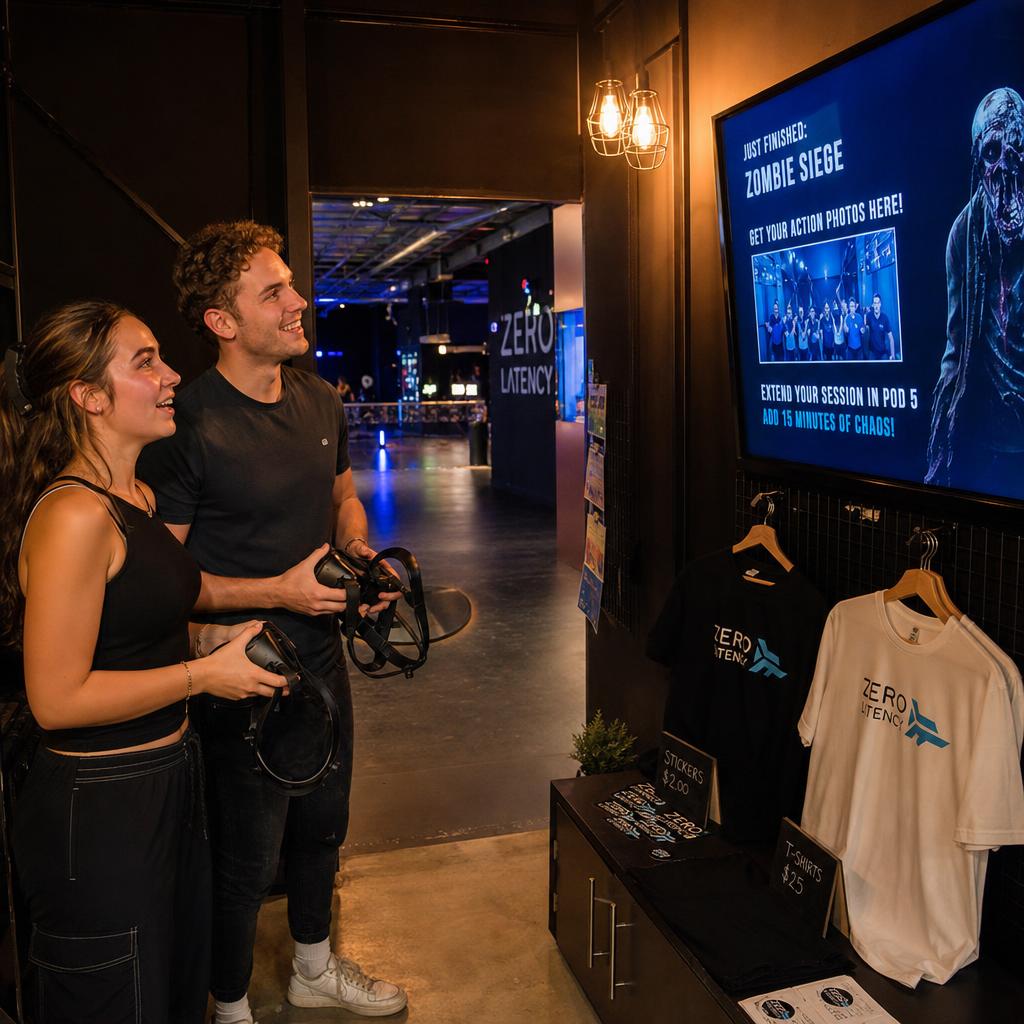
4. Post-Experience Retail: Photos, Merchandise and Extensions
The moment a session ends is a commercial opportunity most venues under-use. Visitors are still processing what happened, more likely to want a souvenir, and — if a bay is free — sometimes open to booking another session on the spot.
Content that earns its place in this zone:
- Photo or video retrieval from the session, where the venue captures it
- Merchandise relevant to the experience just completed, not a blanket store catalogue
- Live availability for extending the booking or adding a second experience, using the same pod status data as the booking desk
- Group and corporate add-ons — a group that has just finished together is the natural moment to offer food and drink before they disperse
The difference from typical venue retail signage is timing and relevance. Content here should change based on which experience the visitor just had, rather than running the same loop all day regardless of which pod someone walks out of.
Content and Display Needs by Venue Area
| Venue Area | Primary Content | Update Frequency | Placement Notes |
|---|---|---|---|
| Booking/entry desk | Pod and bay status, wait times, walk-in availability | Real-time | Visible on approach, above eye level to cut through queue crowding |
| Pod/bay wayfinding | Directional cues, zone numbering, room status | Real-time to hourly | At corridor junctions and decision points, not just the entrance |
| Pre-session waiting area | Safety briefing loop, motion/comfort warnings, house rules | Static loop, reviewed periodically | Facing seated or standing wait areas, legible in dim lighting |
| Group/event waiting area | Group booking status, session start countdown, event-specific info | Real-time | Larger format if groups are seated together |
| Post-experience/retail zone | Photo retrieval, relevant merchandise, extend/rebook prompts | Session-linked | Near exit flow, content tied to the experience just completed |
| Staff-facing back-of-house | Session diagnostics, maintenance flags, cleaning schedule | Real-time | Separate from guest-facing network, restricted access |
Integrating Signage With Booking Systems and Staff Workflows
The pod-status and wayfinding content above only stays accurate if it is connected to something live: a booking platform, a session timer, or venue management software already tracking who is in which pod and for how long.
Signage that is not connected becomes signage nobody trusts. Staff end up updating it manually, and it drifts out of sync exactly when the venue is busiest.
SPARC's role is that connective layer:
- Pulls from booking and POS data via API
- Pushes updates across every screen instantly
- Lets one operator manage the whole network — booking desk, wayfinding, waiting areas, retail — from one dashboard
That is distinct from the VR headset content itself, which remains the job of the venue's VR/AR platform provider. SPARC sits around the experience, not inside it.
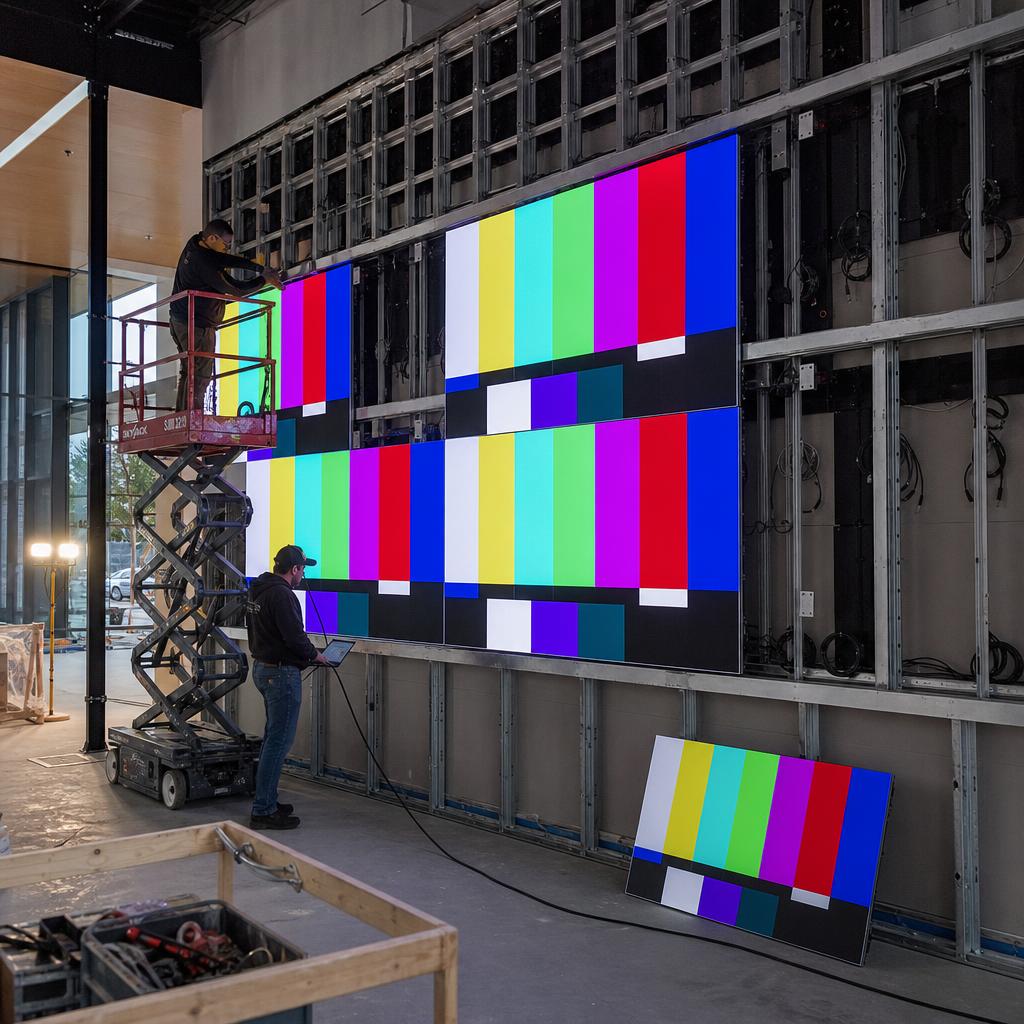
For venues running multiple large-format screens — a lobby feature wall, or synchronised displays across a multi-room installation — content also needs to stay in sync across hardware, covered in our guide to synchronising multiple LED video walls.
What to Look for in a Signage Platform for an Immersive Venue
Not every platform is built for the real-time, session-driven nature of a VR venue. Four things separate the ones that are:
- API connections to booking and session-management systems, rather than manual scheduling alone, because pod status has to update without staff intervention
- Reliable performance in low light, which matters more here than in retail given how many venues run dim ambient lighting
- Centralised management across a mixed screen estate — small pod status displays, larger wayfinding screens, a retail display — rather than managing each type separately
- Australian hosting and support, avoiding the latency and turnaround issues of a network managed from overseas
SPARC is built and hosted in Australia on AWS Sydney infrastructure, for exactly that last reason.
If you are planning or refreshing a signage network for a VR arcade, immersive installation or XR training centre, book a demo with SPARC and bring your booking system — we will connect it and show pod status updating itself.
Frequently asked questions
Does SPARC provide the VR or AR content shown inside the headsets?
No. SPARC's platform manages the operational signage network around the experience — booking desk displays, pod/bay status boards, wayfinding, safety messaging, and retail-zone screens. The content inside VR headsets remains the responsibility of the venue's VR/AR software provider; SPARC's signage sits alongside that experience, not inside it.
Can pod or bay status screens update automatically as sessions start and finish?
Yes, provided the signage platform can connect via API to whatever system is tracking session state — a booking platform, timer system, or venue management software. Without that connection, status boards need manual updates, which tend to drift out of sync during busy periods.
Are these signage networks suitable for immersive art installations that don't use bays or pods in the traditional sense?
Yes. The same principles apply even when the venue format differs — wayfinding for unfamiliar layouts, safety and comfort messaging, and session or timed-entry status all translate to immersive art installations, escape-room-style formats, and XR training centres, not just headset-based VR arcades.
How does signage handle low-light environments common in VR venues?
Screen brightness, placement, and content contrast need to be planned for dim ambient lighting from the outset, since many VR venues deliberately run low light to support immersion. This is a key evaluation point when choosing hardware and content design, not something to retrofit after installation.
Can the same platform manage a small VR arcade with a handful of pods and a larger multi-room XR centre?
Yes. Centralised management is one of the main advantages of a proper signage platform over ad hoc screens — a single dashboard can manage a small pod network or a large multi-zone venue with booking desks, wayfinding, waiting areas, and retail displays all connected.
Does signage content need to change based on which experience a visitor just completed?
It's worth designing for this in the post-experience retail zone specifically. Tying merchandise or photo-retrieval content to the specific pod or experience a visitor just exited is more effective than a single generic promotional loop running venue-wide.
Is Australian hosting relevant for a venue that only operates from one location?
It affects support responsiveness and latency more than location count. A platform hosted on Australian infrastructure with support in Australian time zones generally means faster issue resolution for a single-site operator than a platform managed from an overseas time zone, even without a multi-venue rollout.