Simulation and training centres run on tight, expensive time slots — a flight simulator bay, a driving simulator pod, a clinical skills lab.
The biggest operational risk is not a broken screen. It is a trainee standing in the wrong corridor while a $2 million simulator sits idle.
Digital signage solves that with four connected display types:
- Bay status and session scheduling screens outside each simulator or lab
- Debrief screens inside classrooms, for post-session review
- Instructor and operator dashboards, monitoring multiple bays at once
- Wayfinding, through often maze-like industrial or campus buildings
Done well it is less like retail signage and more like an operations layer that happens to live on a screen.
This is not a like-for-like swap with the booking panel outside a corporate boardroom, even though the underlying idea — show what is booked, by whom, until when — is identical.
Three things differ:
- The equipment is higher value
- The sessions are longer and more structured
- Confusion is more expensive to absorb — a trainee missing a debrief, an instructor losing track of which bay is running behind
This guide covers what is genuinely different about signage for these environments, and where it plugs into the broader display estate.
Why Do Training Centres Need a Different Approach?
Most enterprise signage content — a promo carousel, a KPI dashboard, a "welcome" slide — is designed to be glanced at.
Signage in a training facility has a harder job: it communicates operational state that people act on immediately.
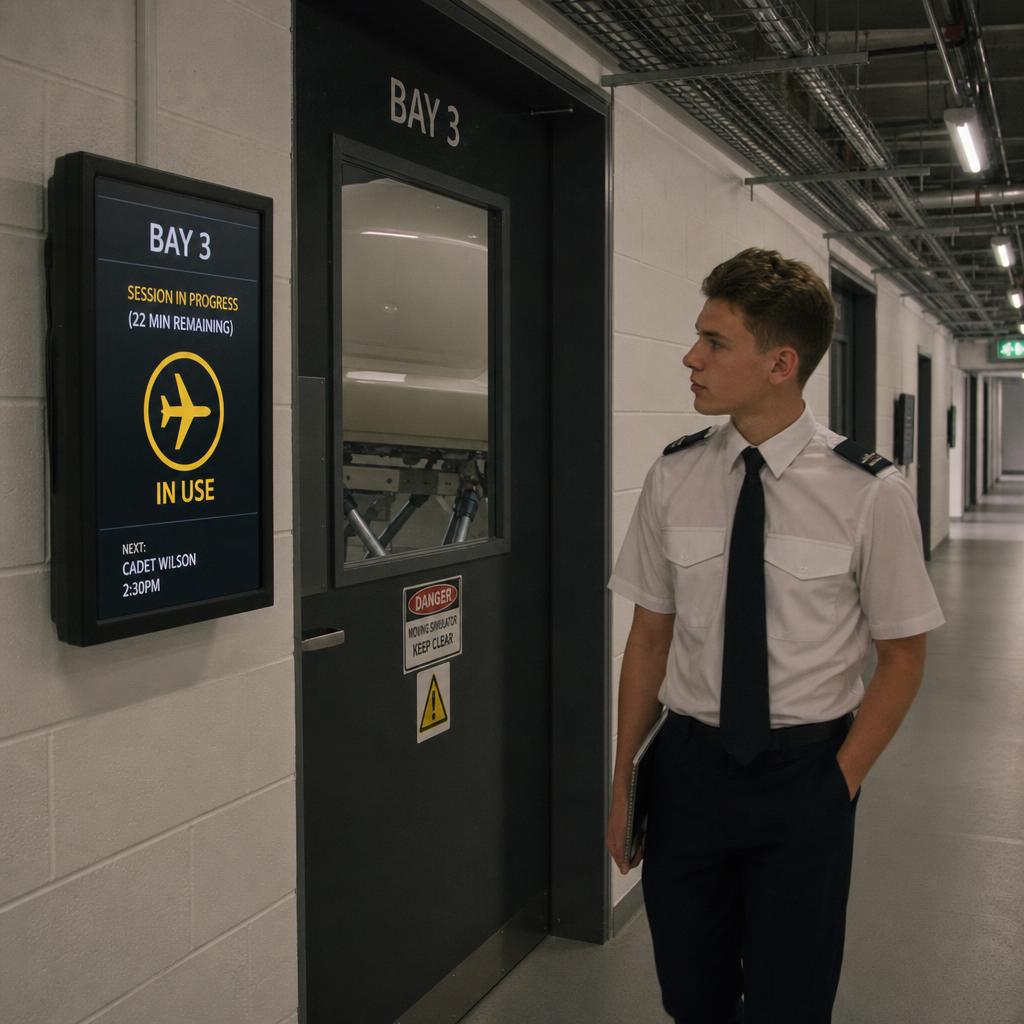
A pilot cadet checking the board outside Bay 3 is not browsing. They are deciding between three actions:
- Knock
- Wait
- Walk to Bay 4 instead
That changes the design brief in a few concrete ways:
- Content has to be near-real-time. A status board that's ten minutes stale during a 45-minute session block is worse than no board at all, because people trust it and get it wrong.
- Sessions are fixed-slot, not walk-up. Simulator time is booked in blocks — often in advance, often tied to a training curriculum or certification pathway — so the display logic looks more like an airport gate board than a cafe queue screen.
- The audience is mixed and time-pressured. Instructors, trainees, assessors and visiting clients all read the same screens with different needs, often while moving.
- The facility itself is unusual. Flight and driving simulation centres, clinical simulation labs and defence training campuses are frequently large, windowless, and laid out around heavy equipment rather than people flow — which makes wayfinding a genuine operational problem, not a nice-to-have.
A signage platform built for retail promotions or generic "corporate TV" content will technically display a bay schedule, but it won't be built around the scheduling logic, the multi-zone layout, or the reliability expectations these facilities actually need.
What Should a Simulator Bay Status Display Show?
The core use case is a screen mounted outside (or beside) each simulator bay, driving booth, or clinical skills room showing:
- Current occupant or session name (or an anonymised session code, where privacy requires it)
- Time remaining in the current session
- Next scheduled booking and start time
- Bay status at a glance — in use, available, reset in progress, offline/maintenance
Conceptually this is close to a meeting-room booking panel, and where the scheduling system is similar the same integration logic often gets reused. The details diverge quickly.
A meeting room is booked in 30-minute increments by whoever grabs it first.
A simulator bay is booked against a training curriculum, an instructor roster or a certification schedule set weeks in advance — with far less tolerance for double-booking or last-minute changes.
The display also needs a state a boardroom panel never does: "in reset" or "in maintenance", because simulators need calibration or cleaning between sessions.
Two design choices matter more here than in typical booking signage:
- Legibility from a distance and at an angle, since bay status boards are often read while walking past rather than standing directly in front of them.
- A clear "next available" indicator, so instructors and trainees can plan around a fully booked bay without having to check a separate spreadsheet or app.
How Should Debrief and Classroom Screens Work?
Simulation training almost always ends in a structured debrief — reviewing flight data, driving telemetry, or a recorded clinical scenario against a checklist or competency framework. The screen in the debrief room or classroom is doing a different job to the bay status board outside: it's a content and review surface, not a status indicator.
Typical content includes:
- Session recordings or telemetry playback (integrated with the simulator's own data output, not the signage platform itself)
- Scenario briefs, checklists and competency criteria for the session just completed
- Scheduling information for the next block, so groups can transition without a facilitator manually resetting the room
- General facility or safety notices relevant to the training day
The signage platform's role here is narrower than it sounds. It is rarely the system generating simulator data. It is the system that should:
- Display that data reliably alongside scheduling and facility content
- Switch between them on a predictable timetable tied to the session structure
The real time-saver is the room reset between groups — clearing the previous session's content and loading the next booking's brief automatically, for facilities running back-to-back cohorts.
What Belongs on an Instructor Dashboard?
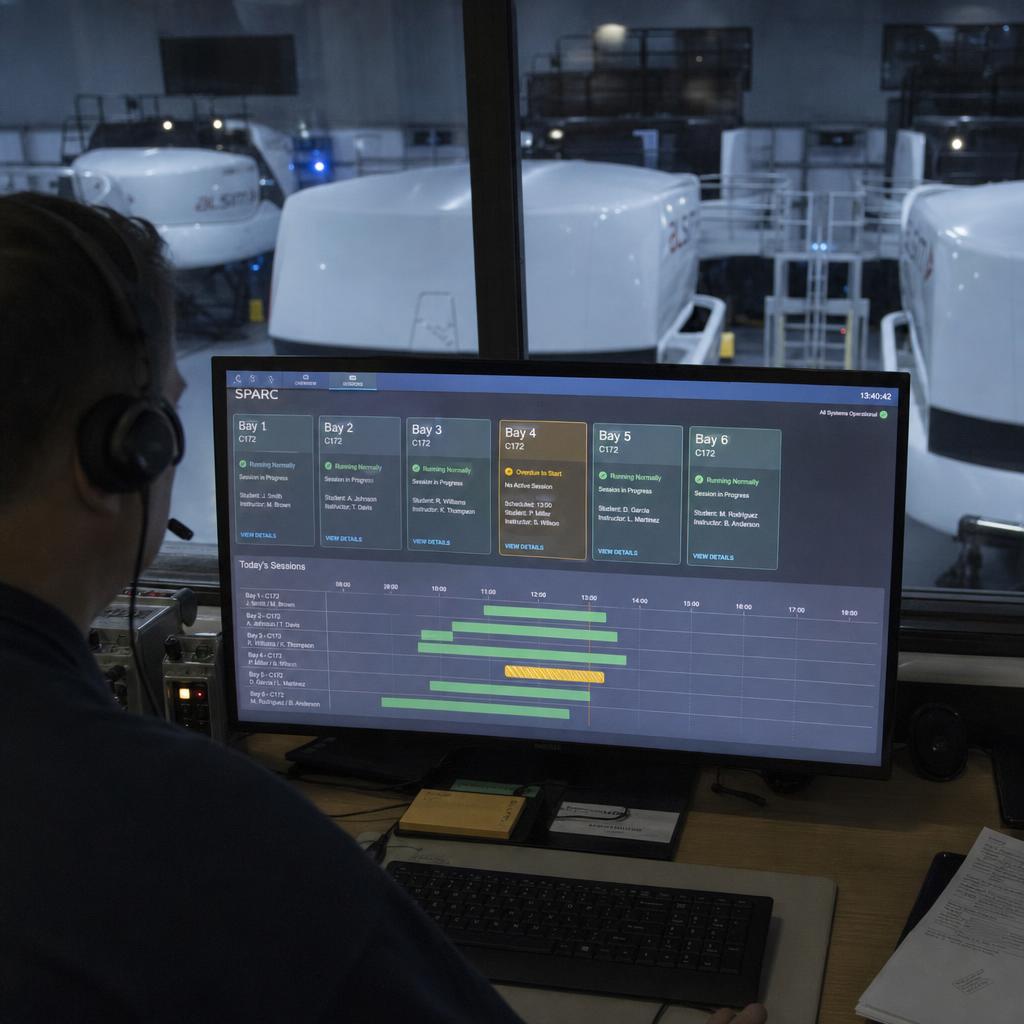
Facilities running multiple simulator bays — a flight school with six fixed-base devices, a driving simulation centre with a dozen pods, a defence training facility running parallel scenarios — need a way for instructors and operators to see everything at once, not bay by bay.
This is a genuinely distinct requirement from bay status signage. It is a monitoring surface for staff, not a public status board, and it lives in a control room, instructor station or operations office — not a corridor.
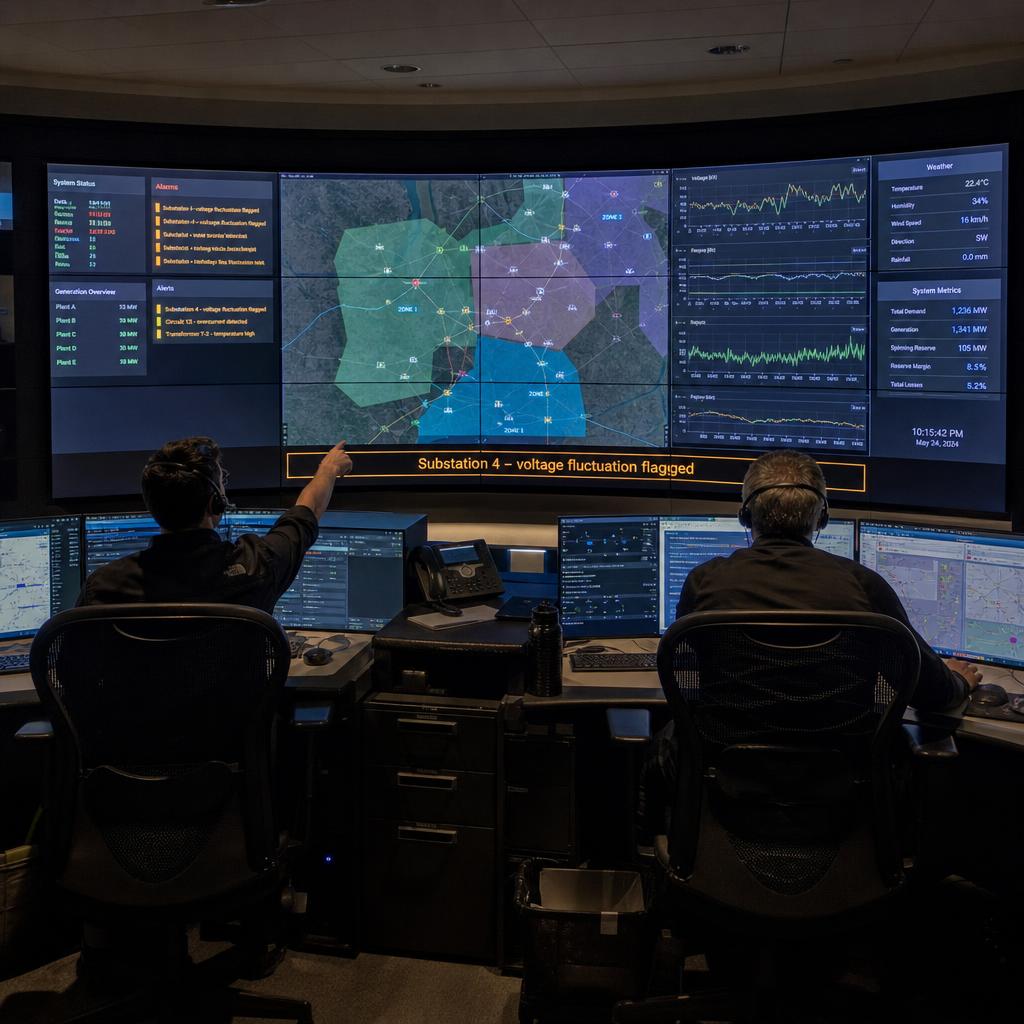
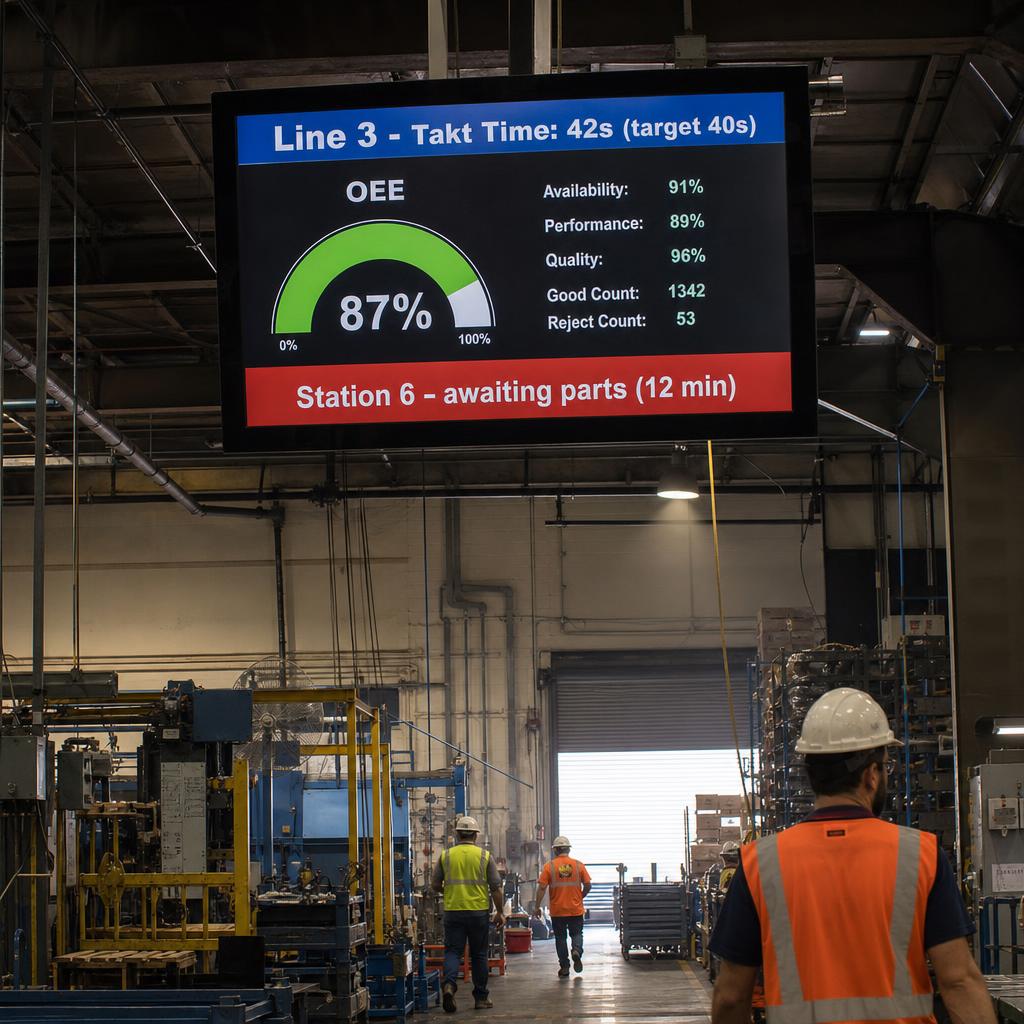
We cover the principles of this kind of always-on operational dashboard in our piece on utility control room dashboard displays. Three parts of that thinking apply directly here:
- Multi-source data walls
- Exception-based alerting
- Screen layout for at-a-glance status
— just with simulator bays and session data in place of grid or plant telemetry.
The training-specific twist is that the dashboard blends two kinds of information:
- Hard operational state — which bays are running, which are down
- Scheduling state — what is coming up, who is overdue to start
A good instructor dashboard makes it obvious in a two-second glance which bay needs attention next — without anyone walking the corridor and checking each door.
Why Do Trainees Get Lost Between Reception and Their Bay?
Flight simulation centres, driving simulation facilities, clinical simulation hospitals-within-hospitals, and corporate or defence training campuses share one layout problem: large, repetitive, and not designed with visitor navigation in mind.
Three things compound it:
- Bays and labs are numbered rather than named
- Corridors look alike
- Nobody arriving for the first time has a mental map of the building
Wayfinding signage in this context needs to do more than display a directory. Useful patterns include:
- Directional signage at decision points (corridor junctions, lift lobbies) showing which bay/lab numbers are in each direction
- A reception or lobby screen showing today's schedule by group or cohort, so visitors can self-serve "where do I need to be" without asking staff
- Zone or wing indicators for larger campuses, especially where simulation, classroom and administrative areas are physically separated
- Emergency and safety information, which in industrial-scale training facilities (especially those with heavy equipment or restricted-access areas) is often a compliance requirement, not just a courtesy
This is also where content needs to be genuinely low-maintenance. Facilities staff shouldn't need to manually update a directory every time a bay is renumbered or a cohort schedule shifts — wayfinding content should pull from the same underlying scheduling data as the bay status boards, so the two stay in sync automatically.
Content Needs by Facility Area
| Area | Primary content | Update frequency | Key requirement |
|---|---|---|---|
| Simulator/booth bay status | Occupant, time remaining, next booking, bay state | Real-time / per session | Legible at a distance, clear "available" state |
| Debrief/classroom | Session review content, next session brief, schedule | Per session block | Reliable switching tied to booking system |
| Instructor/operator dashboard | Multi-bay status, exceptions, upcoming sessions | Real-time | At-a-glance exception visibility, not decorative |
| Reception/lobby | Daily schedule by cohort, general notices | Daily / per cohort | Self-service navigation for visitors |
| Corridor/wayfinding | Directional bay/lab numbering, zone indicators | Static, tied to layout changes | Syncs with scheduling data to avoid manual edits |
How Does This Hold Up Across a Whole Campus?
None of the above works if the signage platform itself is unreliable or hard to manage across a facility with dozens of screens spanning bays, classrooms, an operations room and corridors. A few operational considerations that matter more here than in typical retail or office signage:
- Scheduling system integration. The signage platform needs to read from whatever system already manages simulator bookings — a training management system, a room-booking tool, or a bespoke scheduler — rather than requiring staff to enter session data twice.
- Centralised content and screen management, so a facilities team can push a safety notice to every screen in the building in one action, or update a single bay's status logic without touching the rest. We go into the general architecture of this in our piece on enterprise display management, which applies directly to a simulation centre's mixed estate of status boards, debrief screens and dashboards.
- Resilience to network and hardware issues. A bay status board going blank mid-session is a worse failure mode than a retail screen going blank, because staff and trainees actively rely on it to make real-time decisions.
- Access control for content updates, since instructor dashboards, debrief content and public wayfinding signage often need different editing permissions.
How Do You Get It Right From the Start?
Training centres do not need generic digital signage with a training-themed template. They need a platform that understands three things:
- Fixed-slot scheduling
- Multi-zone facility layouts
- The difference between a public status board and an instructor's operational dashboard
The thing that separates signage that reduces friction from signage that is just another screen to maintain: bay status logic, debrief content switching and wayfinding data all pulling from the same underlying schedule.
If you're planning a signage rollout for a flight, driving, medical or corporate/defence training facility, our simulation industry page covers how SPARC's platform handles bay status, scheduling integration and multi-zone content specifically for this sector.
Bay status boards earn their place when they stop being something an instructor has to remember to change. Book a demo and bring your booking or scheduling system — we will connect it and show bay status updating itself.
Training centre digital signage FAQs
Can bay status displays connect to our existing booking or training management system?
In most cases, yes — the signage platform needs to read session and scheduling data from whatever system your facility already uses to book simulator time, rather than requiring staff to duplicate entries. The specifics depend on what booking or training management system is in place, so it's worth confirming integration options against your current setup before committing to a display solution.
How is a simulator bay status board different from a meeting room booking panel?
The underlying concept is similar — show current occupancy and upcoming bookings — but simulator bays typically run on fixed, curriculum-linked session blocks rather than ad hoc walk-up bookings, and they need additional states like "in reset" or "in maintenance" that a meeting room display doesn't require.
Do debrief screens need to handle simulator telemetry or recorded session data?
The signage platform generally isn't the system generating or processing simulator telemetry — that stays with the simulator's own software. What the signage platform needs to do well is display that content reliably alongside scheduling and briefing information, and switch between sessions on a predictable timetable.
What's the difference between an instructor dashboard and a public bay status screen?
A public bay status screen shows simple occupancy information to trainees and visitors walking past. An instructor or operator dashboard is a monitoring tool for staff, typically shown in a control room or operations office, aggregating status and exceptions across every bay at once so problems can be spotted without physically checking each room.
Our facility is large and maze-like — how much does wayfinding signage actually help?
For facilities with repetitive corridors, numbered rather than named rooms, or physically separated wings, directional signage at key decision points and a self-service lobby schedule display can meaningfully cut down on visitors and new cohorts needing staff assistance to find their session — though the impact depends heavily on your specific layout.
Can one platform manage bay status, debrief, dashboard and wayfinding content together?
Yes — that's generally the goal, since these content types should draw from the same underlying scheduling data rather than being managed as separate, disconnected systems. Centralised management also makes it possible to push facility-wide notices (safety alerts, schedule changes) across every screen type at once.
Is this kind of signage only relevant to large facilities with many simulator bays?
No — even a facility with a small number of bays benefits from automated status and scheduling display, since the alternative is usually a manually updated whiteboard or spreadsheet that's prone to going stale. The dashboard and wayfinding elements become more valuable as the number of bays and the size of the facility grow, but bay status and debrief displays are useful at almost any scale.