Why Is Multi-Venue LED Synchronisation Different?
Because the network between the venues is the public internet, and the internet guarantees nothing about timing, order or continuous connectivity.
Multi-venue synchronisation means getting content to play frame-accurately — or at least perceptibly together — across LED walls in physically separate locations: different retail sites, stadium precincts, branch offices, event venues. Each connects through its own line rather than a shared local network.
The techniques that keep panels inside one video wall in lockstep depend on a stable, low-latency local link between controllers. Across venues that link is gone.
Most enterprise platforms solve it with three things working together:
- A cloud orchestration layer distributing content and a shared timing reference to every site
- A local player at each venue that operates autonomously when it loses contact with the cloud
- A scheduling model that tolerates wide-area latency and jitter rather than fighting it
None of this requires frame-level precision between venues. It requires a clear definition of what "synchronised" has to mean for the use case — and that definition changes the entire architecture.
Why Do Single-Site Sync Techniques Break Down Over a WAN?
Synchronising panels within a single LED wall — covered in detail in our guide to synchronising multiple LED video walls — is fundamentally a local networking problem. Controllers sit on the same switch, latency between them is sub-millisecond and consistent, and genlock or software-based frame sync signals can keep every panel outputting the same frame at the same instant.
None of those conditions hold across venues:
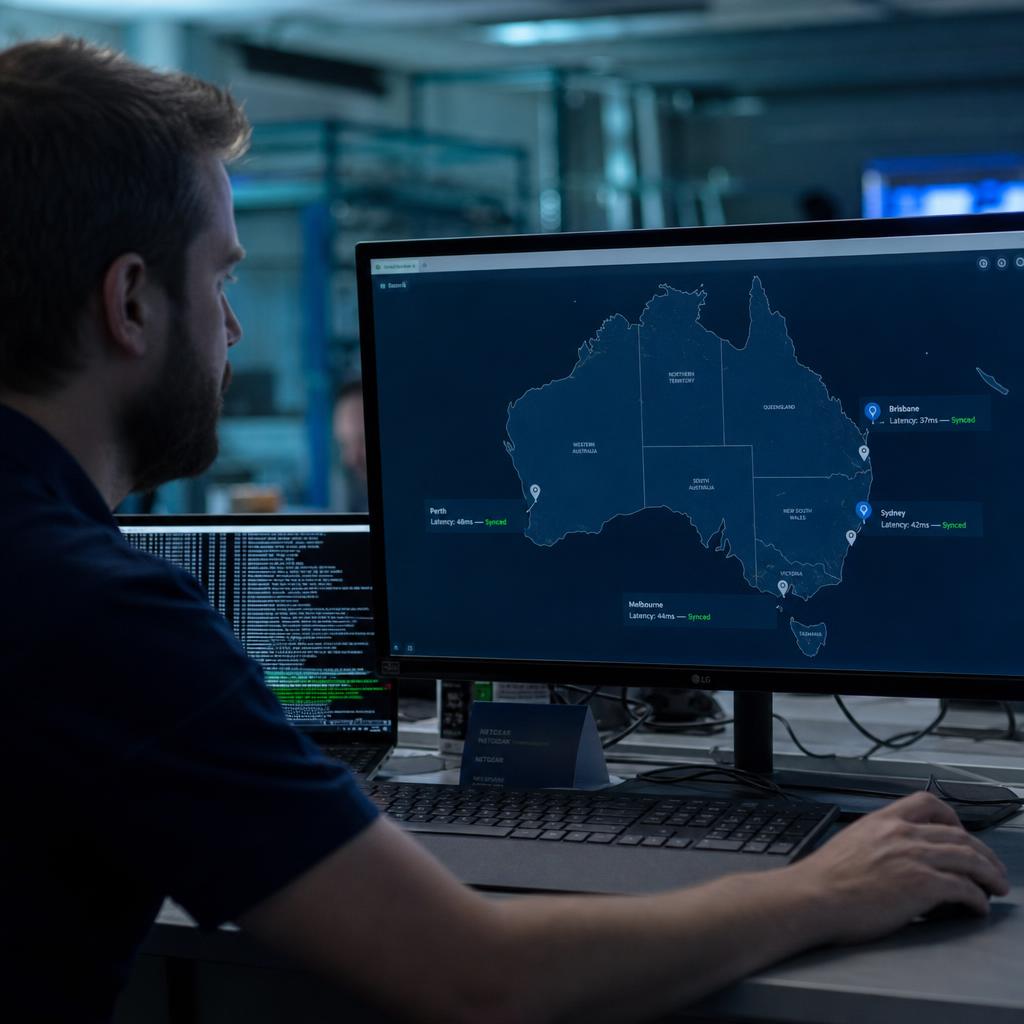
- Melbourne to Perth is 40 to 60 milliseconds round-trip on a good day, and that varies with time of day, ISP routing and congestion at each end
- Some venues run business-grade fibre; others a retail-grade NBN connection or a 4G failover link
- Packet loss and jitter are not edge cases here. They are the normal operating condition
Applying single-site logic here — waiting for a "go" signal from a central server before anyone starts — creates a new failure mode. The slowest link in the group decides when everyone plays, and one venue dropping entirely can stall content at every other site.
Multi-venue architectures have to decouple venues from each other's real-time network conditions while keeping them aligned to a shared reference.
How Do Venues Agree on When to Play?
On a shared clock, not a live signal.
Each venue's player keeps its own local clock, corrected periodically against a reference time source using an NTP-style protocol — the same approach that keeps servers and point-of-sale systems agreeing on the time across the internet.
The player does not need a live connection at the moment content plays. It needs:
- Its clock accurate within an acceptable tolerance
- Content scheduled against absolute timestamps rather than "start now" commands
This differs from the precision timing protocols used inside a single facility to align hardware at sub-millisecond accuracy. Over a WAN that precision is neither achievable nor necessary — internet latency variance alone exceeds it.
What matters is that every player agrees on what time it is closely enough that a 9:00:00am start looks the same whether the viewer is in front of the Melbourne wall or the Brisbane one.
For most retail, corporate and event use cases, a few hundred milliseconds is more than sufficient. The eye does not perceive misalignment at that scale unless the displays are physically adjacent.
The player then locally schedules playback against that corrected clock. If the connection to the cloud orchestration layer drops after the schedule and content have been delivered, the local player keeps running on its own clock and its own cached copy of the playlist, because timing was never dependent on a live network round-trip in the first place.
Architecture Patterns for Multi-Venue Synchronisation
There are broadly three architecture patterns used to solve this problem, and they trade off differently on complexity, resilience, and how tightly synchronised the result actually is.
Cloud-orchestrated with local fallback is the pattern most enterprise platforms converge on. A central cloud service pushes content, playlists, and schedules out to every venue in advance, along with the timing reference each player syncs its clock against. Each site's player caches everything it needs locally and executes on schedule using its own corrected clock, independent of whether the cloud connection is live at playback time. The cloud layer is used for distribution, monitoring, and remote management — not as a real-time conductor. This is also the pattern that underpins centralised management of the kind described in our multi-environment controller guide, where a single console needs visibility and control across many independently operating sites.
Pure peer-to-peer synchronisation, where venues negotiate timing directly with each other rather than through a central service, is less common in commercial deployments. It removes a single point of failure at the orchestration layer but pushes the complexity of clock negotiation, content consistency, and conflict resolution out to every player, which becomes harder to manage and debug as venue count grows. It tends to suit smaller, fixed-topology networks rather than a chain that's still opening new sites.
Centralised real-time control, where a single server issues live start/stop commands to every venue over the WAN, is the pattern to avoid for cross-site work. It looks simple on a whiteboard but reintroduces the exact problem described above — every venue's playback becomes hostage to the network condition of the central link and of every other venue's connection at that moment.
How Should You Handle Variable Latency Between Sites?
Even with clock-based scheduling rather than live triggering, latency still matters for two things: getting content and schedule updates to every venue before they're needed, and detecting when a venue has actually applied an update versus still running stale content.
Push content and playlist updates well ahead of their scheduled play time, not at the moment they are needed — with enough buffer that a temporarily slow or congested link at one venue does not cause it to miss the window.
Most platforms build in a distribution lead time:
- The content itself lands at every site hours or days before it is due to air
- Only the lightweight schedule metadata needs to arrive close to play time, if at all
Latency between venues is also rarely symmetric. A site's upload speed to the cloud (used for status reporting and proof-of-play data) is often far lower than its download speed (used for receiving content), particularly on consumer-grade connections. Design monitoring and health-check traffic accordingly — polling for acknowledgement rather than expecting instant confirmation avoids false "venue is behind" alerts caused by nothing more than a slow uplink.
What Happens When One Venue Loses Connectivity?
Nothing, at every other venue. That is the direct payoff of cloud orchestration with local fallback.
Because each site plays from its own cache against its own corrected clock, a dropped connection means that venue stops receiving updates until it reconnects. It does not stop, stall or desynchronise the others.
The offline venue should keep running its last known-good schedule locally.
The relevant risk is clock drift, not the network loss itself. A local clock that is not corrected during an extended outage gradually drifts from the reference time — and the longer a venue stays disconnected, the more visible that drift becomes on time-sensitive content, such as a coordinated countdown or a synchronised video cue across sites.
Most platforms handle it three ways at once:
- A hardware clock with reasonable native accuracy as the baseline
- NTP-style correction applied whenever connectivity is available
- Flagging venues past an acceptable offline window, so an operator knows drift risk is increasing — rather than finding out when the sync visibly breaks
On reconnection, the player should reconcile — pulling any missed content or schedule changes and re-correcting its clock — without requiring a manual restart at the venue. Reconnection handling is often where platforms differ most in practice: some require a player reboot to fully resync, which is a meaningful operational burden across a chain of sites and worth testing for specifically during vendor evaluation.
Common Multi-Venue Sync Failure Modes and Fixes
| Failure Mode | Typical Cause | Fix |
|---|---|---|
| One venue's outage stalls playback at other venues | Central server issuing live start/stop commands instead of local scheduling | Move to cloud-orchestrated distribution with local playback against a synced clock, not live triggering |
| Visible drift after an extended outage | Local clock not corrected for the duration the venue was offline | Set a maximum offline tolerance, alert operators past that threshold, force reconnection resync |
| Content appears at some venues before others | Distribution lead time too short, slower links miss the delivery window | Push content well ahead of scheduled play time; separate bulk content delivery from lightweight schedule updates |
| False "venue offline" alerts | Monitoring assumes symmetric upload/download speeds | Use acknowledgement-based polling rather than expecting instant status confirmation |
| Sync breaks after reconnection until manual reboot | Player doesn't reconcile schedule and clock automatically on regaining connectivity | Choose a platform that auto-resyncs on reconnect; test this behaviour during evaluation, not after rollout |
| New venue never quite matches existing sites | Inconsistent player hardware or clock quality across the estate | Standardise player hardware specification across venues where sync accuracy matters |
A Practical Rollout Checklist for Multi-Venue Deployments
Before rolling synchronised content out across multiple venues, it's worth defining a few things clearly rather than discovering them mid-deployment:
- Define what "synchronised" actually needs to mean. Frame-accurate simultaneity is rarely required across sites — most business cases need "close enough that a viewer moving between locations doesn't notice a gap," which is a far easier and more achievable target.
- Confirm connectivity quality at every venue, not just head office. A single weak link changes the distribution lead time you need to plan for across the whole network.
- Test the offline-and-reconnect path specifically, not just the happy path. Pull the network cable at one venue mid-schedule and confirm the others are unaffected, and that the disconnected site resyncs cleanly on return.
- Standardise player hardware where possible, particularly clock quality, if venues need to stay closely aligned over long unattended periods.
- Plan for time zones, if venues span more than one — scheduling against absolute UTC timestamps rather than local wall-clock time avoids daylight saving and cross-state timing errors.
- Build monitoring that reports per-venue status individually, so a single site's issue is visible and actionable without needing to interpret it from network-wide symptoms.
This kind of thinking sits alongside the broader project planning covered in our video wall deployment guide, which is worth reviewing before locking in hardware and network specifications for a multi-site rollout.
Multi-venue LED synchronisation FAQs
Do I need frame-accurate synchronisation across venues, or is close enough acceptable?
For almost all commercial multi-venue use cases — retail campaigns, branch messaging, event activations — sub-second alignment is more than sufficient, and frame-accurate synchronisation isn't achievable over a standard internet connection in any case. Frame accuracy matters within a single wall, where panels sit on the same local network; across venues, the WAN's own latency variance makes that level of precision impractical and, for almost every real business case, unnecessary.
What internet connection do I need at each venue for reliable sync?
There's no universal minimum, because it depends on content volume and update frequency rather than sync itself — the timing mechanism tolerates ordinary broadband latency and jitter. A stable, business-grade connection reduces how often a venue falls behind on content delivery, but the sync architecture is designed specifically so that a temporarily slow or dropped connection doesn't break synchronisation at other sites.
How is this different to synchronising multiple panels within one video wall?
Panel-level synchronisation inside a single wall is a local networking and hardware-signal problem, solved with a stable local network and frame-sync techniques between controllers on the same switch. Multi-venue synchronisation is a wide-area distribution and clock-alignment problem, solved with shared timing references and locally cached, independently executing schedules. See our guide to synchronising multiple LED video walls for the single-site mechanics.
What happens if one venue loses power or internet mid-schedule?
In a properly architected cloud-orchestrated system, that venue's player keeps running its last cached schedule locally until connectivity or power returns, and other venues are entirely unaffected. On reconnection, the player should automatically pull any missed updates and re-correct its clock without requiring a manual reboot.
Can I synchronise venues across different time zones?
Yes, as long as scheduling is done against absolute timestamps (UTC) rather than each venue's local wall-clock time. This also avoids errors around daylight saving transitions, which affect Australian states differently and can quietly break "local time" scheduling if it isn't accounted for.
How much clock drift is acceptable before it becomes visible to viewers?
It depends entirely on the content. For general messaging, drift of a second or more is rarely noticed. For content designed to look genuinely simultaneous — a synchronised countdown or coordinated video cue — tolerances need to be tighter, and platforms should flag venues that have been offline long enough to risk exceeding whatever tolerance the content requires.
Does adding more venues make synchronisation harder to maintain?
Architecturally, no — the cloud-orchestrated pattern scales by adding independently operating players rather than adding coordination overhead between sites. The practical work that grows with venue count is operational: monitoring, connectivity quality variance, and hardware standardisation across a larger estate.
Getting multi-venue synchronisation right comes down to architecture choices made early, not clever fixes applied after a rollout is already live across several sites. If you're planning a synchronised deployment across multiple venues, book a demo to see how SPARC's video wall management handles cloud orchestration, clock synchronisation, and per-venue failover in practice.