Digital signage for places of worship works best when it is built around volunteer operation rather than dedicated IT staff.
Congregations need software that is:
- Simple enough for a rostered volunteer to update between services
- Able to schedule recurring prayer and service times without re-entry
- Careful with sensitive community notices
- Comfortable with multi-language content
Get that right and a foyer or narthex screen becomes a genuine communication hub. Get it wrong and it becomes another thing that breaks and gets switched off.
Most faith communities do not arrive at digital signage the way a corporate office does. There is rarely a facilities manager with a signage budget line, and rarely anyone whose job title includes the word "IT."
Instead there is one of these:
- A rostered volunteer
- A part-time administrator
- A committee member who also does the bulletin, the roster and half a dozen other things
That reality should shape every decision a congregation makes — not just the hardware, but the software behind it.
Why Do Places of Worship Need a Different Approach?
Retail and corporate signage assumes a professional operator: dashboard training, a content calendar, time set aside each week.
Faith communities operate in short bursts instead, by whoever happens to be free:
- After a committee meeting
- Before a working bee
- The night before a funeral is confirmed
And rarely the same person twice.
The platform has to absorb the complexity a marketing team would normally handle. Three things carry that load:
- Templates that are genuinely reusable, not just theoretically reusable
- Scheduling that understands recurring events without someone re-entering them every week
- An interface that makes sense to a volunteer who logs in once a fortnight, not a professional who uses it daily
This isn't a lesser version of corporate digital signage — it's a different use case with its own requirements, much like the operational demands covered in our piece on enterprise display management, just scaled to a very different team structure.
How Do You Schedule Service and Prayer Times Once?
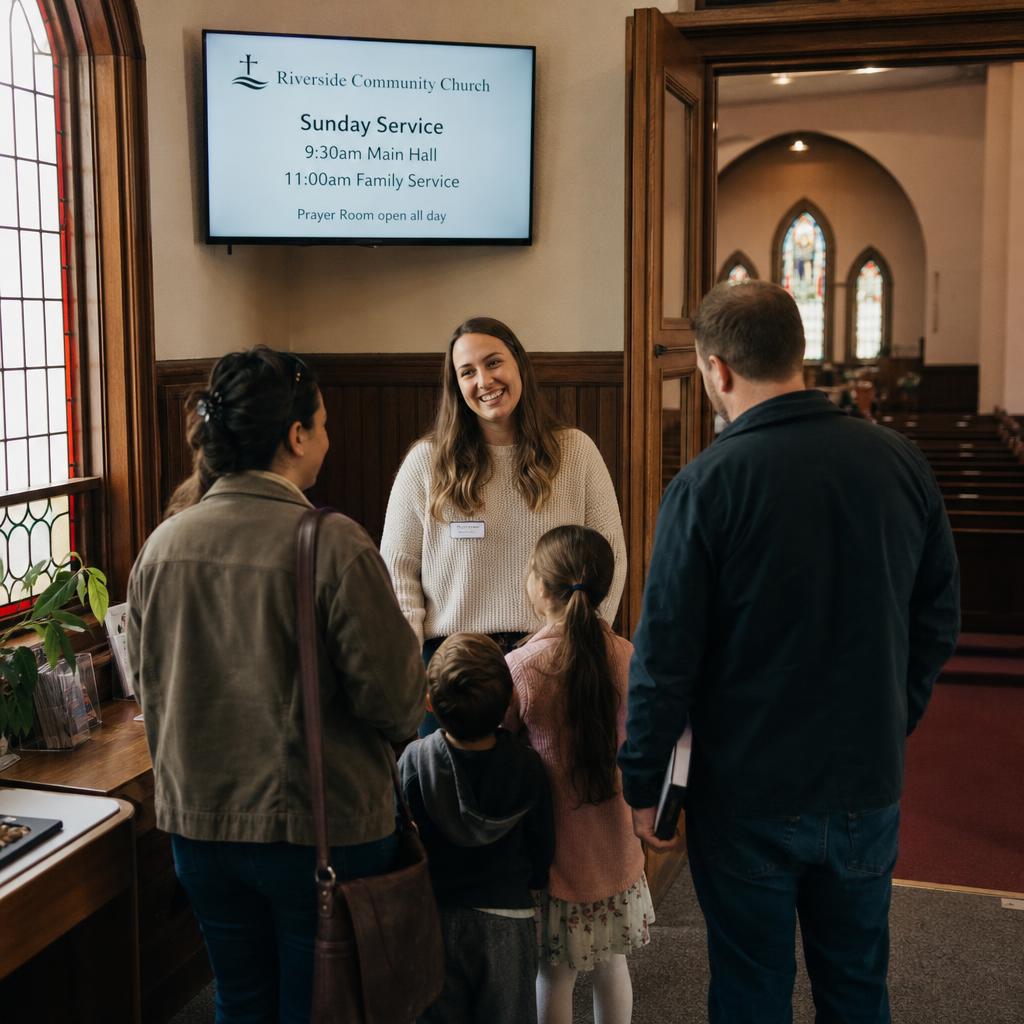
The most common job of a foyer screen is telling people what is happening and when:
- Service times
- Prayer times
- Room allocations for the day
- Changes to the usual pattern — a public holiday, a combined service, a room swap because of a working bee in the main hall
The practical requirement is recurrence. A congregation with a regular weekly pattern should not need a volunteer re-entering the same information every seven days.
Good signage software lets the pattern be set once — recurring services, recurring prayer times, recurring room bookings — so only the exceptions need attention:
- A special observance
- A guest speaker
- A schedule shift around a public holiday
Multiple prayer times through the day, as observed in some traditions, or multiple services across a weekend, as common in others, both benefit from the same underlying feature: a screen that quietly updates itself on schedule rather than requiring someone to remember to change it before each sitting.
What Makes a Platform Workable for Volunteers?
This is what separates places of worship most clearly from a commercial buyer.
In a retail chain or corporate office, someone is paid to manage the system. In most congregations, nobody is. The person updating the screen this week may not be the person who updated it last week, and neither may have done it before.
That has direct implications for what "good" software looks like:
- A simple, visual editor rather than anything resembling code or complex layout tools — drag, drop, type, publish.
- Templates for recurring content types — notices, event promotions, schedule boards — so a volunteer fills in a form rather than designing from scratch each time.
- Remote management from any device, so updates can happen from home before a service rather than requiring physical access to the screen or a specific office computer.
- Sensible defaults and safeguards, such as automatic expiry dates on time-limited notices, so an event that's already happened doesn't linger on screen for weeks because nobody remembered to take it down.
- Low ongoing cost, because faith communities are typically funded by donations and every dollar spent on infrastructure is a dollar not spent on programs and outreach.
A platform that requires training sessions, a support contract, or a "digital signage person" on the roster has effectively priced itself out of most congregations, regardless of how capable it is.
How Should Screens Handle Funerals and Other Sensitive Notices?
Faith communities communicate things most commercial environments never have to think about:
- A passing in the community, and funeral details
- A wedding announcement
- A baptism, naming ceremony or other rite of passage
- A call for support during someone's illness
- A charity drive after a local or global crisis
This content is often urgent, always personal, and needs more editorial judgement than a retail promotion ever would.
A few practical considerations follow from that:
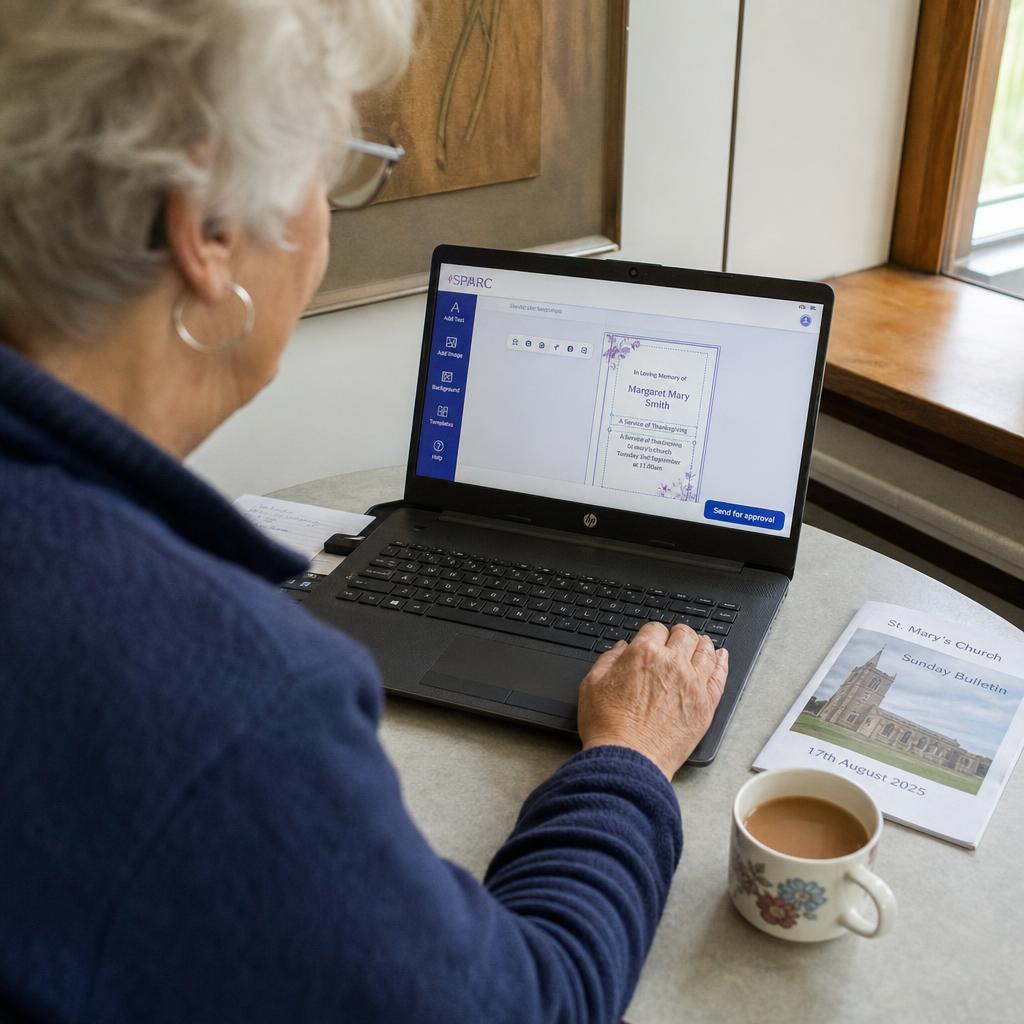
- Fast turnaround matters more than polish. A funeral notice that needs to go up within hours shouldn't require design skills — a clear, readable template that a volunteer can fill in quickly is more valuable than an elaborate one they can't use under pressure.
- Approval matters. Many congregations want a minister, imam, rabbi, priest or elder — or simply a designated senior volunteer — to sight sensitive notices before they go to screen. Software that supports a simple draft-and-approve step, even an informal one, reduces the risk of something going up that shouldn't have, or going up with an error in a name or date.
- Not everything belongs on a public-facing screen. Some notices are appropriate for a community noticeboard app or newsletter but not for a screen visible to visitors and passers-by in an entrance area. Content zoning — deciding what plays where — is as much an editorial decision as a technical one.
- Tone consistency helps. A screen that moves straight from a light-hearted event promotion to a bereavement notice can feel jarring. Simple sequencing controls, so sensitive content can be given its own moment rather than jammed between unrelated promotions, go a long way.
None of this requires sophisticated software features. It mostly requires software that gets out of the way and lets the people responsible for pastoral care make the calls they're already equipped to make.
Multi-language and multi-congregation facilities
Many faith communities — particularly in Australia's larger migrant and multicultural congregations — share one building across several language groups or distinct congregations, sometimes with different service times, different customs, and different notice boards' worth of content, all needing to coexist on the same screens.
This raises requirements that a single-congregation building doesn't have:
- Content scheduling by group, not just by time. A screen might need to show one congregation's notices during their service block and another's immediately after, without a volunteer manually swapping content over between services.
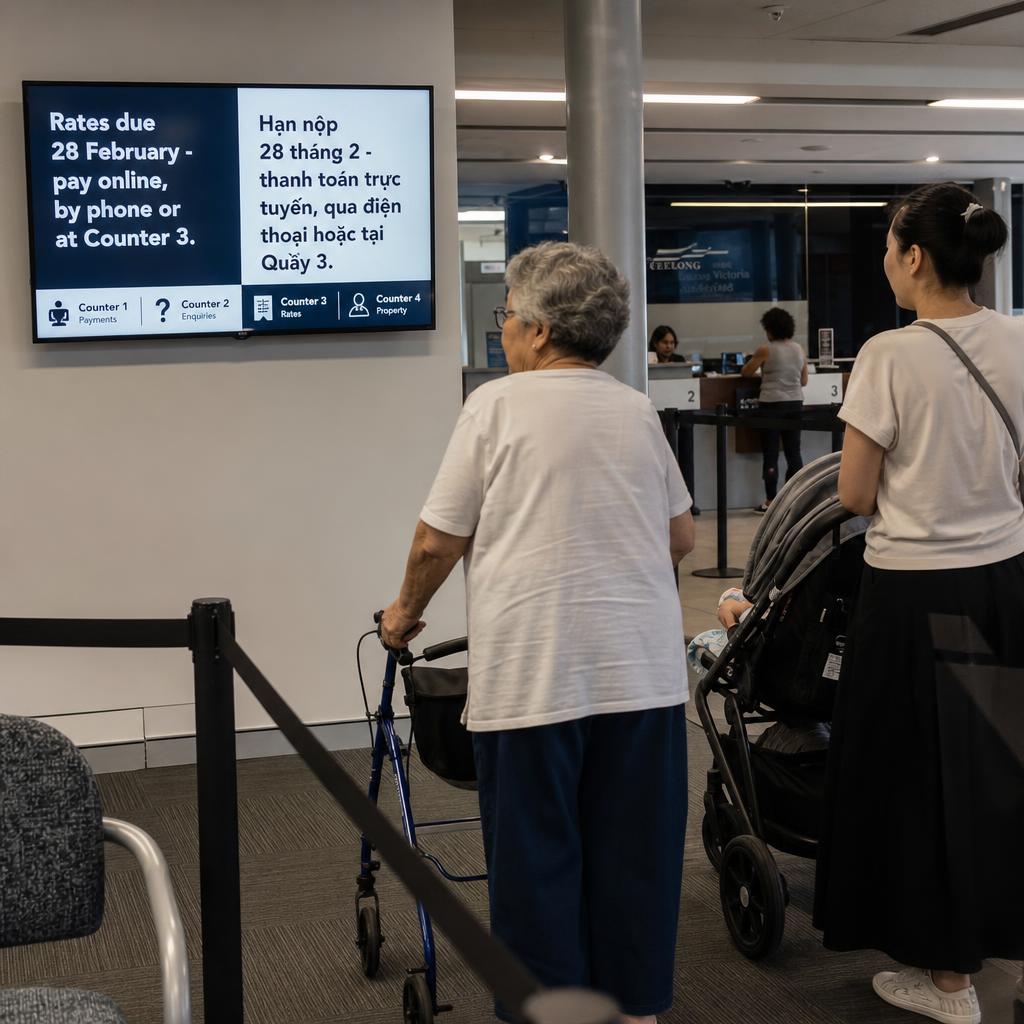
- Multi-language display, whether that's rotating between languages on the same screen, splitting the screen into language zones, or running separate playlists for separate rooms or foyers used by different groups.
- Shared but distinct branding. Each congregation using the space typically wants its own identity — its own event flyers, its own notice style — even while sharing the underlying hardware and software licence. A platform that supports separate content libraries or user permissions per group avoids the awkwardness of one group's volunteer accidentally editing another's notices.
- Clear governance. Someone needs to own the overall schedule so that room and screen time is allocated fairly, but day-to-day content editing can still be delegated to a volunteer from each group.
Getting this right avoids one of the most common failure points in shared-facility signage: content becoming a source of friction between groups rather than a shared asset that serves everyone.
How Do You Show Giving Information Without It Feeling Like a Pitch?
Every faith community relies on giving in some form, whether that's a collection, a building fund, or support for a specific outreach project. Digital signage is a legitimate and useful place to communicate this — but it's an area where tone matters enormously, and getting it wrong can feel more like a fundraising pitch than a community update.
Straightforward, low-pressure information works. Three things belong on the slide:
- How to give — bank details, a QR code, an app
- What the current appeal is for
- Simple transparency about where funds go
A dedicated slide in the rotation, shown briefly and without urgency, sits far more comfortably than a screen that leads with giving or repeats it aggressively.
The test: congregations that get this right treat the giving slide the way they would treat a printed insert in a bulletin — informative, occasional, and easy to ignore if a visitor is not ready to engage with it.
Where to place screens: a room-by-room guide
Screen placement in a place of worship should match how people actually move through the building, not simply mirror a retail or office layout.
| Location | Typical content | Key consideration |
|---|---|---|
| Entrance / foyer / narthex | Service and prayer times, welcome message, today's schedule, visitor information | First impression for newcomers — keep it simple, warm and easy to scan at a glance |
| Main worship hall or sanctuary | Song lyrics or liturgy (where used), scripture or text references, service order | Needs to be legible from the back row and unobtrusive when not actively used |
| Community or fellowship hall | Event promotion, classes, working bees, social gatherings | Higher content turnover — this is often where volunteer-run content is busiest |
| Administration or office area | Rosters, volunteer schedules, internal notices | Smaller, staff/volunteer-facing screen rather than a public display |
| Multi-purpose or shared rooms | Room-specific schedule for the group currently using the space | Must update automatically by booking, not manual swap-over |
How Do You Choose a Platform That Volunteers Will Still Be Using in Six Months?
The signage market is full of capable platforms built for retail chains and corporate campuses, with pricing and complexity to match.
For a faith community the better question is not "what is the most powerful system available" but "what will our volunteers actually keep using in six months."
Top four things that decide that:
- Low running cost
- Genuine ease of use, not a training course
- Dependable scheduling for recurring events
- Sensible handling of sensitive content
All four matter more than advanced analytics or enterprise integrations a congregation will never touch.
SPARC's places of worship signage solutions are built around exactly this operating reality:
- Australian-hosted
- Straightforward enough for a volunteer roster to manage
- Flexible enough for multi-language and multi-congregation facilities, without extra complexity
It is the same philosophy we describe for shared and high-traffic spaces in corporate lobby digital signage and employee engagement. The specifics differ; the underlying idea does not — a screen should make communication easier for the people running the building, not harder.
If your notices are currently a volunteer remembering to update a slide before Sunday, that is the thing worth fixing first. Book a demo and we will set up a week of scheduled notices and hand it to whoever is on the roster, so you can see how long it actually takes to learn.
Church digital signage FAQs
Do we need IT skills or technical staff to run digital signage in our congregation?
No. The platforms best suited to faith communities are designed around volunteer operation, with simple visual editors and template-based content so that anyone comfortable with a smartphone or basic computer use can update screens without training or ongoing technical support.
Can the screens automatically show different prayer or service times each day without someone updating them manually?
Yes. Good signage software supports recurring schedules, so a weekly or daily pattern of services or prayer times can be set up once and will display correctly going forward, with volunteers only needing to step in to add exceptions or special observances.
How do we handle sensitive notices, like a bereavement or a request for support, appropriately?
Use a simple, fast template so notices can go up quickly, build in an approval step so a minister, elder or senior volunteer can sight sensitive content before it's published, and keep it separate in sequence from lighter promotional content so the tone on screen doesn't feel mismatched.
Is it appropriate to display giving or donation information on a public screen?
Yes, when it's handled with a light touch — a simple, informative slide in a normal content rotation rather than a repeated or prominent appeal. Most congregations find a brief, occasional slide with giving details and QR codes sits comfortably alongside other community information.
What's the realistic cost of getting started, and is this only for large congregations?
Digital signage scales to the size of the community — a single foyer screen is a reasonable starting point for a smaller congregation, while larger or multi-site communities can expand to several rooms over time. Because ongoing running costs matter more than upfront hardware spend for donation-funded organisations, it's worth prioritising a platform with straightforward, predictable pricing.
How do we get started?
The simplest first step is to see the platform in action with your own scenarios — recurring services, a shared facility, or multilingual content — rather than evaluating it in the abstract.