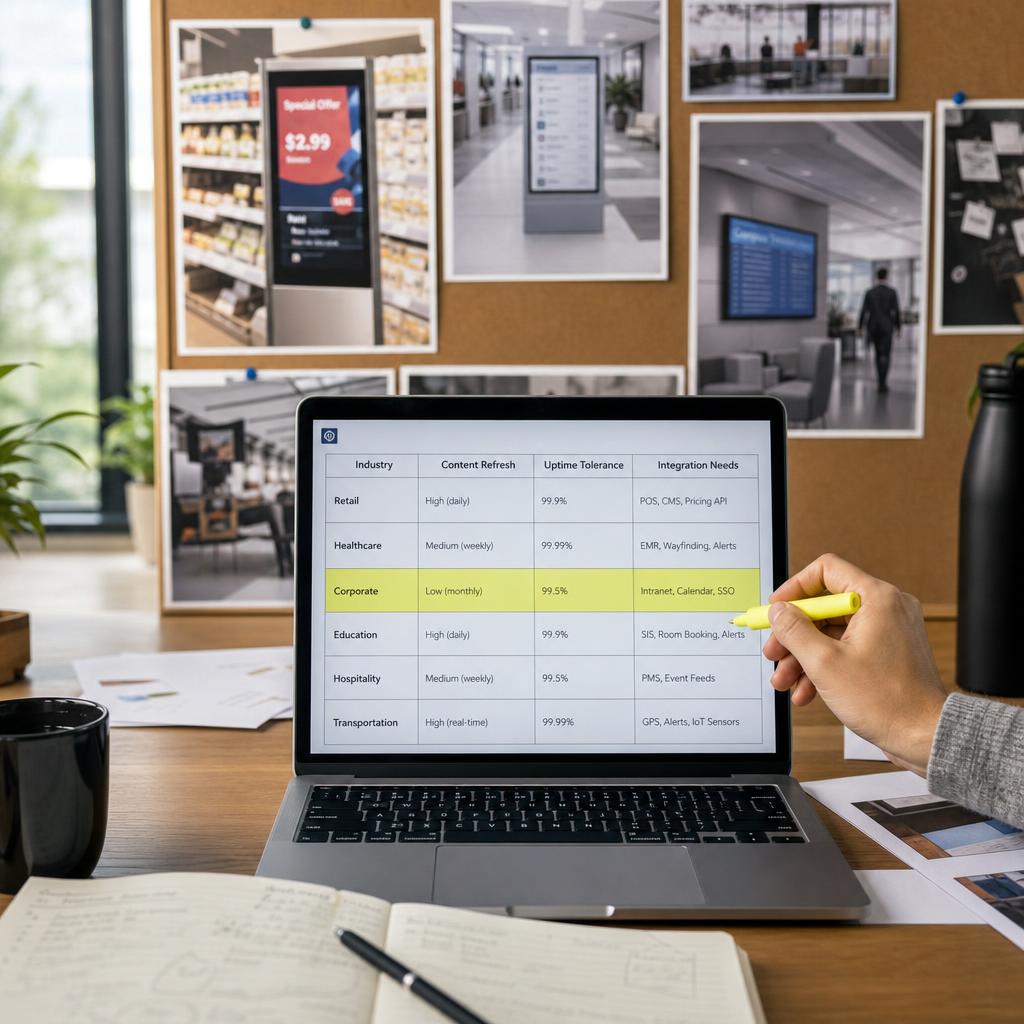
What Changes Between Digital Signage Industries
Digital signage software has to do genuinely different jobs depending on where it is deployed.
- A retailer swaps pricing and promotions daily
- A hospital needs wayfinding and emergency alerts that never go dark
- A corporate office needs a lobby screen that updates itself from a calendar feed and stays quiet the rest of the time
The category is the same — networked screens running managed content — but the operating requirements underneath are not.
That is the question worth answering before evaluating any platform: which industry pattern does your organisation actually fit?
Three variables do most of the work in explaining why one setup looks nothing like another:
- How often content genuinely needs to change — daily, hourly, or twice a year
- How much downtime the environment can absorb — a dark screen in a cafe is an annoyance; in an emergency department it is a safety issue
- Which existing systems the signage has to talk to — POS, calendar, patient management, ticketing
This guide maps those patterns across retail, hospitality, corporate, healthcare, education and large public venues, then points to the deeper industry page for whichever applies. It is deliberately a map, not a manual.
Retail, Hospitality and Quick-Service
Retail and hospitality environments share one defining trait: content changes constantly and it's tied directly to revenue. A retailer running a weekend promotion needs pricing, stock availability and campaign creative to update across every store on the same schedule, often synced with point-of-sale so a screen never advertises a price that's no longer valid.
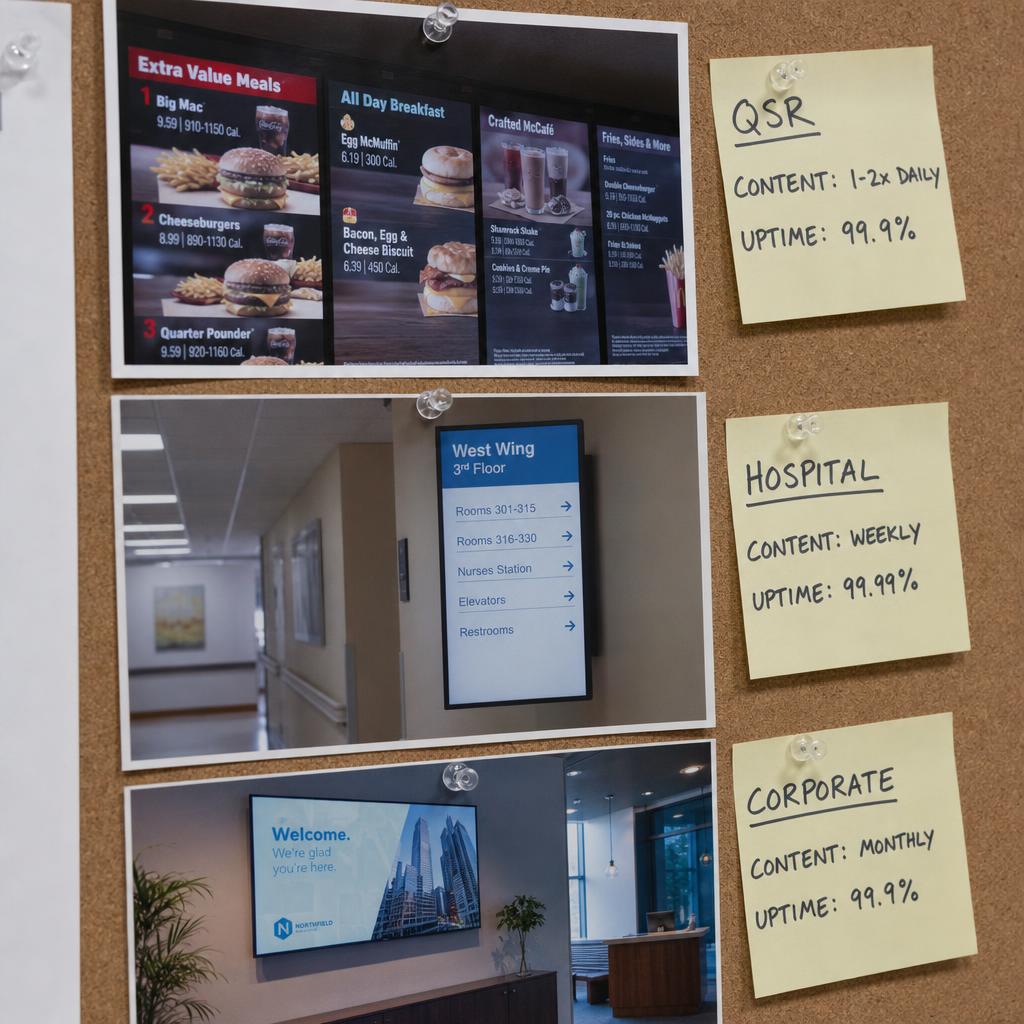
Cafes, restaurants and quick-service outlets have a narrower but higher-frequency version of the same problem: menu boards that change by daypart, items that sell out mid-shift, and price updates that need to go live without a call to head office. Uptime tolerance is tighter — a dead menu board at a lunch rush is a queue problem, not just a marketing one.
Read more on digital signage for retail and cafe and QSR menu board signage for the detail specific to each — or, if you're planning a rollout in one of Australia's capitals, the local buyer's guides for Sydney CBD retail and Brisbane hospitality and QSR cover the precinct- and climate-specific detail those two markets add on top of the general pattern.
Corporate and Workplace
Corporate signage is the opposite profile: low content-change frequency, high emphasis on automation. A lobby or all-hands screen usually pulls from existing systems — a calendar for meeting room status, an HR platform for new-starter welcomes, a BI dashboard for team metrics — rather than being manually designed each week.
Integration depth matters more here than raw content velocity. A workplace deployment lives or dies on whether it can actually connect to the calendar, directory and dashboard tools the business already runs on.
See digital signage for corporate offices for what that looks like in practice.
Healthcare and Aged Care
Healthcare is the strictest environment on this list. Screens are used for wayfinding in buildings people are visiting under stress, for queue management in waiting rooms, and as an emergency communication channel that has to be reliable enough to trust during a lockdown. Uptime isn't a nice-to-have.
Content in a healthcare setting tends to be governed rather than campaign-driven: health information and compliance notices usually need sign-off before they go live, and change less often than a retail promotion but with much less tolerance for error.
The healthcare digital signage industry page and healthcare digital signage for emergency communications cover the compliance and reliability requirements in full.
Education, Stadiums, Events and Museums
Education campuses sit closer to the corporate pattern — timetable boards, campus wayfinding, safety notices — but with many buildings and many audiences.
Stadiums, event venues and museums are the outlier case: extremely low tolerance for downtime during a live event, content that's often scheduled in advance rather than edited in real time, and integration needs that lean toward ticketing or exhibit-management systems.
Explore digital signage for education to go deeper.
Beyond the Core Six: Every Other Vertical SPARC Serves
The six groupings above cover most of the buyer volume, but they're not the whole map. A handful of other verticals have requirements specific enough to warrant their own pattern:
Regulated and high-value environments. Financial services branches need rate and product displays with an audit trail behind every change — see digital signage for bank branches. Government and public sector facilities carry similar governance requirements plus multi-language obligations — see digital signage for councils and public facilities. Manufacturing and industrial floors need live OEE and safety data visible to workers who don't have a desk or inbox — see the manufacturing digital signage guide, or for a remote-site, resources-sector version of the same problem, digital signage for Perth's resources sector.
Showroom and property environments. Automotive dealerships need pricing accuracy under the same scrutiny as a bank rate board, plus showroom video walls for launches — see digital signage for car dealerships. Real estate splits into two genuinely different problems — sales office pricing accuracy versus building lobby wayfinding — covered in digital signage for real estate.
Venues and experience-led spaces. Entertainment venues — stadiums, arenas, cinemas — need to scale from near-idle to full capacity in hours; see digital signage for stadiums, arenas and cinemas. Museums and galleries have heritage-building and exhibition-changeover constraints most retail platforms were never built for — see digital signage for museums & galleries. XR/VR and immersive venues use signage as the operational layer around the headset experience, not the main event — see digital signage for VR & immersive venues.
Community, training and premium spaces. Fitness clubs need class-schedule accuracy that matches the booking app exactly — see digital signage for fitness clubs. Places of worship run on volunteer operators and need software simple enough for a rotating roster — see digital signage for places of worship. Simulation and training centres need bay-status and instructor-dashboard displays for high-value, fixed-slot equipment — see digital signage for simulation & training centres. VIP and executive spaces invert the usual signage brief entirely — restraint and confidentiality over reach — see digital signage for VIP lounges & executive spaces. And for a single-location business just getting started, see our plain-language digital signage starter guide for small business — you don't need any of the enterprise features above to get value from one screen.
How Requirements Compare Across Industries
The table below is a starting reference, not an exhaustive spec.
| Industry | Typical content refresh | Uptime tolerance | Primary integration needs |
|---|---|---|---|
| Retail | Daily to multiple times a day | Moderate | POS, pricing, inventory feeds |
| Hospitality / QSR | Multiple times a day, by daypart | Low tolerance during service hours | POS, kitchen display, stock |
| Corporate / workplace | Weekly, mostly automated | Moderate, self-healing | Calendar, HR/directory, BI dashboards |
| Healthcare | Low to moderate, governance-driven | Very low, emergency-grade | Nurse call, patient flow, alert systems |
| Education | Weekly to daily, term-driven | Moderate, higher during exams | Timetabling, campus safety |
| Stadiums / events / museums | Scheduled in advance, bursty on event day | Very low during live events | Ticketing, scoring, exhibit systems |
| Financial services / government | Rate/product driven, governance-heavy | Very low, audit-grade | Compliance systems, multi-language rotation |
| Manufacturing / simulation | Real-time, shift-driven | Very low during production | MES/SCADA, booking/scheduling systems |
| Automotive / real estate | Daily, pricing-sensitive | Moderate | DMS/CRM, inventory feeds |
| Fitness / places of worship | Daily to weekly, volunteer or roster-run | Moderate | Booking platforms, recurring schedules |
Which Pattern Fits Your Organisation
- Multi-site retail or hospitality — prioritise template controls, POS integration and central scheduling
- Corporate workplace or single HQ — prioritise automation and integration depth over content volume
- Healthcare or aged care — prioritise uptime, content governance and emergency-communication capability
- Education — look for a platform handling a mix of building types and audiences without a separate system per faculty
- Stadium, event venue or museum — prioritise scheduling reliability and integration with ticketing and event systems
The SPARC industries hub is built to help you work through which of these you are, and it is worth comparing that against the SPARC platform overview before shortlisting anything.
If two of these patterns describe you — a retail group with a corporate head office, or a hospital with a public cafe — that combination is usually what breaks single-pattern platforms. Book a demo and we will set up both patterns in one account so you can see them running side by side.
Digital signage software FAQs
Does digital signage software actually need to be different for retail versus a corporate office?
Yes, in the parts that matter operationally. Retail signage is built around frequent, revenue-linked content changes and multi-site consistency. Corporate signage is built around automation and integration with calendar and HR tools.
What industries use digital signage software?
The most common sectors are retail, hospitality and quick-service, corporate and workplace, healthcare and aged care, education, and large public venues such as stadiums and museums.
Do healthcare providers really need different signage software than retailers?
In the areas that carry risk, yes. Healthcare deployments weight uptime, governance and emergency-communication reliability far more heavily than content variety or design flexibility.
Can one digital signage platform genuinely cover multiple industries at once?
A capable platform can, but that should mean it has the specific integrations and reliability features each sector needs, not that it applies one generic template everywhere.
Is content refresh frequency really that different between industries?
It's a genuine and measurable difference. A QSR menu board can change several times a day; a corporate lobby screen might run on autopilot from a calendar feed for months.
How do I work out which SPARC industry page applies to my business?
Start from what's driving your content and how much downtime your environment can tolerate, then open the specific industry page that matches — the [industries hub](/industries) lists the full set.
Ready to Experience SPARC?
Join forward-thinking organizations already using SPARC for their digital signage needs.